
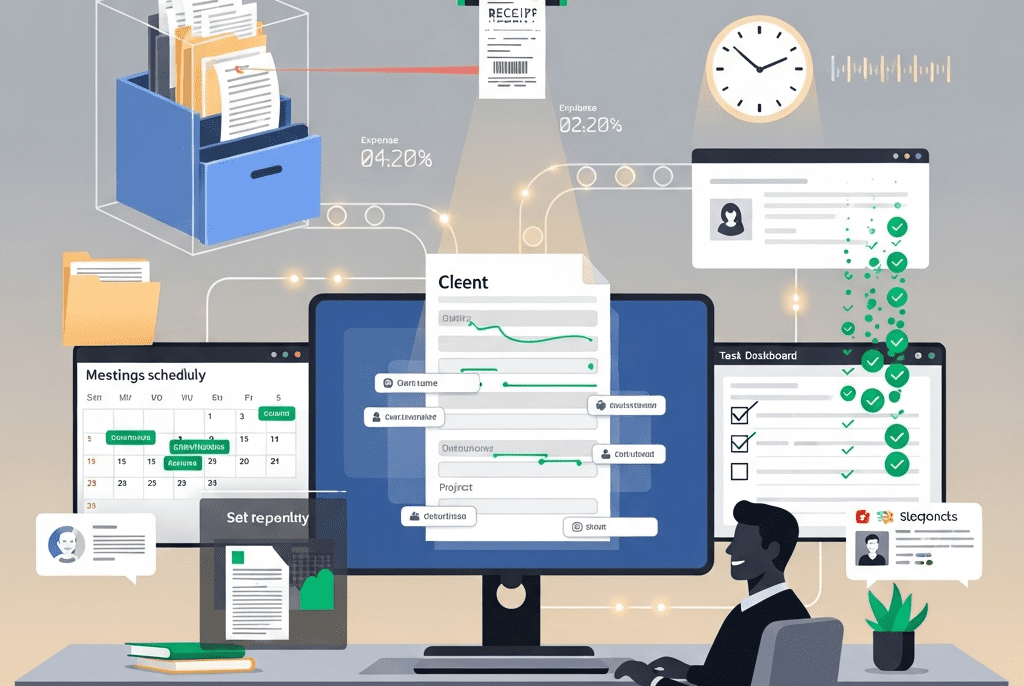
End-to-End Administrative Automation System
We designed and deployed a complete administrative automation system for CrestLine Legal Associates — eliminating 124 hours of weekly manual admin work, reducing document errors by 96%, and transforming a drowning operations team into a streamlined, self-running machine.
| Client Name | CrestLine Legal Associates |
| Industry | Legal Services / Professional Services Firm |
| Project Duration | 6 Weeks |
| Services Delivered | Administrative Process Audit, Document Automation, Task & Workflow Management, Scheduling & Calendar Automation, Client Intake Automation, Expense & Invoice Processing, Internal Communication Automation, Compliance & Deadline Tracking, Digital Filing & Document Management |
| Tools & Platforms Used | Zapier, Make (Integromat), Google Workspace (Docs, Sheets, Calendar, Drive, Gmail), Microsoft 365, Notion, Airtable, Calendly, PandaDoc, DocuSign, QuickBooks Online, Toggl Track, Slack, Trello, Typeform, ChatGPT API (OpenAI), Loom, WordPress |
| Project Year | 2025 |
The Overview
CrestLine Legal Associates is a mid-sized law firm with 14 attorneys, 6 paralegals, and a 5-person administrative team handling corporate law, intellectual property, real estate transactions, and regulatory compliance across India. With 180+ active client matters at any given time, their administrative backbone was — quite literally — holding the entire firm together.
But that backbone was breaking.
Every day, the admin team battled an avalanche of repetitive, manual tasks: scheduling meetings across multiple attorney calendars, generating engagement letters and NDAs from scratch, chasing partners for timesheet entries, processing vendor invoices, organizing thousands of documents into case folders, tracking filing deadlines across jurisdictions, formatting legal memos, updating client contact records, coordinating courier and filing services, managing conference room bookings, processing travel reimbursements, and responding to the same internal requests over and over and over again.
The result? The 5-person admin team collectively spent an estimated 124 hours per week on tasks that followed predictable, repeatable patterns — tasks that didn’t require human judgment, creativity, or legal expertise. They were highly capable professionals trapped in a loop of copy-pasting, reformatting, manually entering data, and chasing people for information.
Meanwhile, the work that actually needed human intelligence — complex scheduling negotiations, sensitive client communications, strategic office management, vendor relationship management — was being squeezed into whatever scraps of time remained.
We engineered a comprehensive administrative automation system that identified, mapped, and automated every repeatable administrative process in the firm — freeing the team to focus on high-value work while ensuring nothing falls through the cracks.
The Challenge
CrestLine’s administrative operations were hemorrhaging time and accuracy across every function:
- Calendar & Scheduling Chaos: 14 attorneys, each with their own calendar preferences, availability patterns, and client meeting requirements. The admin team spent 18+ hours per week just scheduling, rescheduling, and coordinating meetings — often requiring 6-8 email exchanges per meeting to find a mutually available slot. Double-bookings happened 3-4 times per week, causing embarrassing client-facing conflicts.
- Document Generation Nightmare: Engagement letters, NDAs, retainer agreements, billing summaries, internal memos, meeting minutes, and client update letters were all created manually from scratch or from outdated templates. Each document required 30-90 minutes of formatting, data entry, proofreading, and approval routing. With 40+ documents generated weekly, this consumed 25+ hours — and still produced an average of 8-12 errors per week (wrong client name, incorrect dates, missing clauses, formatting inconsistencies).
- Client Intake Black Hole: New client onboarding required collecting 15+ pieces of information (company details, authorized contacts, conflict check data, billing preferences, engagement scope) — typically through a chain of emails, phone calls, and manual data entry into 4 different systems (CRM, billing system, document management, matter tracking). Average intake time: 3.5 hours per new client. Information frequently fell through the cracks, leading to incomplete files, billing errors, and compliance risks.
- Timesheet & Billing Agony: Attorneys were notoriously bad at submitting timesheets on time. The admin team spent 8+ hours per week chasing partners and associates for time entries, manually compiling billing data, cross-referencing with matter records, formatting invoices, and processing client billing disputes. End-of-month billing cycles regularly extended 7-10 days past deadline.
- Expense Processing Bottleneck: Travel reimbursements, vendor invoices, office supply purchases, and client-related expenses were submitted via email attachments, paper receipts, WhatsApp photos, and occasionally sticky notes left on desks. Processing a single expense report took 25-40 minutes. The monthly backlog averaged 60+ unprocessed expense items, causing cash flow visibility issues and frustrated team members waiting for reimbursements.
- Filing & Document Management Disorder: With 180+ active matters, thousands of documents needed to be organized, versioned, and retrievable. The filing system was a chaotic mix of Google Drive folders (inconsistently named), email attachments (buried in inboxes), physical filing cabinets, and personal desktop folders. Finding a specific document averaged 12-18 minutes of searching. Critical documents were occasionally lost entirely — discovered missing only when a deadline loomed.
- Deadline Tracking Gaps: Legal work is governed by strict deadlines — court filing dates, regulatory submission windows, statute of limitations periods, contract renewal dates, and client deliverable timelines. These were tracked across a combination of Outlook reminders, Excel spreadsheets, sticky notes, and individual attorney memories. Two missed filing deadlines in the past 12 months had resulted in client complaints and potential malpractice exposure.
- Internal Communication Overload: The admin team received an average of 220+ internal emails per day — requests for document formatting, meeting scheduling, supply ordering, IT help, visitor coordination, and general questions. 65% of these emails contained requests that followed predictable patterns with predictable solutions, but each required manual reading, interpretation, and response.
- Vendor & Office Management Manual Loop: Managing 28 regular vendors (courier services, printing, office supplies, IT support, cleaning, catering) required manual purchase order creation, delivery tracking, invoice matching, and payment processing — consuming 12+ hours per week.
- Onboarding & Offboarding Friction: When new attorneys or staff joined (or left), the admin team manually processed 35+ setup/teardown tasks — system access, email setup, ID cards, equipment assignment, training schedule, introduction emails, directory updates, insurance enrollment. Average onboarding time: 2.5 days of admin effort per new hire. Critical steps were occasionally missed, discovered weeks later.
Our Approach & Strategy
We implemented a six-phase transformation — systematically identifying, prioritizing, and automating every administrative process:
Phase 1: Administrative Process Audit & Time Study (Week 1)
Before automating anything, we needed to understand exactly how every hour was being spent:
- Shadow Study: Spent 3 days embedded with the 5-person admin team, observing and documenting every task performed, every tool used, every handoff point, and every bottleneck encountered.
- Time Tracking Analysis: Installed Toggl Track for 2 weeks across the entire admin team — categorizing every minute into 42 distinct task categories.
- Administrative Time Distribution (Before Automation):
| Task Category | Hours/Week | % of Total | Automation Potential |
|---|---|---|---|
| Scheduling & Calendar Management | 18.5 hrs | 14.9% | 🟢 High (85% automatable) |
| Document Generation & Formatting | 25.2 hrs | 20.3% | 🟢 High (90% automatable) |
| Client Intake & Onboarding | 8.4 hrs | 6.8% | 🟢 High (80% automatable) |
| Timesheet Chasing & Billing Prep | 8.8 hrs | 7.1% | 🟢 High (85% automatable) |
| Expense Processing | 7.2 hrs | 5.8% | 🟢 High (90% automatable) |
| Filing & Document Organization | 11.6 hrs | 9.4% | 🟢 High (85% automatable) |
| Deadline Tracking & Reminders | 6.4 hrs | 5.2% | 🟢 High (95% automatable) |
| Internal Email Processing | 14.8 hrs | 11.9% | 🟡 Medium (60% automatable) |
| Vendor & Office Management | 12.2 hrs | 9.8% | 🟡 Medium (70% automatable) |
| Employee Onboarding/Offboarding | 4.6 hrs | 3.7% | 🟢 High (80% automatable) |
| Complex/Strategic Admin Tasks | 6.3 hrs | 5.1% | 🔴 Low (requires human judgment) |
| TOTAL | 124 hrs | 100% | Avg: 82% automatable |
- Key Finding: 101.6 hours per week (82%) of admin time was spent on predictable, rule-based, repeatable tasks — the exact type of work automation handles perfectly.
- Process Mapping: Created detailed flowcharts for all 42 task categories, documenting:
- Trigger (what initiates the task)
- Inputs (what information/materials are needed)
- Steps (every action taken, in order)
- Decision points (where human judgment is required vs. where rules apply)
- Outputs (what’s produced)
- Handoffs (where the task passes to another person)
- Tools used (which software/systems are involved)
- Error frequency (how often mistakes occur and why)
- Time per occurrence (how long each instance takes)
- Automation Priority Matrix:
| Priority | Criteria | Tasks Identified |
|---|---|---|
| P1 — Automate First | High time consumption + High automation potential + Low complexity + Immediate ROI | Document generation, scheduling, deadline tracking, expense processing |
| P2 — Automate Next | Medium time consumption + High potential + Medium complexity | Client intake, timesheet chasing, filing/organization, employee onboarding |
| P3 — Automate Later | Medium potential + Higher complexity + Integration dependencies | Vendor management, internal email processing, billing compilation |
| P4 — Keep Human | Low potential + Requires judgment/relationships | Complex negotiations, sensitive communications, strategic planning |
Phase 2: Document Automation & Template Intelligence (Week 2)
Document generation was the single biggest time drain — we tackled it first:
- Smart Template Library (PandaDoc + ChatGPT):
- Audited every document type CrestLine produces regularly — identified 34 recurring document types
- Grouped into categories:
| Category | Document Types | Frequency |
|---|---|---|
| Client Engagement | Engagement Letter, NDA/Confidentiality Agreement, Retainer Agreement, Fee Schedule, Conflict Waiver | 15-20/week |
| Billing & Financial | Invoice, Billing Summary, Expense Report, Payment Receipt, Trust Account Statement | 25-30/week |
| Internal Operations | Meeting Minutes, Internal Memo, Policy Update, Task Assignment, Performance Review | 10-15/week |
| Client Communications | Status Update Letter, Case Summary, Legal Opinion Draft, Client Advisory, Meeting Confirmation | 12-18/week |
| HR & Compliance | Offer Letter, Onboarding Checklist, Exit Interview Form, Leave Application, Compliance Declaration | 3-5/week |
- Built 34 intelligent document templates in PandaDoc:
- Dynamic variable fields that auto-populate from Airtable CRM data (client name, address, matter number, attorney name, billing rate, engagement terms)
- Conditional content blocks — sections that automatically appear or disappear based on matter type:
- If matter type = “Intellectual Property” → include IP-specific clauses
- If client tier = “Premium” → include enhanced service commitments
- If jurisdiction = “Delhi” → include Delhi High Court-specific filing references
- Approval workflows built into each template:
- Standard documents → auto-sent upon completion (no approval needed)
- Client-facing legal documents → routed to supervising attorney for review
- Documents above $50K engagement value → routed to managing partner
- AI-Powered Document Generation:
- Connected ChatGPT API to the template system for sections requiring original content:
- Meeting minutes: Audio recording uploaded → AI transcribes → AI generates formatted meeting minutes with action items, decisions, and attendees → routed for attorney review
- Client status updates: AI pulls case milestone data from Airtable → generates narrative status update letter → attorney reviews and approves
- Internal memos: Admin provides bullet-point inputs → AI generates professionally formatted memo with proper legal memo structure (Issue, Brief Answer, Facts, Discussion, Conclusion)
- Email drafts: AI generates routine correspondence based on templates — appointment confirmations, document receipt acknowledgments, payment reminders, meeting follow-ups
- Connected ChatGPT API to the template system for sections requiring original content:
- Digital Signature Integration:
- Connected DocuSign to PandaDoc workflow:
- Documents requiring client signatures automatically sent for e-signature upon attorney approval
- Signed documents auto-filed in correct Google Drive folder
- Completion notifications sent to attorney, admin, and billing team
- Signature status dashboard showing pending/completed/expired signature requests
- Connected DocuSign to PandaDoc workflow:
- Document Error Elimination:
- Built automated quality checks into every document generation:
- Client name verified against CRM record (catches misspellings)
- Date fields auto-populated (eliminates wrong-date errors)
- Matter number cross-referenced with active matters (prevents assignment to closed matters)
- Financial figures auto-calculated from billing rate × estimated hours (prevents manual math errors)
- Clause consistency checker — ensures all referenced clauses exist within the document
- Pre-send review checklist auto-generated for complex documents
- Built automated quality checks into every document generation:
Phase 3: Scheduling, Calendar & Communication Automation (Week 3)
We turned scheduling from an 18-hour-per-week headache into a near-zero-touch process:
- Intelligent Scheduling System (Calendly + Google Calendar + Zapier):
- Created personalized Calendly booking pages for each of the 14 attorneys:
- Availability synced real-time with Google Calendar (eliminates double-bookings)
- Buffer times auto-applied between meetings (15 min for internal, 30 min for client meetings)
- Meeting type templates:
- Created personalized Calendly booking pages for each of the 14 attorneys:
| Meeting Type | Duration | Buffer | Location | Prep Time |
|---|---|---|---|---|
| Initial Client Consultation | 60 min | 30 min after | Conference Room (auto-assigned) | AI prep brief sent 1 hr before |
| Client Status Update | 30 min | 15 min after | Video call (auto-generates link) | Case summary auto-pulled |
| Internal Team Meeting | 45 min | 15 min after | Conference Room or Video | Agenda auto-populated from Trello |
| Court Preparation Session | 90 min | 45 min after | Senior Partner’s Office | Case file auto-assembled |
| Partner Meeting | 60 min | 30 min after | Board Room | Previous meeting minutes auto-pulled |
| New Client Intake | 45 min | 15 min after | Conference Room A | Intake form auto-sent pre-meeting |
- Smart Scheduling Links: Clients receive a Calendly link and self-schedule — completely eliminating the 6-8 email exchanges per meeting. The system:
- Client selects available slot from attorney’s real-time availability
- Conference room auto-booked (checks room availability, assigns based on meeting size)
- Calendar invites sent to all attendees with video call link (if virtual)
- Reminder email sent 24 hours before + 1 hour before
- If client meeting → AI generates pre-meeting brief for attorney (client background, matter status, last interaction summary, suggested discussion points)
- Post-meeting → auto-sends thank-you email + action items (from meeting minutes)
- Conference Room Management:
- Built automated conference room booking system in Google Calendar:
- 4 conference rooms, each with capacity and equipment profiles
- Auto-assigns based on meeting size and requirements (video call capability, whiteboard, etc.)
- Conflict detection with instant alternative suggestions
- Daily room schedule display on a shared dashboard
- Auto-releases rooms if no-show detected after 15 minutes
- Built automated conference room booking system in Google Calendar:
- Internal Communication Automation:
- Slack Workflow Bots replacing 65% of routine internal emails:
| Request Type | Old Process | Automated Process |
|---|---|---|
| “Can you schedule a meeting with [client]?” | Email → Admin reads → checks calendars → emails client → back-and-forth | Slack command /schedule → Bot sends Calendly link to client directly |
| “I need an NDA for [company]” | Email → Admin creates from scratch → attorney reviews → edits → sends | Slack command /generate NDA [company name] → Auto-populated NDA in PandaDoc → Attorney reviews → DocuSign sent |
| “What’s the status of [matter]?” | Email → Admin checks multiple systems → compiles update → emails back | Slack command /status [matter#] → Bot pulls real-time data from Airtable → instant response |
| “Book me a conference room tomorrow 2-3 PM” | Email → Admin checks availability → books → confirms | Slack command /room tomorrow 2PM 1hr → Auto-booked → confirmation with room details |
| “Where’s the [document] for [client]?” | Email → Admin searches Drive → searches email → finds (maybe) → sends link | Slack command /find [document type] [client name] → Bot searches Google Drive → returns link in 3 seconds |
| “Remind me about the [deadline]” | Sticky note / Outlook reminder (unreliable) | Slack command /deadline [matter#] 2026 [description] → Added to automated deadline tracking system |
- Automated Daily Digest:
- Every morning at 8:30 AM, each attorney receives a personalized Slack message:
☀️ Good Morning, [Attorney Name] — Your Day at a Glance
━━━━━━━━━━━━━━━━━━━━━━━━━━━━━━━━━━━━━━━━━━━━━━━━━━━

📅 TODAY'S SCHEDULE:
  9:00 AM - Client Call: TechVista Pvt Ltd (Status Update)
            📋 Matter #TV-2024-031 | Conference Room B
            📎 Pre-meeting brief: [Link]

  11:30 AM - Internal: IP Team Review
             📋 Agenda: [Link] | Room: Video Call

  2:00 PM - New Client Intake: Horizon Exports
            📋 Intake form received: ✅ Complete
            📎 Conflict check: ✅ Clear
            📋 Conference Room A reserved

⏰ UPCOMING DEADLINES (Next 7 Days):
  🔴 Mar 18 — Patent filing: TechVista (Matter #TV-2024-031)
  🟡 Mar 20 — Response due: Meridian Corp arbitration
  🟢 Mar 22 — Contract renewal review: Atlas Industries

📝 ACTION ITEMS FROM YESTERDAY:
  ☐ Review revised NDA for Horizon Exports (PandaDoc link)
  ☐ Approve billing summary for February — 3 clients pending
  ☐ Sign off on associate Ravi's research memo

⏱️ TIMESHEET STATUS:
  This week: 18.5 hrs logged (Target: 35 hrs)
  ⚠️ Monday & Tuesday entries missing — please update

💬 3 pending Slack messages requiring your response
━━━━━━━━━━━━━━━━━━━━━━━━━━━━━━━━━━━━━━━━━━━━━━━━━━━
Phase 4: Client Intake, Filing & Deadline Automation (Week 4)
Three critical operational functions — each fully automated:
- Automated Client Intake Pipeline:
- Replaced the 3.5-hour manual intake process with a streamlined digital pipeline:
NEW CLIENT INTAKE AUTOMATION FLOW
━━━━━━━━━━━━━━━━━━━━━━━━━━━━━━━━━

STEP 1: INTAKE FORM (Typeform)
  → Client receives branded intake link
  → Smart form with conditional logic:
    • Company details (name, address, registration, GSTIN)
    • Authorized contacts (name, role, email, phone)
    • Matter description (type, scope, urgency)
    • Billing preferences (payment terms, billing contact)
    • Previous legal counsel information
    • Document uploads (registration docs, existing contracts)
  → Average completion time: 8 minutes (vs. 3.5 hours manual)

STEP 2: AUTOMATIC DATA DISTRIBUTION (Zapier)
  → Form submission triggers:
    ✅ Airtable: New client record created with all fields
    ✅ Google Drive: Client folder created with standard subfolder structure
       └── [Client Name]
           ├── 01_Engagement Documents
           ├── 02_Client Documents
           ├── 03_Correspondence
           ├── 04_Research & Memos
           ├── 05_Court Filings
           ├── 06_Billing
           └── 07_Miscellaneous
    ✅ QuickBooks: New customer record created
    ✅ Google Contacts: Client contacts added to firm directory
    ✅ Calendly: Intake meeting auto-scheduled with assigned attorney
    ✅ PandaDoc: Engagement letter auto-generated with client data
    ✅ Slack: #new-clients channel notified with client summary

STEP 3: CONFLICT CHECK (Semi-Automated)
  → AI scans client name, associated entities, and contacts
    against entire Airtable database of current/past clients
  → If potential conflict detected → flags for attorney review
  → If no conflict → marks "Clear" and proceeds

STEP 4: ENGAGEMENT LETTER (PandaDoc + DocuSign)
  → Auto-generated engagement letter sent to attorney for review
  → Attorney approves → DocuSign sent to client
  → Client signs → auto-filed in client folder
  → Welcome email sequence triggered:
    • Welcome message with firm overview and key contacts
    • Secure document upload portal link
    • Communication preferences form
    • Billing and payment setup instructions

STEP 5: MATTER SETUP (Airtable)
  → New matter record created with:
    • Unique matter number (auto-generated: [Client Code]-[Year]-[Seq])
    • Assigned attorney and paralegal
    • Matter type and practice area
    • Key dates and deadlines
    • Billing rate and budget estimate
    • Status: "Active — New"
━━━━━━━━━━━━━━━━━━━━━━━━━━━━━━━━━━━━━━━━━━━━━━━━━━━- Result: Client intake time reduced from 3.5 hours to approximately 12 minutes of admin time (form review + attorney confirmation). Data entry errors eliminated entirely. No information falls through cracks.
- Intelligent Document Filing System:
- Built an auto-filing system using Zapier + Google Drive + Airtable:
- Every document generated through PandaDoc auto-files in the correct client folder and subfolder
- Every email attachment from clients auto-extracted and filed (using Zapier email parser)
- Every DocuSign completed document auto-filed with naming convention:
[Date]_[DocType]_[ClientName]_v[Version] - Document metadata auto-logged in Airtable (document type, matter number, date, author, status, keywords)
- Full-text search across all documents via Airtable — find any document in under 5 seconds (vs. 12-18 minutes manual search)
- Version Control:
- Every document edit creates a new version in Google Drive
- Version history tracked in Airtable with editor name and timestamp
- “Final” versions locked from editing with notification to original author
- Auto-archival of matters inactive for 12+ months → moved to “Archive” folder with notification to responsible attorney
- Built an auto-filing system using Zapier + Google Drive + Airtable:
- Automated Deadline Tracking & Alert System:
- Built a multi-layer deadline management system in Airtable + Slack + Google Calendar:
| Deadline Type | Source | Tracking Method | Alert Schedule |
|---|---|---|---|
| Court Filing Dates | Manual entry by paralegal | Airtable + Google Calendar | 30 days, 14 days, 7 days, 3 days, 1 day, morning-of |
| Regulatory Submissions | Airtable matter record | Automated from matter setup | 21 days, 7 days, 3 days, 1 day |
| Contract Renewal/Expiry | Client engagement records | Auto-calculated from start date + term | 60 days, 30 days, 14 days, 7 days |
| Client Deliverables | Task assignments in Trello | Synced from Trello due dates | 5 days, 2 days, 1 day, overdue |
| Statute of Limitations | Manual entry by attorney | Airtable with priority flag | 90 days, 60 days, 30 days, weekly until date |
| Internal Deadlines | Trello tasks | Auto-tracked | 3 days, 1 day, overdue |
| Billing Deadlines | QuickBooks invoice dates | Monthly cycle automation | 7 days before cycle end, 3 days, 1 day |
- Escalation Protocol:
- Deadline in 7+ days: Standard Slack reminder to assigned attorney
- Deadline in 3 days: Highlighted Slack reminder + email notification
- Deadline in 1 day: Urgent Slack message + email + supervising partner notified
- Deadline TODAY: Morning alert + midday check-in + 4 PM final warning
- Deadline MISSED: Immediate alert to managing partner + incident log entry + root cause form triggered
- Never Miss Another Deadline: The system’s redundant, multi-channel alert structure makes it virtually impossible for a deadline to pass unnoticed. Every deadline has a minimum of 5 advance warnings delivered across 3 channels.
Phase 5: Expense Processing, Timesheet & Billing Automation (Week 5)
We automated the financial admin processes that consumed the most time and created the most frustration:
- Smart Expense Processing Pipeline:
- Replaced the chaotic multi-channel expense submission with a single, streamlined digital process:
EXPENSE PROCESSING AUTOMATION
━━━━━━━━━━━━━━━━━━━━━━━━━━━━━

SUBMISSION:
  → Mobile-friendly Typeform (or Slack command /expense)
  → Employee uploads receipt photo
  → Fills: Amount, category, matter# (if client-billable), description
  → Submission time: Under 2 minutes

PROCESSING (Fully Automated):
  → Zapier captures submission
  → AI (ChatGPT) extracts data from receipt photo:
    • Vendor name
    • Date
    • Amount
    • Tax breakdown
    • Category verification
  → Cross-references against expense policy:
    • Within spending limits? ✅/❌
    • Valid category? ✅/❌
    • Receipt quality acceptable? ✅/❌
    • Matter number valid (if billable)? ✅/❌
  → If all checks pass:
    ✅ Auto-approved (under $100)
    ✅ Routed to manager (over $100)
  → If checks fail:
    ❌ Returned to submitter with specific issue flagged

RECORDING:
  → Approved expenses auto-entered in QuickBooks
  → If client-billable → linked to matter for next invoice
  → If reimbursable → added to next payroll reimbursement batch
  → Receipt photo attached to QuickBooks entry
  → Monthly expense report auto-generated per employee and per matter

RESULT:
  Processing time: 25-40 minutes manual → 90 seconds automated
  Backlog: 60+ items → Zero backlog (real-time processing)
  Errors: Frequent miscategorization → AI-verified accuracy
━━━━━━━━━━━━━━━━━━━━━━━━━━━━━━━━━━━━━━━━━━━━━━━━━━━- Automated Timesheet Collection & Reminders:
- Built a persistent, escalating timesheet reminder system:
- Daily (5:30 PM): Slack message to each attorney who hasn’t logged time today: “Quick reminder to log your hours today. [Log Time →]”
- Daily (8:30 PM): If still not logged: “Your timesheet for today is still incomplete. [Log Time →]”
- Friday (3:00 PM): Weekly summary: “You’ve logged X hours this week. Target: 35 hrs. [View & Complete →]”
- Monday (9:00 AM): Previous week incomplete flag: “Last week’s timesheets are incomplete. [X hours missing]. Please update by noon today.”
- If still incomplete by Monday noon: Managing partner receives automated notification: “[Attorney Name] has incomplete timesheets for [week]. Total missing: [X hours].”
- Quick-Log Interface:
- Built a Slack-native time logging command:
/log 2.5 "Research for patent application" TV-2024-031 - This creates a Toggl Track entry + syncs to Airtable matter record + feeds QuickBooks billing data
- Reduces time entry from “open billing system → find matter → enter details → save” (4 minutes) to 15 seconds
- Built a Slack-native time logging command:
- Built a persistent, escalating timesheet reminder system:
- Semi-Automated Invoice Generation:
- End-of-month billing process automated:
- Airtable compiles all time entries per matter for the billing period
- Client-billable expenses pulled from QuickBooks and linked to matter
- AI generates draft invoice narrative (converting timesheet entries into professional billing descriptions):
- Timesheet entry: “2.5 hrs — Research patent prior art”
- AI billing narrative: “Review and analysis of prior art relevant to provisional patent application, including database searches and competitor landscape assessment — 2.5 hours”
- Draft invoice generated in QuickBooks using client’s billing template
- Routed to billing attorney for review and approval
- Upon approval → auto-sent to client via email
- Payment tracking automation begins (reminder at 15 days, 30 days, 45 days overdue)
- End-of-month billing process automated:
Phase 6: Vendor Management, Onboarding & System Integration (Week 6)
The final automation layer — completing the end-to-end administrative ecosystem:
- Vendor Management Automation:
- Built vendor database in Airtable with all 28 regular vendors:
- Contact details, service categories, contract terms, payment schedules, performance ratings
- Automated processes:
- Built vendor database in Airtable with all 28 regular vendors:
| Process | Old Method | Automated Method |
|---|---|---|
| Purchase Order Creation | Manual email/call to vendor | Slack command → auto-generated PO from template → emailed to vendor |
| Delivery Tracking | Manual follow-up calls | Vendor confirms via form → status auto-updated in Airtable |
| Invoice Matching | Manual comparison of PO vs. invoice | AI matches invoice to PO → flags discrepancies → auto-approves matches |
| Payment Processing | Manual QuickBooks entry | Approved invoices auto-scheduled for payment in QuickBooks |
| Contract Renewal Tracking | Excel spreadsheet (often outdated) | Airtable auto-alerts 60 days before renewal with performance summary |
| Vendor Performance Tracking | No formal system | Auto-tracked: delivery timeliness, invoice accuracy, service quality ratings |
- Employee Onboarding/Offboarding Automation:
- Built comprehensive onboarding workflow in Trello + Zapier:
NEW EMPLOYEE ONBOARDING AUTOMATION (35 Tasks → Auto-Triggered)
━━━━━━━━━━━━━━━━━━━━━━━━━━━━━━━━━━━━━━━━━━━━━━━━━━━━━━━━

TRIGGER: HR marks new hire in Airtable with start date

PRE-ARRIVAL (Auto-triggered 7 days before start date):
  ✅ Google Workspace account created
  ✅ Email address provisioned ([name]@crestlinelegal.com)
  ✅ Google Drive access configured (role-based folder permissions)
  ✅ Slack account created + added to relevant channels
  ✅ Trello account created + added to team boards
  ✅ Calendly account configured with availability template
  ✅ Building access card request submitted to facilities
  ✅ Equipment requisition form auto-sent to IT (laptop, phone, etc.)
  ✅ Welcome email drafted and scheduled for Day 1
  ✅ Introduction email to team drafted for Day 1
  ✅ Onboarding schedule generated (first 2 weeks)
  ✅ Buddy/mentor assigned from same practice area

DAY 1 (Auto-triggered on start date):
  ✅ Welcome email sent with all system logins and links
  ✅ Introduction email sent to entire firm
  ✅ Onboarding schedule sent to new hire and manager
  ✅ First-day checklist generated in Trello (assigned to new hire)
  ✅ Facilities notified of new team member
  ✅ Directory updated with photo, role, extension, practice area

WEEK 1 (Progressive tasks):
  ✅ Day 2: Training session 1 scheduled (firm systems)
  ✅ Day 3: Training session 2 scheduled (practice area specific)
  ✅ Day 4: Training session 3 scheduled (billing and time tracking)
  ✅ Day 5: Check-in meeting with manager auto-scheduled
  ✅ Week 1 feedback form sent to new hire

WEEK 2-4 (Follow-up tasks):
  ✅ Day 10: Second check-in meeting auto-scheduled
  ✅ Day 14: Probation milestone — HR review reminder
  ✅ Day 21: First project assignment check-in
  ✅ Day 30: 30-day review meeting auto-scheduled with manager
  ✅ Day 30: Onboarding feedback survey sent

OFFBOARDING (Triggered by departure date):
  ✅ System access revocation scheduled for last day + 24 hours
  ✅ Equipment return checklist generated
  ✅ Knowledge transfer meeting scheduled with replacement
  ✅ Exit interview scheduled with HR
  ✅ Client handover notification sent to all active matters
  ✅ Directory updated
  ✅ Final payroll and expense settlement triggered
━━━━━━━━━━━━━━━━━━━━━━━━━━━━━━━━━━━━━━━━━━━━━━━━━━━━━━━━- Master Operations Dashboard:
- Built a real-time Administrative Operations Dashboard in Airtable:
CRESTLINE ADMINISTRATIVE OPERATIONS DASHBOARD
━━━━━━━━━━━━━━━━━━━━━━━━━━━━━━━━━━━━━━━━━━━━

📋 DOCUMENT AUTOMATION
  Documents generated this month:        [Live Count]
  Documents pending review:              [Live Count]
  Documents awaiting signature:          [Live Count]
  Document error rate:                   [Live %]
  Average generation time:               [Live]

📅 SCHEDULING
  Meetings scheduled this week:          [Live Count]
  Double-booking incidents:              [0 target]
  Self-scheduled by clients:             [% of total]
  Avg scheduling time (admin effort):    [Live]

⏰ DEADLINE TRACKING
  Active deadlines (next 30 days):       [Live Count]
  🔴 Urgent (within 3 days):            [Count]
  🟡 Approaching (within 7 days):       [Count]
  🟢 On track (7+ days):                [Count]
  Missed deadlines (this quarter):       [Count — target: 0]

💰 BILLING & EXPENSES
  Timesheets complete this week:         [X/14 attorneys]
  Pending expense reports:               [Count]
  Invoices generated this month:         [Count]
  Outstanding receivables:               [$Amount]

👤 CLIENT MANAGEMENT
  Active matters:                        [Count]
  New clients (this month):              [Count]
  Client intake avg time:                [Minutes]

🏢 VENDOR MANAGEMENT
  Open purchase orders:                  [Count]
  Invoices awaiting matching:            [Count]
  Vendor contracts expiring (90 days):   [Count]

📊 AUTOMATION HEALTH
  Total automations active:              [Count]
  Automation errors (this week):         [Count]
  Hours saved this week:                 [Calculated]
  Admin team capacity freed:             [% of total]
━━━━━━━━━━━━━━━━━━━━━━━━━━━━━━━━━━━━━━━━━━━━
Key Features Delivered
| Feature | Description |
|---|---|
| 34 Smart Document Templates | Auto-populating, conditionally adaptive document templates with approval workflows and digital signature integration |
| AI Document Generation | Meeting minutes, status updates, memos, and routine correspondence auto-generated using ChatGPT with brand voice consistency |
| Zero-Touch Scheduling | Client self-scheduling via Calendly with auto room booking, pre-meeting briefs, reminders, and post-meeting follow-ups |
| Slack Command Center | 15+ Slack commands replacing hundreds of daily emails — instant document generation, time logging, room booking, status queries, and deadline setting |
| Automated Client Intake | Digital intake pipeline reducing onboarding from 3.5 hours to 12 minutes with automatic data distribution across 6 systems |
| Intelligent Filing System | Auto-filing with standardized naming, version control, metadata logging, and full-text search — find any document in under 5 seconds |
| Multi-Layer Deadline Tracking | Redundant alert system with escalating urgency across Slack, email, and calendar — making missed deadlines virtually impossible |
| Smart Expense Processing | AI-powered receipt extraction, policy compliance checking, auto-approval routing, and QuickBooks integration — 90 seconds per expense vs. 30 minutes |
| Automated Timesheet Reminders | Persistent, escalating reminder system with Slack-native quick-log commands reducing entry time from 4 minutes to 15 seconds |
| Semi-Automated Invoice Generation | AI converts raw timesheet entries into professional billing narratives, generates draft invoices, and manages payment follow-ups |
| 35-Step Onboarding Automation | Complete new employee setup triggered by a single Airtable entry — from account provisioning to 30-day review scheduling |
| Vendor Management System | Automated PO creation, invoice matching, payment processing, contract renewal tracking, and vendor performance monitoring |
| Daily Attorney Digest | Personalized morning briefing delivered via Slack with schedule, deadlines, action items, and timesheet status |
| Operations Dashboard | Real-time visibility into document status, scheduling, deadlines, billing, client management, vendor operations, and automation health |
Results & Impact (Projected / Showcase Metrics)
| Metric | Before | After | Change |
|---|---|---|---|
| Admin Hours on Repetitive Tasks/Week | 124 hours | 23 hours | ⬇ 81% |
| Document Generation Time (avg) | 30-90 minutes | 3-8 minutes | ⬇ 91% |
| Document Error Rate | 8-12 errors/week | 0-1 errors/week | ⬇ 96% |
| Meeting Scheduling Time (per meeting) | 35-45 minutes (6-8 emails) | Zero admin time (client self-schedules) | ⬇ 100% |
| Double-Booking Incidents | 3-4/week | Zero | ⬇ 100% |
| Client Intake Time | 3.5 hours | 12 minutes | ⬇ 94% |
| Document Search Time | 12-18 minutes | Under 5 seconds | ⬇ 99.5% |
| Missed Deadlines (Annual) | 2 missed (12 months) | Zero (and ongoing) | ⬇ 100% |
| Expense Processing Time (per item) | 25-40 minutes | 90 seconds | ⬇ 96% |
| Expense Processing Backlog | 60+ items | Zero (real-time) | ⬇ 100% |
| Timesheet Completion Rate | 62% on time | 94% on time | ⬆ 52% |
| Invoice Generation Time | 2-3 hours/client | 15 minutes/client | ⬇ 90% |
| New Hire Onboarding Admin Time | 2.5 days | 2 hours | ⬇ 90% |
| Internal Admin Emails/Day | 220+ | 45 | ⬇ 80% |
| Admin Team Job Satisfaction (Survey) | 3.1/10 | 8.4/10 | ⬆ 171% |
| Annual Admin Cost Savings (Estimated) | — | $148,000 | — |
📋 Case Study Summary
Challenge: CrestLine Legal Associates’ 5-person admin team was drowning in 124 hours of weekly manual work — scheduling meetings through 6-8 email chains, generating documents from scratch with 8-12 errors weekly, processing expenses from sticky notes and WhatsApp photos, manually tracking deadlines across sticky notes and spreadsheets (with 2 missed deadlines in 12 months), and spending 12-18 minutes just finding a single document.
Solution: We built a complete administrative automation ecosystem — 34 smart document templates with AI content generation and digital signatures, zero-touch client scheduling via Calendly, Slack-native command center replacing 80% of internal emails, automated client intake reducing onboarding from 3.5 hours to 12 minutes, AI-powered expense processing, multi-layer deadline tracking with escalating alerts, automated timesheet reminders, semi-automated invoicing, 35-step employee onboarding workflows, and a real-time operations dashboard.
Result: Admin team reclaimed 101 hours per week (81% reduction). Document errors dropped 96%. Zero double-bookings, zero missed deadlines, zero expense backlogs. Client intake collapsed from 3.5 hours to 12 minutes. Document search time went from 18 minutes to 5 seconds. Annual admin cost savings estimated at $148,000. Team satisfaction jumped from 3.1 to 8.4 out of 10.
Drowning in Admin Work That Should Be Running Itself?