
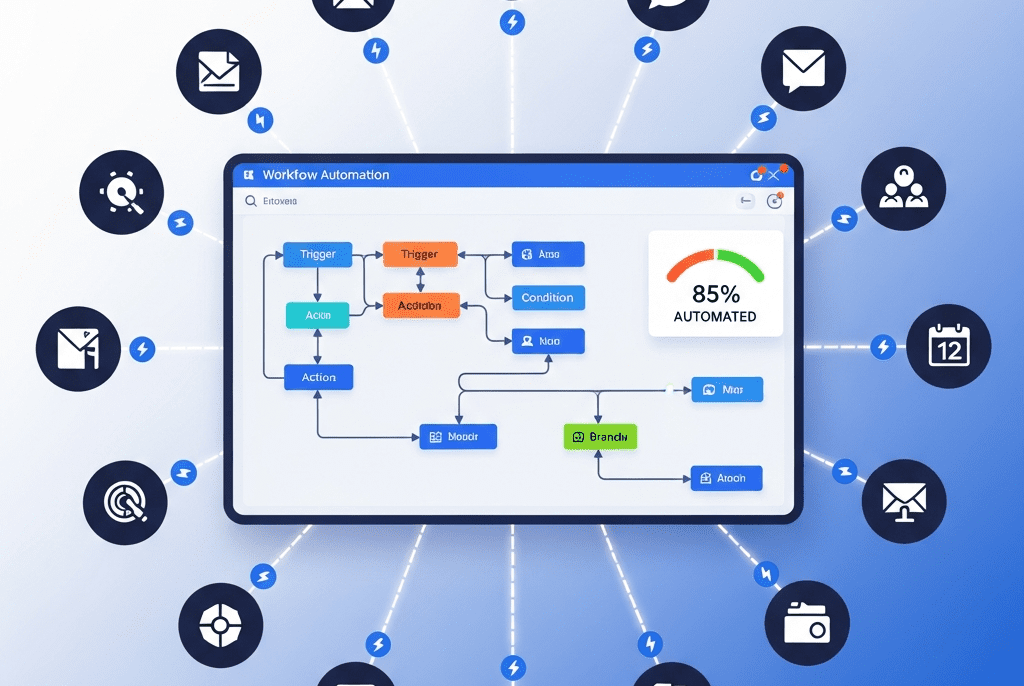
End-to-End Workflow Automation System
We architected a complete workflow automation system for SwiftLogix Digital Agency — connecting 16 tools into a seamless operational engine that eliminated 94 hours of weekly manual work, reduced project delivery time by 38%, and ended the chaos of things falling through the cracks.
| Client Name | SwiftLogix Digital Agency |
| Industry | Digital Marketing Agency / Creative Services |
| Project Duration | 5 Weeks |
| Services Delivered | Workflow Audit & Process Mapping, Multi-Tool Integration Architecture, Task Automation & Routing, Client Lifecycle Workflow Design, Project Management Automation, Approval & Feedback Loops, Cross-Platform Data Sync, Error Handling & Monitoring |
| Tools & Platforms Used | Zapier, Make (Integromat), Airtable, Slack, Asana, Google Workspace (Drive, Sheets, Docs, Calendar, Gmail), HubSpot CRM, QuickBooks Online, Harvest (Time Tracking), Typeform, PandaDoc, Dropbox, Loom, ChatGPT API (OpenAI), Calendly, Stripe, WordPress, Notion |
| Project Year | 2025 |
The Overview
SwiftLogix is a 22-person digital marketing agency managing 35 active client accounts across SEO, paid advertising, social media management, content marketing, and web development. Their team is talented and their client results are strong — but operationally, they were held together by duct tape.
Every day, the team juggled 16 different tools that didn’t talk to each other. When a new client signed, someone manually created folders in Google Drive, set up the client in HubSpot, created a project in Asana, added them to Harvest for time tracking, built a Slack channel, generated an invoice in QuickBooks, and sent a welcome email — 23 separate manual steps taking 2+ hours per new client. And that was just onboarding.
Throughout the client lifecycle — project kickoffs, content approvals, deliverable handoffs, status updates, time logging, invoice generation, and contract renewals — the team performed hundreds of repetitive, manual, error-prone tasks every week. Information was copy-pasted between tools. Status updates were communicated via Slack messages that got buried. Approvals required chasing people through 3 different channels. And at least once a week, something important fell through the cracks — a missed deadline, a forgotten follow-up, an unbilled hour, or an unapproved asset that went live.
We built a comprehensive workflow automation system that connects all 16 tools into a unified, intelligent operational engine — automating every predictable process, eliminating manual data transfer, enforcing accountability through automated routing, and ensuring nothing ever falls through the cracks again.
The Challenge
- 16 Disconnected Tools: The team used Asana, Slack, Google Workspace, HubSpot, QuickBooks, Harvest, Dropbox, PandaDoc, Typeform, Calendly, Stripe, Loom, Notion, WordPress, Airtable, and email — none integrated with each other. Every piece of information had to be manually transferred between systems.
- 94 Hours of Weekly Manual Busywork: Across the 22-person team, an estimated 94 hours per week were spent on manual operational tasks:
| Task Category | Hours/Week | Examples |
|---|---|---|
| Data entry & cross-platform updates | 22 hrs | Copying client info into multiple tools, updating statuses in 3 places |
| Client onboarding setup | 12 hrs | 23 manual steps per new client across 8 tools |
| Project management admin | 18 hrs | Creating tasks, assigning work, setting due dates, updating statuses |
| Approval & feedback chasing | 14 hrs | Sending assets for review, following up, tracking revisions |
| Reporting & status compilation | 11 hrs | Pulling data from multiple tools into client reports |
| Invoice & billing preparation | 8 hrs | Matching time entries to clients, generating invoices |
| Internal communication overhead | 9 hrs | Searching Slack for information, repeating updates across channels |
- Things Falling Through Cracks: At least 5-8 incidents per week where tasks were missed, deadlines slipped, or deliverables went untracked. Root cause: no automated handoffs between workflow stages — everything depended on someone remembering to do the next step.
- Client Onboarding Inconsistency: The 23-step new client setup had no checklist, no automation, and no accountability. Different account managers skipped different steps. Some clients had Slack channels created on day 1; others waited 2 weeks. Some got welcome emails; others didn’t. The experience was inconsistent and unprofessional.
- Approval Bottlenecks: Getting client approval on content, designs, or ad copy required: create asset → upload to Drive → copy link → paste in Slack → tag client → wait → follow up in email → client responds in WhatsApp → update in Asana → notify designer. Average approval cycle: 4.2 days. Target: under 24 hours.
- Unbilled Hours Bleeding Revenue: Time tracking in Harvest was inconsistent. End-of-month analysis consistently revealed 12-18% of billable hours went unlogged — an estimated $8,400/month in lost revenue simply because people forgot to track time.
- No Workflow Visibility: The operations manager had no way to see which workflows were running smoothly and which were stuck. “Where is this project?” required asking 3 people and checking 4 tools.
Our Approach & Strategy
Phase 1: Workflow Audit & Integration Architecture (Week 1)
- Process Mapping: Documented every recurring workflow in the agency — identified 42 distinct repeatable processes across 6 categories:
| Category | # of Workflows | Key Workflows |
|---|---|---|
| Client Onboarding | 6 | New client setup, kickoff scheduling, asset collection, access provisioning, welcome sequence, project creation |
| Project Management | 10 | Task creation, assignment routing, deadline management, status updates, milestone tracking, dependency management |
| Content & Creative | 8 | Brief creation, content drafting, design requests, review routing, approval collection, revision tracking, final delivery, asset archiving |
| Client Communication | 7 | Status reports, meeting scheduling, feedback collection, deliverable sharing, contract renewals, satisfaction surveys, escalation handling |
| Financial Operations | 6 | Time tracking reminders, invoice generation, payment follow-up, expense logging, budget tracking, revenue reconciliation |
| Internal Operations | 5 | Team onboarding, resource allocation, tool access management, knowledge base updates, SOP maintenance |
- Automation Potential Assessment:
| Automation Level | # of Workflows | Description |
|---|---|---|
| Fully Automatable | 18 | Zero human intervention needed — pure trigger → action |
| Mostly Automatable | 14 | AI/automation handles 80%+, human reviews/approves final step |
| Partially Automatable | 7 | Automation handles setup, routing, and follow-up; human does core work |
| Human-Required | 3 | Creative strategy, client relationship decisions, crisis management |
- Integration Architecture Blueprint:
SWIFTLOGIX INTEGRATION ARCHITECTURE
━━━━━━━━━━━━━━━━━━━━━━━━━━━━━━━━━━━━

AUTOMATION LAYER: Zapier (primary) + Make (complex flows)

CLIENT-FACING:
  Typeform ←→ HubSpot CRM ←→ PandaDoc ←→ Stripe
  Calendly ←→ Google Calendar ←→ Slack ←→ Gmail

PROJECT MANAGEMENT:
  HubSpot (deals) → Asana (projects/tasks) → Slack (notifications)
  Asana ←→ Google Drive (file linking) ←→ Dropbox (asset storage)

FINANCIAL:
  Harvest (time) → QuickBooks (invoicing) → Stripe (payments)
  Asana (tasks) ←→ Harvest (time entries linked to projects)

COMMUNICATION:
  Slack ←→ Asana (task updates) ←→ Gmail (client emails)
  Loom ←→ Slack (video updates) ←→ Asana (attached to tasks)

INTELLIGENCE:
  All sources → Airtable (central data hub) → Dashboards
  ChatGPT API → Slack (AI assistant commands)
━━━━━━━━━━━━━━━━━━━━━━━━━━━━━━━━━━━━
Phase 2: Client Lifecycle Workflow Automation (Week 2)
Workflow 1: New Client Onboarding (23 manual steps → 1 trigger)
TRIGGER: Deal marked "Won" in HubSpot
━━━━━━━━━━━━━━━━━━━━━━━━━━━━━━━━━━━━

INSTANT (Zapier + Make — All Automatic):
  ✅ Google Drive: Client folder created with 8 subfolders
     └── [Client Name]
         ├── 01_Strategy & Briefs
         ├── 02_Content
         ├── 03_Design Assets
         ├── 04_Ad Accounts & Reports
         ├── 05_Client Approvals
         ├── 06_Meeting Notes
         ├── 07_Invoices & Billing
         └── 08_Contracts & Legal

  ✅ Asana: New project created from template
     → Pre-loaded with phase-specific task lists
     → Assigned to account manager from HubSpot deal owner
     → Due dates auto-calculated from start date

  ✅ Slack: Private client channel created (#client-[name])
     → Account manager + relevant team members auto-added
     → Welcome message posted with project links

  ✅ Harvest: New project + client created
     → Budget hours set from deal scope
     → Team members assigned for time tracking

  ✅ QuickBooks: Customer record created
     → Billing details populated from HubSpot

  ✅ Calendly: Kickoff meeting link generated
     → Sent to client with scheduling options

  ✅ Gmail: Welcome email sent to client
     → Branded template with next steps, team intro, access forms

  ✅ Typeform: Client onboarding questionnaire sent
     → Brand guidelines, access credentials, goals, assets

  ✅ PandaDoc: Service agreement generated
     → Auto-populated from HubSpot deal data
     → Sent for e-signature

  ✅ Airtable: Master client record created
     → All data centralized for reporting

  ✅ HubSpot: Deal moved to "Onboarding" stage
     → 30-day onboarding task sequence created

  ✅ Slack #operations: Notification posted
     → "🎉 New client: [Name] — Account Manager: [Name]"

RESULT: 23 manual steps → 1 HubSpot status change
        2+ hours manual → 45 seconds automated
━━━━━━━━━━━━━━━━━━━━━━━━━━━━━━━━━━━━
Workflow 2: Client Offboarding (When Contract Ends)
| Step | Automation |
|---|---|
| Deal marked “Closed/Completed” | Triggers offboarding sequence |
| Exit survey sent (Typeform) | Auto-sent to client contact |
| Final report generated | Pulls data from Airtable → template → client email |
| Final invoice generated | Harvest unbilled hours → QuickBooks invoice |
| Asset handover email | All files from Drive compiled + sharing links generated |
| Access revocation (30 days) | Scheduled removal from tools |
| Testimonial request | Sent 7 days post-completion if satisfaction score >8 |
| Referral ask | Sent 14 days post-completion with incentive offer |
| Case study questionnaire | Sent 21 days post if high-profile client |
Workflow 3: Contract Renewal Management
| Trigger | Action |
|---|---|
| Contract end date minus 60 days | Slack alert to account manager + HubSpot task |
| Minus 45 days | Client satisfaction survey auto-sent |
| Minus 30 days | Renewal proposal auto-generated in PandaDoc with updated scope/pricing |
| Minus 14 days | If no response → escalation to agency director |
| Minus 7 days | Urgent reminder to client with “Your services will pause on 2026“ |
| Renewal signed | New contract period set, Asana project extended, billing updated |
| Not renewed | Offboarding workflow triggered |
Phase 3: Project Management & Creative Workflow Automation (Week 3)
Workflow 4: Content Creation Pipeline
CONTENT WORKFLOW (Blog Post Example)
━━━━━━━━━━━━━━━━━━━━━━━━━━━━━━━━━━━━

TRIGGER: Content task created in Asana

STAGE 1 — BRIEF
  → Template brief auto-populated in Google Docs
  → Writer assigned based on availability (Asana workload balancing)
  → Due date auto-set (3 business days for draft)
  → Slack notification to writer

STAGE 2 — DRAFT
  → Writer moves task to "Drafting" in Asana
  → Slack status update posted to client channel
  → When writer moves to "Ready for Review":
    → Auto-notifies editor via Slack
    → Due date for review: 1 business day

STAGE 3 — INTERNAL REVIEW
  → Editor reviews in Google Docs (suggestion mode)
  → Moves to "Revisions Needed" or "Ready for Client"
  → If revisions: writer re-notified with comments link
  → If ready: auto-moves to Stage 4

STAGE 4 — CLIENT APPROVAL
  → Client receives email with Google Docs link
  → Approval request logged in Airtable
  → If no response in 48 hours: auto-reminder email
  → If no response in 96 hours: Slack alert to account manager
  → Client approves (via email button or Asana):
    → Task moves to "Approved — Schedule"

STAGE 5 — PUBLISH
  → Content scheduled in WordPress (or manual publish alert)
  → Task marked complete in Asana
  → Time entries pulled from Harvest → linked to client
  → Client notified: "Your new blog post is live! [Link]"
  → Social promotion tasks auto-created for social team
  → Asset archived in client's Google Drive folder
━━━━━━━━━━━━━━━━━━━━━━━━━━━━━━━━━━━━
Workflow 5: Design Request & Approval Pipeline
| Stage | Trigger | Automation |
|---|---|---|
| Request submitted | Asana form or Slack command /design-request | Task created in Asana with brief template, assigned to designer based on workload, Slack notification sent |
| Design in progress | Designer moves task status | Slack update to requester |
| Internal review | Designer marks “Review Ready” | Auto-assigns creative director, 24-hour review deadline |
| Client approval | Approved internally | Client email with preview link + approval buttons (Approve / Request Changes) |
| Revision needed | Client clicks “Request Changes” | Task reopens, designer notified, revision counter incremented, max 3 revisions tracked |
| Final approval | Client approves | Files auto-saved to Dropbox + Google Drive, requester notified, task completed |
Workflow 6: Automated Status Reporting
| Report | Frequency | Automation |
|---|---|---|
| Internal daily standup | Daily 9 AM | Slack bot collects “What I’m working on today” from each team member → compiles → posts to #standup |
| Client weekly update | Every Friday 3 PM | Airtable pulls: tasks completed, tasks in progress, hours used, milestones hit → auto-generates email report → sends to client |
| Monthly client report | 1st of month | Comprehensive report: deliverables, metrics, hours, upcoming plans → PDF generated → email to client + account manager review |
| Internal project health | Monday 8 AM | Asana data: overdue tasks, blocked items, resource utilization → Slack #operations summary |
Phase 4: Financial & Time Tracking Workflow Automation (Week 4)
Workflow 7: Smart Time Tracking System
| Trigger | Action |
|---|---|
| Asana task assigned to team member | Harvest project + task pre-linked — one click to start timer |
| 5:30 PM daily | Slack DM to anyone who logged <6 hours: “Don’t forget to log your time today 🕐” |
| Team member completes Asana task without Harvest entry | Alert: “Task completed but no time logged — please update Harvest” |
| Friday 4 PM | Weekly summary DM: “You logged X hours this week (target: 35). [X] tasks have unlogged time.” |
| End of month | AI identifies unbilled hours by comparing Asana completed tasks vs. Harvest entries → flags gaps |
Workflow 8: Automated Invoice Generation
textINVOICE AUTOMATION FLOW
━━━━━━━━━━━━━━━━━━━━━━━

TRIGGER: 1st of each month (or project milestone reached)

1. Harvest API: Pull all billable hours for client
   → Grouped by project, task, and team member

2. Airtable: Pull fixed-fee deliverables completed this period
   → Status = "Delivered" + not yet invoiced

3. Make.com: Compile billing data
   → Hours × rate + fixed deliverables + expenses
   → Apply any contractual discounts or caps

4. QuickBooks: Generate draft invoice
   → Line items auto-populated
   → Payment terms from client record

5. Slack: Notify account manager
   → "Invoice draft ready for [Client] — $[Amount]. Review → [Link]"

6. Account manager approves → Invoice sent to client via QuickBooks email

7. Payment tracking:
   → Day 7: Gentle reminder if unpaid
   → Day 14: Second reminder
   → Day 30: Overdue alert to operations director
   → Payment received: Stripe webhook → QuickBooks marked paid →
      Slack celebration: "💰 Payment received from [Client]!"
━━━━━━━━━━━━━━━━━━━━━━━━━━━━━━━━━━━━
[/protected]
Workflow 9: Budget & Profitability Tracking
| Metric | Source | Automation |
|---|---|---|
| Hours used vs. budget | Harvest vs. Asana scope | Real-time Airtable tracker — alert at 75%, 90%, 100% of budget |
| Project profitability | Revenue (QuickBooks) vs. cost (hours × internal rate) | Monthly auto-calculation per client → Slack alert if margin <30% |
| Scope creep detection | Tasks added after project start vs. original scope | Weekly comparison → alert if >20% scope increase without contract amendment |
Phase 5: AI Assistant, Monitoring & Optimization (Week 5)
Workflow 10: Slack AI Operations Assistant
| Command | What It Does |
|---|---|
/client-status [name] | Pulls real-time client data from Airtable: active projects, tasks in progress, hours used, upcoming deadlines, last communication |
/project-health | Summarizes all active projects: on track (green), at risk (yellow), overdue (red) with specific issues |
/my-tasks | Pulls your Asana tasks due this week, sorted by priority |
/hours [client] | Shows hours logged this month vs. budget for any client |
/invoice-status | Lists all unpaid invoices with aging and amounts |
/escalate [issue] | Creates priority ticket in Asana, alerts operations director, starts tracking resolution time |
Workflow 11: Automation Health Monitoring
| Monitor | What It Checks | Alert Condition |
|---|---|---|
| Zapier error log | Failed automation runs | Any error → Slack #automation-alerts immediately |
| Make.com error log | Failed scenarios | Any error → Slack alert + email to ops manager |
| Data sync verification | HubSpot ↔ Airtable ↔ Asana record counts | Mismatch >2 records → investigation alert |
| Workflow completion tracking | Did all onboarding steps execute? | Any step incomplete after 1 hour → alert |
| API rate limit monitoring | Zapier/Make task usage | 80% of plan limit → upgrade warning |
Workflow 12: Continuous Improvement System
| Frequency | Activity |
|---|---|
| Weekly | Team submits “automation wish list” via Slack → compiled in Notion |
| Bi-weekly | Ops manager reviews top 5 requests → evaluates feasibility |
| Monthly | Error rate analysis — which automations fail most often → fix/rebuild |
| Quarterly | Full workflow audit — are automations still aligned with processes? |
| Per new client | Template review — does onboarding template need updates? |
Key Features Delivered
| Feature | Description |
|---|---|
| 16-Tool Integration Ecosystem | All agency tools connected via Zapier + Make into a seamless operational engine with bi-directional data sync |
| 1-Click Client Onboarding | 23 manual setup steps collapsed into a single HubSpot status change — auto-creates folders, projects, channels, trackers, agreements, and welcome emails in 45 seconds |
| Content Creation Pipeline | 5-stage automated workflow from brief to publish with auto-assignment, status tracking, approval routing, and reminder escalation |
| Design Request & Approval System | Streamlined request submission, workload-based assignment, revision tracking (max 3), and client approval buttons |
| Smart Time Tracking | Pre-linked Harvest entries, daily reminders, gap detection, and end-of-month unbilled hours audit |
| Automated Invoice Generation | Monthly invoicing auto-compiled from Harvest + Airtable, drafted in QuickBooks, and sent after account manager approval |
| Contract Renewal Engine | 60-day automated renewal pipeline with satisfaction surveys, proposal generation, and escalation protocols |
| Automated Client Reporting | Weekly and monthly client reports auto-generated from project data — zero manual compilation |
| Budget & Profitability Alerts | Real-time tracking of hours vs. budget with scope creep detection and margin alerts |
| Slack AI Operations Assistant | 6 commands for instant access to client status, project health, tasks, hours, invoices, and escalation |
| Automation Health Monitoring | Error detection, data sync verification, and completion tracking ensuring automations run reliably 24/7 |
| Client Offboarding Automation | Structured exit process with surveys, final reporting, asset handover, testimonial requests, and referral program |
Results & Impact (Projected / Showcase Metrics)
| Metric | Before | After | Change |
|---|---|---|---|
| Weekly Hours on Manual Operations | 94 hours (team-wide) | 14 hours | ⬇ 85% |
| Client Onboarding Time | 2+ hours (23 manual steps) | 45 seconds (1 trigger) | ⬇ 99% |
| Client Onboarding Consistency | 60% of steps completed correctly | 100% (automated, zero variance) | ⬆ 67% |
| Approval Cycle Time | 4.2 days average | 1.1 days | ⬇ 74% |
| “Fell Through the Cracks” Incidents | 5-8 per week | Under 1 per month | ⬇ 95% |
| Unbilled Hours (Monthly Revenue Lost) | $8,400/month | Under $600/month | ⬇ 93% |
| Project Delivery Time | Average 22 days | 13.6 days | ⬇ 38% |
| Invoice Generation Time | 3-4 hours/month | 15 minutes (review only) | ⬇ 94% |
| Client Report Compilation | 6 hours/month/client | Automated (zero manual) | ⬇ 100% |
| Contract Renewal Rate | 72% | 89% | ⬆ 24% |
| Team Satisfaction (Operations) | 4.2/10 | 8.6/10 | ⬆ 105% |
| Annual Revenue Recovered (Unbilled Hours) | — | $93,600 | — |
| Annual Operational Cost Savings | — | $186,000 (staff time freed) | — |
📋 Case Study Summary
Challenge: SwiftLogix Digital Agency’s 22-person team was drowning in 94 hours of weekly manual operations across 16 disconnected tools. Client onboarding took 2+ hours and 23 manual steps. Approvals averaged 4.2 days. 5-8 tasks fell through the cracks weekly. $8,400/month in billable hours went unlogged. Nobody had visibility into workflow status.
Solution: We built a comprehensive workflow automation system connecting all 16 tools via Zapier + Make — 1-click client onboarding, automated content/design pipelines with approval routing, smart time tracking with gap detection, auto-generated invoicing, contract renewal management, client reporting automation, a Slack AI operations assistant, and automation health monitoring.
Result: Manual operations dropped 85% (94 to 14 hours/week). Onboarding collapsed from 2 hours to 45 seconds. Approval cycles shortened 74%. Cracks-fallen-through incidents reduced 95%. $93,600 in annual unbilled revenue recovered. Project delivery 38% faster. Contract renewals improved from 72% to 89%. Team operations satisfaction doubled.
Your Team Is Too Talented to Waste on Manual Busywork