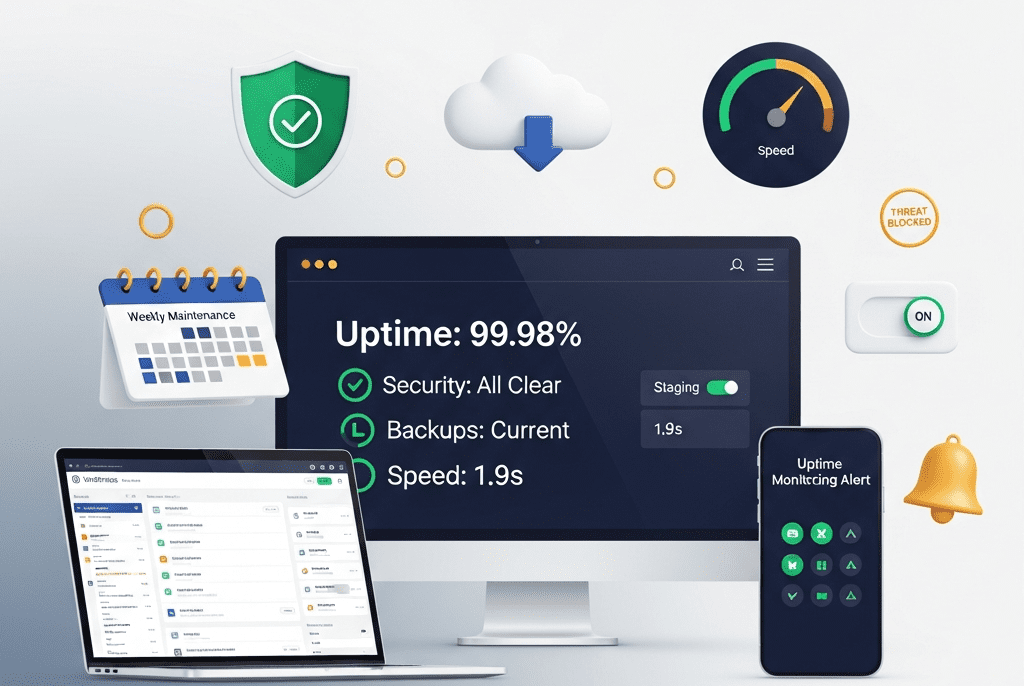
We implemented a complete WordPress maintenance and support system for Hightower Legal Group — eliminating 14 hours/month of internal IT burden, preventing 23 security incidents in 12 months, maintaining 99.98% uptime, and ensuring a law firm’s most important client-facing asset never breaks, never gets hacked, and never slows down.
Hightower Legal Group is a 34-attorney law firm based in Chicago with practice areas spanning corporate law, intellectual property, employment litigation, and real estate transactions. They serve over 400 active clients — from Fortune 500 corporations to high-growth startups — generating $18M in annual billings. Their website is their most visible client-facing asset: the first thing prospective clients see, the platform hosting their attorney profiles, published articles, case results, and the intake forms that generate 60% of new client inquiries.
Their WordPress website was built two years ago by a development agency — well-designed, functional, and effective. The problem? Nobody was maintaining it.
The agency that built the site didn’t offer maintenance. The firm’s IT department (one part-time person shared with building management) “handled” the website by occasionally clicking “Update All” in the WordPress dashboard — without testing updates, without backups, without staging environments. When a plugin update broke the attorney profile pages in August, the profiles showed empty white pages for 4 days before anyone noticed. When a brute-force login attack flooded the server in October, the site went down for 11 hours on a Monday morning — while two potential seven-figure corporate clients were evaluating the firm.
For a law firm, website downtime isn’t an inconvenience — it’s a professional liability. Client data flows through intake forms. Confidential case information is referenced in attorney bios. SEO rankings built over years can collapse after a hacking incident. And a law firm’s website going down sends a message to clients and prospects: “If they can’t keep their own website running, can they keep my case on track?”
We implemented a complete WordPress maintenance and support system — from security hardening and automated backups to update management, uptime monitoring, performance maintenance, content updates, and emergency response — ensuring Hightower’s website runs flawlessly, securely, and fast, every single day, without anyone at the firm thinking about it.
The Challenge
“Update and Pray” Approach:
What Was Happening
What Should Have Happened
Clicking “Update All” on 28 plugins simultaneously, on the live site, with no backup
Testing updates individually on a staging environment, then deploying to production after verification
Ignoring updates for 3-4 months, then doing them all at once
Virtual patching for zero-day plugin/theme vulnerabilities — patches applied before official updates
Protection during the window between vulnerability disclosure and plugin developer fix
Backup System (UpdraftPlus Premium):
Backup Type
Frequency
Storage Locations
Retention
Full Site Backup (Files + Database)
Daily (automated, 2 AM server time)
Google Cloud Storage (primary) + Amazon S3 (secondary)
30 days rolling
Database-Only Backup
Every 6 hours
Google Cloud Storage
7 days rolling
Pre-Update Backup
Before every update batch (manual trigger)
Same dual-storage
Retained until post-update verification complete
Monthly Archive
1st of each month
Amazon S3 Glacier (long-term cold storage)
12 months
Disaster Recovery Test: Full restoration tested quarterly — backup restored to staging environment to verify completeness and integrity. Recovery time: < 30 minutes from any backup point.
MONDAY — UPDATE PREPARATION: → ManageWP scan: Check available updates (core, plugins, themes) → Review plugin changelogs: What changed? Any breaking changes noted? → Cross-reference WPScan vulnerability database: Are any current plugin versions flagged? → Priority ranking: Security updates (do first) → Bug fixes → Feature updates → WordPress core → Create pre-update backup (UpdraftPlus manual trigger)
TUESDAY — STAGING UPDATES & TESTING: → Sync production → staging (fresh mirror) → Apply updates on staging — one plugin at a time → After each plugin update, run 12-point test checklist: ✓ Homepage loads correctly ✓ Attorney profiles display properly ✓ Contact/intake form submits successfully ✓ Blog posts render correctly ✓ Mobile responsive — check 3 key pages ✓ Site speed test (GTmetrix) — no degradation ✓ Console errors check (browser DevTools) ✓ WooCommerce/donation form (if applicable) ✓ Search functionality works ✓ Image galleries/sliders functioning ✓ Login/logout works for all user roles ✓ Gravity Forms entries saving correctly → If any test fails: rollback that specific plugin, note issue, investigate compatibility, defer update with documented reason
WEDNESDAY — PRODUCTION DEPLOYMENT: → All staging-tested updates applied to production → Same 12-point checklist repeated on live site → Performance benchmark recorded (load time, TTFB) → Wordfence security scan post-update → Confirmation posted in client Slack channel: "Weekly updates complete. X plugins updated. All tests passed. Site performing at [speed]. No issues detected."
THURSDAY-FRIDAY — MONITORING & CONTENT: → Monitor post-update performance for any delayed issues → Process any content update requests from firm → Review security logs for the week → Check uptime report — any blips or anomalies?
LEVEL 1 — LOW (Informational) Examples: Blocked brute-force attempt, minor plugin vulnerability disclosed (not actively exploited), cosmetic issue Response: Log, monitor, address in next weekly cycle Timeline: Within 1 week Client notification: Monthly report only
LEVEL 2 — MEDIUM (Action Required) Examples: Plugin with moderate vulnerability, performance degradation, broken page/form discovered, minor content error Response: Investigate within 4 hours, fix within 24 hours Timeline: Same-day or next business day resolution Client notification: Slack message with update
LEVEL 3 — HIGH (Urgent) Examples: Critical plugin vulnerability (actively exploited in wild), site defacement, significant functionality broken, form submissions failing Response: Immediate investigation, fix within 4 hours Timeline: Same-day resolution, after-hours if necessary Client notification: Immediate Slack + email, hourly updates
LEVEL 4 — CRITICAL (Emergency) Examples: Site hacked/malware injected, complete site down, data breach suspected, Google "This site may be hacked" warning Response: ALL HANDS — immediate response within 30 minutes Timeline: Resolution within 2 hours maximum Actions: → Isolate: Take site offline if malware present (maintenance mode) → Assess: Determine scope of compromise → Clean: Remove all malware, close vulnerability → Restore: If needed, restore from last clean backup → Harden: Patch the entry point, change all passwords → Verify: Full malware scan + manual review → Report: Detailed incident report to client within 24 hours → Monitor: Intensive monitoring for 72 hours post-recovery Client notification: Immediate phone call to managing partner ━━━━━━━━━━━━━━━━━━━━━━━━━━━━━━━━━━━━━━━━━━━━━━━━━━━━━━━━━━
Legal Industry Compliance Maintenance:
Compliance Area
Requirement
How We Maintain It
WCAG 2.1 AA Accessibility
ADA compliance — law firms face higher scrutiny and lawsuit risk for inaccessible websites
Quarterly accessibility audit (WAVE + axe DevTools), fix any issues introduced by content updates, maintain accessibility statement page
Privacy Policy / GDPR
Accurate privacy policy reflecting actual data practices, cookie consent banner, data processing documentation
Review privacy policy quarterly, ensure cookie consent (CookieYes) is functioning, update if new forms/tools are added
ABA/State Bar Compliance
Attorney advertising rules vary by jurisdiction — disclaimers, no “specialist” claims without certification, prior results disclaimers
Review new content against state bar advertising rules before publishing, maintain required disclaimers
SSL/HTTPS
All pages served securely — especially intake forms handling confidential client information
List of all WordPress core, plugin, and theme updates applied — with version numbers and testing status
Performance Metrics
Current page speed (GTmetrix), Core Web Vitals status, month-over-month comparison, any optimizations performed
Backup Status
Backups completed (daily count), storage status, last restoration test date and result
Content Updates
All content changes made this month — with links to updated pages
SEO Health
Google Search Console: crawl errors, indexing status, manual actions (none expected), keyword ranking movement
Recommendations
Proactive suggestions: “Plugin X hasn’t been updated by its developer in 8 months — recommend replacing with [alternative]” or “PHP 8.3 is available — recommend upgrade next month”
Next Month Preview
Upcoming: scheduled maintenance windows, recommended actions, any expiring licenses/domains
Quarterly Strategic Review (Live Call):
Review Topic
Discussion Points
Website Performance
Speed trends, user behavior changes, conversion rate, traffic patterns
Security Landscape
New threats in legal industry, any changes to security posture needed
Technology Review
Plugin health (any abandoned?), PHP version, hosting performance, new WordPress features worth adopting
Content Effectiveness
Top-performing pages, underperforming content, SEO opportunities, new practice areas needing pages
Upcoming Needs
New attorneys joining? Practice area changes? Events? Redesign timeline? New functionality requests?
Budget Review
Current plan utilization, any overages, plan adjustment recommendations
Key Features Delivered
Feature
Description
Comprehensive Security Hardening
14-point security hardening checklist executed — from core updates to WAF configuration, 2FA enforcement, XML-RPC blocking, security headers, and virtual patching
Dual-Redundant Backup System
Daily full backups + 6-hour database backups stored on Google Cloud + Amazon S3, 30-day rolling retention + 12-month monthly archives, with quarterly restoration testing
Staging Environment
Production-mirror staging for all testing — no update ever touches the live site without passing a 12-point verification checklist first
Weekly Update Cycle
Monday prep → Tuesday staging test → Wednesday production deploy → Thursday-Friday monitoring. Every update individually tested, documented, and verified.
24/7 Uptime Monitoring
60-second checks on critical pages, multi-channel alerting (Slack, email, SMS, phone), defined escalation paths
Stable, gradually improving — no Google penalties, no “hacked” warnings
—
New Client Inquiries (Website Forms)
22/month (partially lost during downtime/form breaks)
34/month (reliable forms + better performance + trust)
⬆ 55%
Client Confidence in Website
“Our website is embarrassing and unreliable” (managing partner quote)
“I never think about the website anymore. It just works.”
—
📋 Case Study Summary
Challenge: Hightower Legal Group — a 34-attorney law firm with $18M in annual billings — had an unmaintained WordPress website suffering 50+ hours of annual downtime, 2 security incidents (including an 11-hour DDoS attack on a Monday morning), 6-10 unpatched plugin vulnerabilities at any given time, no backups, no staging environment, and an “Update All and pray” approach to maintenance executed by a part-time IT person with no WordPress expertise. The firm spent 14+ hours/month and $900/month in emergency freelancer costs dealing with website problems reactively. Two broken-page incidents went unnoticed for days. Their website — the asset generating 60% of new client inquiries — was a ticking time bomb.
Solution: We implemented a complete WordPress maintenance and support system — executing a 14-point security hardening checklist; deploying dual-redundant daily backups (Google Cloud + S3) with quarterly restoration testing; creating a staging environment for risk-free update testing; establishing a weekly update cycle (Monday prep → Tuesday staging → Wednesday production → 12-point verification); configuring 24/7 uptime monitoring with 60-second checks; building a multi-layer security monitoring stack (Cloudflare WAF + Wordfence + malware scanning + vulnerability monitoring + file integrity); implementing a 4-level incident response protocol; performing monthly database optimization, speed benchmarking, and Core Web Vitals maintenance; providing content update service with 24-48 hour turnaround; maintaining legal industry compliance (WCAG, privacy, bar association rules); delivering monthly 10-section health reports; and conducting quarterly strategic review calls.
Result: Uptime improved from ~96.2% to 99.98%. Security incidents dropped from 2 to zero, with 23,400+ attacks blocked. Vulnerability exposure went from constant to zero. Issue detection time dropped from 4 days to under 60 seconds. Page speed maintained at 1.9 seconds. Internal IT time went from 14+ hours/month to zero. Emergency freelancer costs eliminated ($10,800/year saved). No broken pages from updates (vs. 2 incidents prior). Website form inquiries grew 55% to 34/month through reliable performance and trust. The managing partner’s assessment: “I never think about the website anymore. It just works.
Your Website Should Be Your Most Reliable Employee
We provide complete WordPress maintenance and support — security hardening, tested updates, daily backups, 24/7 monitoring, and priority response — so your website never breaks, never gets hacked, and never becomes something you have to worry about.