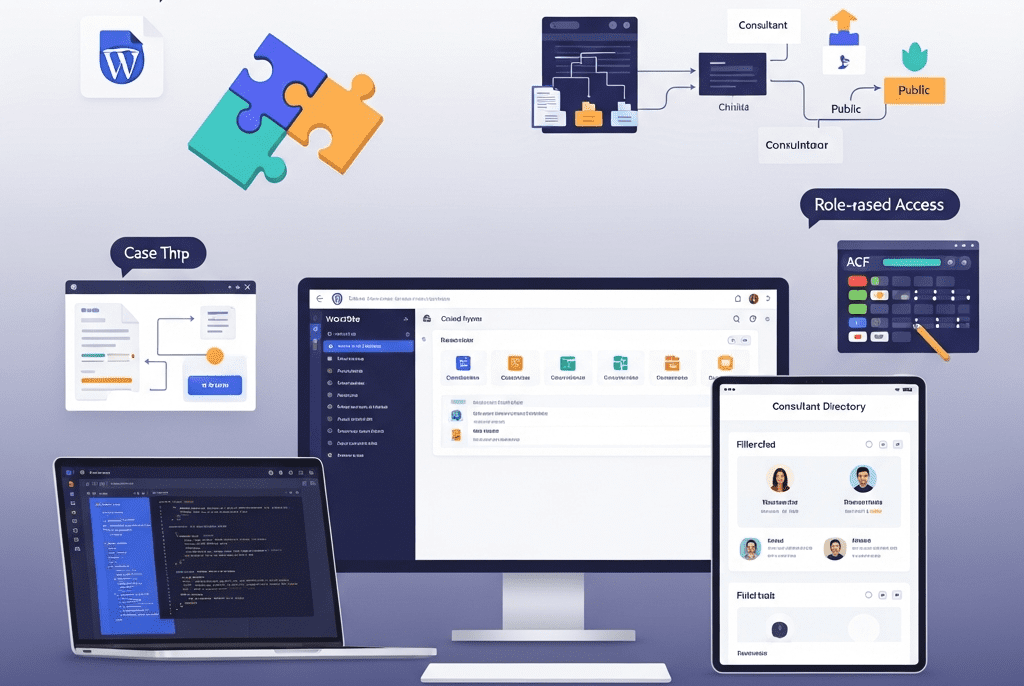
We delivered deep plugin and theme customizations for Catalyse Consulting — building 3 custom plugins, extending 6 third-party plugins, and customizing their Elementor theme to create a tailored WordPress ecosystem that eliminated $4,200/month in SaaS tool costs, automated 18 hours/week of manual workflows, and transformed a generic WordPress installation into a bespoke digital operations hub.
WordPress (self-hosted), Elementor Pro, Advanced Custom Fields (ACF) Pro, Custom PHP/CSS/JavaScript, WooCommerce, Gravity Forms, WPML (multilingual), SearchWP (custom search), User Role Editor, WP All Import Pro, GitHub (version control), VS Code (development), Local by Flywheel (local dev), ManageWP, WP Rocket, Cloudflare, Google Analytics 4, Figma, Notion, Slack, Loom
Project Year
2025
The Overview
Catalyse Consulting is a boutique management consulting firm with 48 consultants across offices in London, New York, and Singapore. They specialize in digital transformation strategy for mid-market enterprises ($50M-$500M revenue), serving 60+ active clients across financial services, healthcare, and manufacturing. Annual billings: $14M.
Their WordPress website served triple duty — external marketing (attracting clients), internal operations (case study library, knowledge base, consultant profiles), and client-facing delivery (project dashboards, document sharing, proposal generation). The problem? WordPress out-of-the-box couldn’t do half of what they needed, and they were stitching together 14 SaaS tools and manual workarounds to fill the gaps.
Their consultant profile pages were basic — name, photo, bio. No expertise tagging, no project history, no availability indicator, no “meet the team” filtering by specialization or office. Their case study library had no taxonomy beyond “industry” — clients couldn’t filter by service type, engagement size, or outcome. Their proposal system lived entirely in Google Docs — no templates, no version control, no client-facing delivery portal. Their knowledge base was a shared Google Drive folder with 2,400 documents and zero searchability.
Every gap represented either a manual workaround (burning consultant time at $350/hour) or a SaaS subscription (14 tools totaling $4,200/month). The firm’s WordPress site had massive untapped potential — it just needed the right customizations to become the operational hub it should have been.
We delivered deep plugin and theme customizations — building 3 custom plugins from scratch, extending 6 third-party plugins with custom functionality, and customizing their Elementor theme — transforming their generic WordPress installation into a bespoke platform that consolidated tools, automated workflows, and gave the firm capabilities that would normally require a $200K custom web application.
The Challenge
WordPress Feature Gaps vs. Business Needs:
Business Need
WordPress Default
Current Workaround
Monthly Cost/Time
Consultant profiles with expertise tagging, project history, and availability
Each plugin adds HTTP requests, CSS/JS files, database queries. 34 plugins = bloated, slow site (4.2s load time)
No child theme
Customizations made directly to the parent theme — lost every time the theme updated. Custom CSS in 4 different places (Customizer, theme options, inline, separate CSS plugin)
Theme Limitations:
Limitation
Business Impact
No custom post types beyond posts/pages
Consultant profiles, case studies, and knowledge articles forced into “pages” with no structured data
No dynamic filtering on archive pages
Visitors can’t filter consultants by expertise, case studies by industry/service, or knowledge base by topic
Limited header/footer customization
Couldn’t add role-based navigation (different menus for logged-in consultants vs. clients vs. public)
No custom Elementor widgets
Team had to build complex layouts from generic widgets — brittle, hard to maintain, inconsistent
Template hierarchy not utilized
Single template for all content types — case studies looked identical to blog posts
Our Approach & Strategy
Phase 1: Audit, Architecture & Child Theme Development (Week 1)
Name, Title/Role, Photo, Bio (WYSIWYG), Email, Phone, LinkedIn, Office (select), Availability Status (select: Available/On Project/On Leave), Years of Experience, Education (repeater), Certifications (repeater), Featured Projects (relationship → Case Studies)
Expertise Areas (hierarchical), Industry Focus (hierarchical), Office Location (non-hierarchical), Seniority Level
Dynamic consultant directory with filtering
Case Studies
Client Name, Industry, Engagement Title, Hero Image, Challenge (WYSIWYG), Approach (WYSIWYG), Results (WYSIWYG), Key Metrics (repeater: metric name + value + change), Testimonial (text + client name + role), Duration, Team Size, Consultant Team (relationship → Consultants)
Industry (hierarchical), Service Type (hierarchical), Engagement Size (select), Region
Filterable case study library with rich narratives
Event Title, Date/Time, Duration, Type (Webinar/Workshop/Conference), Location/Link, Speaker (relationship → Consultants), Description, Registration Form (Gravity Forms shortcode), Max Attendees, Current Registrations (auto-counted)
Event Type, Topic, Region
Event management replacing Eventbrite
Phase 2: Custom Plugin Development (Week 2-3)
Custom Plugin 1: “Catalyse Proposal Engine”
Feature
Implementation
Business Value
Proposal Template System
6 proposal templates (by service type) stored as custom post type with ACF fields: sections (repeater), pricing tables, team bios (auto-pulled from Consultant CPT), terms/conditions
Replaces Proposify ($540/month). Proposals created in WordPress using firm’s own templates.
Dynamic Content Population
Select client → auto-fills company name, contact, industry. Select consultants → auto-pulls bios and photos. Select case studies → auto-includes relevant examples.
Proposal creation time: 4 hours → 45 minutes
PDF Generation
One-click PDF export using mPDF library — branded, formatted, ready to send or download
Professional output without leaving WordPress
Client Delivery Portal
Custom page template (ACF + custom PHP): client logs in → sees their proposals with status (Draft/Sent/Accepted/Declined), can view, download, and accept with e-signature (via DocuSign API integration)
Clients interact with proposals on branded portal, not via email attachments
Version History
Every proposal edit saved as revision with timestamp and editor name — full audit trail
Version control for legal/compliance requirements
Pipeline Dashboard
Admin dashboard widget: proposals by status, total value in pipeline, win rate, average deal size
Replaces separate proposal tracking spreadsheet
Custom Plugin 2: “Catalyse Knowledge Hub”
Feature
Implementation
Business Value
Structured Knowledge Base
Knowledge Base CPT with hierarchical topics, content types, and access levels (public/internal/client)
Replaces Confluence ($680/month) + Google Drive chaos
Advanced Search
SearchWP integration with custom weighting: title (10x), content (5x), taxonomy terms (3x), file content (2x — searches inside PDFs and docs)
2,400 documents searchable by content, not just filename
Role-Based Access
Public articles visible to all. Internal articles visible to logged-in consultants. Client-specific articles visible only to assigned client users. Powered by custom capability checks in template.
Secure knowledge sharing without security risks
Content Requests
Internal form: consultants can request knowledge articles on topics not yet covered → creates pending article for knowledge team
Gravity Forms — Advanced Configuration & Extensions:
Customization
Implementation
Purpose
Client Intake Assessment
Multi-page form with conditional logic: Company details → Industry selection (shows industry-specific questions) → Challenge description → Budget range → Timeline → Preferred engagement model. 42 fields, 8 conditional paths.
Replaces Typeform ($840/month). Qualifies leads with industry-specific questions.
Event Registration
Dynamic form connected to Events CPT: pulls event details, enforces max attendees, sends calendar invite upon registration (via custom notification + .ics file generation), updates registration count in real-time
Replaces Eventbrite ($380/month). Built-in, no external platform needed.
Consultant Assessment
Internal 360-degree feedback form: select consultant → rate across 8 dimensions → comments. Results aggregated in custom admin dashboard.
Internal HR tool built into WordPress — no separate survey platform
Custom Notifications
Conditional email routing: intake from healthcare → healthcare@catalyse.com, from financial services → finserv@catalyse.com. Auto-assigns to practice lead. CRM webhook → sends lead data to HubSpot.
Automated lead routing and CRM integration
PDF Receipts
Custom PDF generated from form submissions (Gravity PDF with custom template matching Catalyse brand)
Professional, branded form confirmations
Elementor Pro — Custom Widget Development:
Custom Widget
Purpose
Configuration Options
Consultant Card
Displays consultant profile card — used on team pages, case study pages, proposal previews
Select consultant (from CPT), display options: photo size, show/hide expertise tags, show/hide availability, link to full profile
Case Study Showcase
Displays case study preview with hero image, client name, industry badge, key metric highlight
Select case study (from CPT) or auto-populate from taxonomy, layout options: horizontal/vertical/card
Filterable Grid
Dynamic grid with AJAX filtering — used for consultant directory, case study library, knowledge base
Select post type, select available filters (taxonomies), columns (2/3/4), items per page, sort options
Countdown timer connected to next upcoming event (pulls from Events CPT) with registration CTA
Auto-selects next event, customizable CTA text and link
Additional Plugin Extensions:
Plugin
Customization
Purpose
WPML
Configured for EN/FR/DE with custom string translations, language switcher in header, SEO-friendly URL structure (/fr/, /de/), auto-redirect based on browser language (with manual override)
London (EN), Paris office (FR), Frankfurt clients (DE)
User Role Editor
4 custom roles: Consultant (access internal knowledge + own project data), Client (access assigned project dashboard + proposals), Editor (content management), Administrator (full access). Each with granular capability mapping.
Role-based access control — right people see right content
WooCommerce
Customized as proposal/invoice system (not traditional e-commerce): custom product type “Engagement,” proposal-to-invoice conversion, partial payment/deposit support, branded invoice PDF, payment via Stripe
Proposal acceptance → Invoice generation → Payment collection — all in WordPress
WP All Import Pro
Custom import template: bulk import 2,400 knowledge base documents from Google Drive export (CSV + file mapping) with taxonomy auto-assignment based on folder structure
One-time migration of entire knowledge base into WordPress
SearchWP
Custom search engine replacing default WordPress search: weighted by post type (knowledge base 3x, case studies 2x, consultants 1x), searches inside PDF attachments, custom results template with type badges and relevance indicators
Dramatically better search — finds content inside documents, not just titles
All custom queries use WP_Query with proper caching (transients for expensive queries), no raw SQL, no query inside loops
Prevents N+1 query problems that kill performance at scale
Lazy loading custom content
AJAX-powered filtering loads results without page reload, infinite scroll on knowledge base, deferred loading of non-critical sections
Fast initial page load, content loaded on demand
Asset optimization
Custom CSS/JS minified and concatenated per page type (not global — each template loads only what it needs)
No unnecessary CSS/JS on pages that don’t need it
Caching compatibility
All custom code works with WP Rocket page caching, Cloudflare CDN, and object caching (Redis). Dynamic content served via AJAX (bypasses page cache).
Customizations don’t break caching = fast site
Image handling
Custom image sizes registered for each context (consultant thumbnail: 300×300, case study hero: 1200×630, knowledge preview: 400×250). Auto-generated on upload.
Right-sized images everywhere — no 2MB hero images in thumbnail slots
Testing Protocol:
Test Type
Scope
Method
Functional testing
Every custom feature: consultant profiles, case study filtering, knowledge base search, proposal engine, client dashboard, event registration, forms, role-based access
Every custom template: load time, TTFB, database query count, asset size
GTmetrix + Query Monitor plugin
Security
Role-based access verification: log in as each role, verify correct access/restriction on every custom page and feature
Manual verification per role
WPML
All custom post types translatable, all strings translatable, language switcher works on custom templates
Manual testing in EN/FR/DE
Plugin compatibility
All custom code tested with WP Rocket, Cloudflare, Wordfence, Yoast, ManageWP — no conflicts
Verify each major plugin combination
Role-Based Access Matrix:
Content/Feature
Public (Visitor)
Client (Logged In)
Consultant (Logged In)
Editor
Admin
Marketing pages
✅ View
✅ View
✅ View
✅ Edit
✅ Full
Consultant profiles
✅ View (public info)
✅ View (public info)
✅ View all + edit own
✅ Edit all
✅ Full
Case studies (public)
✅ View
✅ View
✅ View + create
✅ Edit all
✅ Full
Knowledge base (public)
✅ View public articles
✅ View public
✅ View public + internal
✅ Edit all
✅ Full
Knowledge base (internal)
❌
❌
✅ View + contribute
✅ Edit all
✅ Full
Client dashboard
❌
✅ Own projects only
✅ Assigned projects
❌
✅ Full
Proposals
❌
✅ Own proposals only
✅ Create + manage assigned
❌
✅ Full
Event registration
✅ Register
✅ Register
✅ Register + manage
✅ Manage
✅ Full
Admin dashboard
❌
❌
⚠️ Limited (own content)
⚠️ Content only
✅ Full
Phase 5: Documentation, Training & Handover (Week 5)
Code Documentation:
Document
Contents
Audience
Technical Architecture Overview
System diagram showing: custom post types, taxonomies, relationships between CPTs, plugin dependencies, external API integrations (DocuSign, HubSpot, Stripe), data flow
Future developers
Custom Plugin Documentation (×3)
Per plugin: purpose, file structure, function reference, hooks/filters available, database tables (if any), API endpoints, configuration options, troubleshooting
Notion workspace: architecture, plugin docs, API guides, troubleshooting
User Training Library
Loom videos: 7 modules, accessible via internal knowledge base
CMS User Guide
PDF + Notion: step-by-step guides for every content management task
Plugin/Theme Update SOP
Procedures for safely updating when custom code is involved
Emergency Procedures
What to do if: custom feature breaks, API integration fails, role access issues arise
Key Features Delivered
Feature
Description
Plugin Audit & Cleanup
34 plugins reduced to 18 — removing redundant, abandoned, and conflicting plugins while consolidating functionality
Custom Child Theme
Elementor Hello child theme with custom templates, organized CSS/JS, proper enqueuing, version-controlled via GitHub
5 Custom Post Types
Consultants, Case Studies, Knowledge Base, Client Projects, and Events — each with structured ACF fields and custom taxonomies
Custom Plugin: Proposal Engine
Template-based proposal creation, dynamic content population, PDF generation, client delivery portal with e-signature, version history, and pipeline dashboard
Custom Plugin: Knowledge Hub
Structured knowledge base with advanced search (SearchWP), role-based access, content requests, related articles, and usage analytics
Custom Plugin: Client Dashboard
Client portal with project status timeline, document library, team directory, message center, and white-label branding
1,800 (filterable, narrative-rich, linked to consultants)
⬆ 329%
New Client Inquiries (Website)
14/month
28/month
⬆ 100%
Plugin Conflicts/Breaks (Monthly)
2-3
0 (clean stack, tested updates)
⬇ 100%
Developer Dependency for Content Updates
60% of updates needed developer
5% (ACF + Elementor widgets empower team)
⬇ 92%
📋 Case Study Summary
Challenge: Catalyse Consulting — a 48-person global management consulting firm with $14M in billings — had a WordPress website bloated with 34 plugins (6 abandoned, multiple conflicting), no child theme, and massive feature gaps filled by 14 SaaS tools costing $4,200/month plus 23 hours/week of manual workarounds. Consultant profiles were basic pages. Case studies had no filtering. Proposals lived in Google Docs. Their knowledge base was an unsearchable Google Drive. Client project management used Notion workspaces. The WordPress site was a generic installation doing 30% of what the business needed.
Solution: We delivered deep plugin and theme customizations — auditing and cleaning 34 plugins down to 18; building a version-controlled child theme with custom templates; creating 5 custom post types (Consultants, Case Studies, Knowledge Base, Client Projects, Events) with ACF fields and taxonomies; developing 3 custom plugins (Proposal Engine with PDF generation and client portal, Knowledge Hub with SearchWP integration and role-based access, Client Dashboard with project timelines and document sharing); extending Gravity Forms with multi-path intake assessments and event registration; building 6 custom Elementor widgets; configuring WPML for EN/FR/DE; implementing 4 custom user roles with granular access control; and writing comprehensive code documentation with 7 training modules.
Result: Plugin count dropped 47% (34→18). Page speed improved 57%. SaaS costs decreased 68% ($34,320/year saved). Manual workaround time dropped 78% (936 hours/year saved at $350/hr = $327,600 value). Proposal creation went from 4 hours to 45 minutes, increasing monthly proposals 175% and win rate 36%. Knowledge base went from 200 findable articles to 2,400 searchable in under 30 seconds. Client NPS improved from 62 to 78. Website inquiries doubled. Plugin conflicts dropped to zero. The firm’s WordPress site transformed from a generic marketing page into a bespoke operational platform.
Your WordPress Can Do More Than You Think
We customize WordPress plugins and themes to match your exact business needs — building custom functionality, extending existing tools, and eliminating SaaS sprawl so your website becomes the operational hub your business deserves.