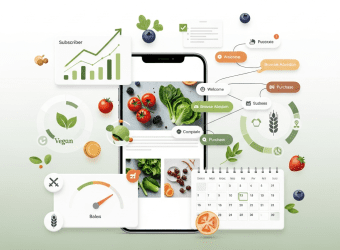
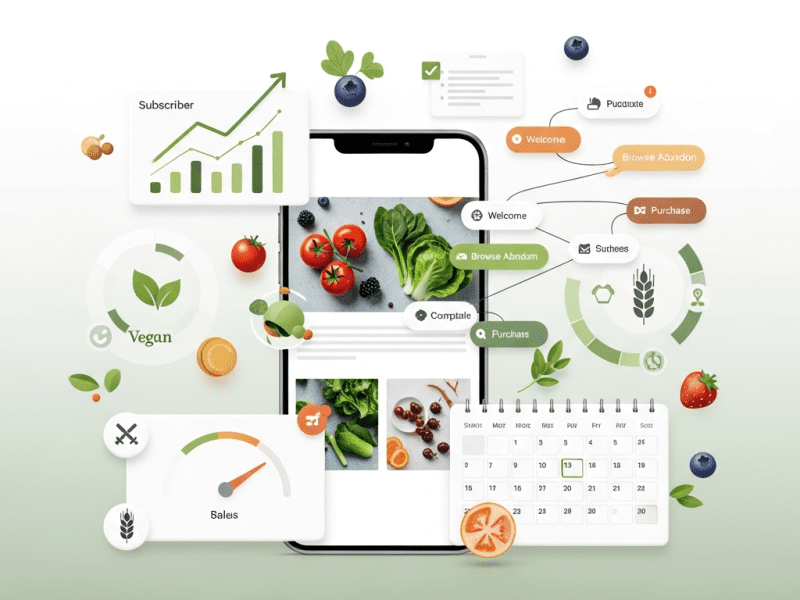
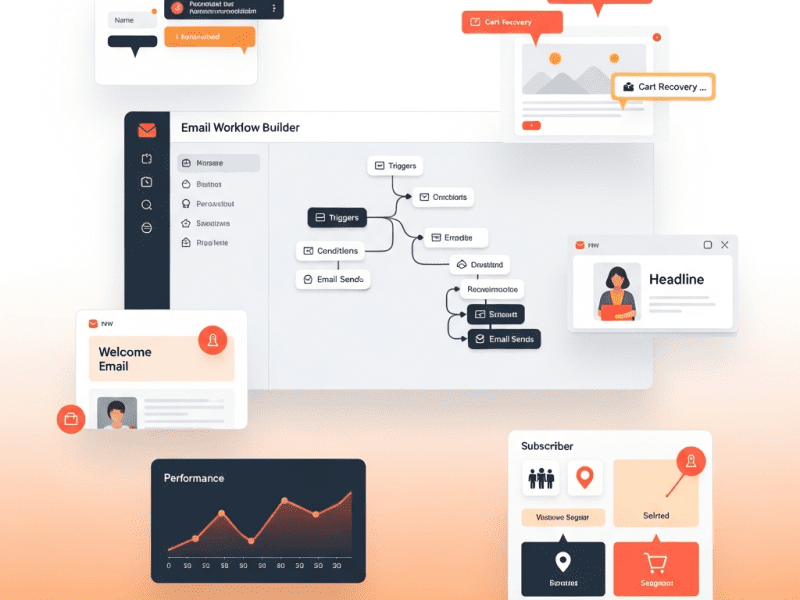
We designed and executed a complete revenue-driven email marketing program for FreshBasket Organic Grocery — growing their list from 8,200 to 24,600 subscribers, increasing email-attributed revenue from 6% to 38% of total sales, and generating $248,000 in email revenue within 5 months.
Klaviyo, WordPress, WooCommerce, Canva, ChatGPT API (OpenAI), Google Analytics 4, Zapier, Typeform, Privy (popups), Google Sheets, Airtable, Notion, Litmus, Google Looker Studio
Project Year
2025
The Overview
FreshBasket is a D2C organic grocery brand delivering premium organic produce, pantry staples, cold-pressed juices, and wellness products to health-conscious consumers across 6 major Indian cities. With 8,200 email subscribers, 2,400 monthly active customers, and average order value of $42, they had a loyal customer base — but their email marketing was barely scratching the surface of its potential.
Their email program consisted of one weekly promotional blast announcing whatever was on sale — same message to everyone, same design every week, with a predictable pattern that subscribers had learned to ignore. Open rates had declined to 12%. Unsubscribe rates were climbing. Email generated just 6% of total revenue — compared to the D2C industry benchmark of 30-40%.
The irony was that FreshBasket had the perfect product for email marketing success — a consumable, repeat-purchase product with natural replenishment cycles, seasonal variety, passionate customers, and rich content opportunities. They just weren’t leveraging any of it.
We built a comprehensive email marketing program — from list growth and segmentation through campaign strategy, lifecycle programs, personalization, and revenue optimization — transforming email from a neglected broadcast channel into FreshBasket’s most profitable owned marketing asset.
The Challenge
Broadcast-Only Approach: One weekly promotional email to the entire list. No segmentation by purchase history, preferences, engagement level, or customer value. A vegan customer received promotions for dairy products. A weekly subscriber received the same email as someone who hadn’t opened in 6 months.
Declining Engagement: Open rates dropped from 22% to 12% over 18 months. Click rates sat at 0.7%. The weekly blast had become invisible — subscribers conditioned to ignore it.
No Lifecycle Marketing: Zero automated programs for critical customer lifecycle moments — no welcome series for new subscribers, no first-purchase follow-up, no win-back for lapsing customers, no replenishment reminders, no birthday/anniversary campaigns. Every customer relationship moment was missed.
List Growth Stagnation: 8,200 subscribers with net growth of just 40-60 per month. No lead magnets, no popup strategy, no referral program, no social-to-email conversion. List was growing slower than attrition was shrinking it.
Revenue Attribution Gap: FreshBasket attributed 6% of revenue to email, but even that number was unreliable. No proper tracking of email-driven purchases, no campaign ROI measurement, no understanding of customer lifetime value by email engagement level.
Design & Content Monotony: Every email looked identical — product grid, discount percentage, shop button. No storytelling, no educational content, no brand personality, no user-generated content, no seasonal themes. Zero reasons for a subscriber to be excited about opening FreshBasket emails.
No Repeat Purchase Strategy: For a consumable product with natural 7-14 day replenishment cycles, there was no system to remind, nudge, or incentivize repeat purchases at the right moment.
Our Approach & Strategy
Phase 1: Email Audit, List Health & Segmentation Architecture (Week 1)
List Health Audit:
Finding
Detail
Action
Total subscribers
8,200
Baseline established
Active (opened in 90 days)
3,400 (41%)
Primary send segment
Inactive (90-180 days)
2,100 (26%)
Re-engagement campaign target
Dead (180+ days no open)
2,700 (33%)
Sunset campaign → suppress or remove
Invalid/bounced emails
380 (5%)
Removed immediately
Missing purchase data
1,800 subscribers with no linked orders
Matched via email → WooCommerce lookup
Spam complaint rate
0.12% (above 0.1% threshold)
Improved by cleaning list + better targeting
Segmentation Architecture (Klaviyo):
Segment
Criteria
Size
Marketing Strategy
VIP Customers
10+ orders OR $500+ lifetime spend
380
Exclusive early access, loyalty rewards, premium content
Early access, feedback surveys, ambassador program
Phase 2: Lifecycle Email Programs (Week 2)
Built 8 lifecycle automation programs addressing every critical customer journey moment:
Program 1: Welcome Series (New Subscribers — 6 emails / 14 days)
Email
Day
Subject
Content
Goal
Welcome
0
“Welcome to FreshBasket 🌿 Here’s 15% off your first order”
Brand story, values, what makes organic different, discount code
First purchase incentive
Discovery
2
“Here’s how 4,200 families eat healthier with FreshBasket”
Customer stories, popular products, “how it works”
Social proof + education
Best Sellers
5
“Our 10 most-loved products (customers’ choice)”
Curated product showcase with reviews
Product discovery
Content Value
8
“3 quick organic meals even busy parents can make tonight”
Recipe content with product links
Value + product integration
Nudge
11
“Your 15% off expires in 3 days — don’t miss out”
Reminder with urgency
Conversion push
Final
14
“Last chance: 15% off + free delivery on your first FreshBasket order”
Final incentive with added free delivery
Last conversion attempt
Welcome Series Target: 28% conversion to first purchase within 14 days
Program 2: Post-First-Purchase (4 emails / 21 days)
Email
Day
Subject
Goal
Thank You
0
“Your first FreshBasket order is on its way! 🚚”
Confirmation, delivery details, what to expect
Tips
3
“How to store your organic produce for maximum freshness”
Education, reduce food waste → reinforce quality
Feedback
7
“How was your first FreshBasket experience?”
NPS survey + review request
Second Order
14
“Time to restock? Here’s 10% off your second order”
Drive repeat purchase habit
Program 3: Replenishment Reminders (Automated by Purchase History)
Product Category
Avg Replenishment Cycle
Reminder Timing
Fresh produce (fruits, vegetables)
7 days
Day 5 email: “Time to restock your weekly greens?”
Dairy & eggs
10 days
Day 8 email: “Running low on organic dairy?”
Pantry staples (grains, oils, spices)
30-45 days
Day 25 email: “Your pantry essentials might need a refresh”
Cold-pressed juices
14 days
Day 12 email: “Ready for your next juice cleanse batch?”
Wellness products (honey, supplements)
45-60 days
Day 40 email: “Time to reorder your wellness favorites”
Smart Replenishment Logic: Klaviyo tracks each customer’s actual purchase intervals — if someone buys eggs every 8 days, they get reminded on day 6 (not the generic day 8).
One-Click Reorder: Replenishment emails include a “Reorder Same Items” button that pre-fills their cart with previous order items.
Name only vs. name + product recs vs. full personalized
Revenue per email
Quarterly
Sender name
“FreshBasket” vs. “Meera from FreshBasket” vs. “FreshBasket Kitchen”
Open rate
Monthly
Email Revenue Attribution (Klaviyo + GA4):
REVENUE ATTRIBUTION MODEL
━━━━━━━━━━━━━━━━━━━━━━━━━

DIRECT ATTRIBUTION (Klaviyo):
  → Customer clicks email link → purchases within 5 days
  → Revenue credited to specific email/campaign
  → Tracked: campaign revenue, flow revenue, total email revenue

INFLUENCED ATTRIBUTION (GA4):
  → Customer opened email (no click) → purchased within 7 days
  → Revenue tracked as "email-influenced" (separate from direct)

METRICS TRACKED:
  → Revenue per email (RPE)
  → Revenue per subscriber (monthly)
  → Revenue per campaign
  → Revenue per flow (lifecycle program)
  → Campaign ROI (revenue vs. production cost)
  → List value (total revenue ÷ total subscribers)
  → Customer LTV by email engagement level
━━━━━━━━━━━━━━━━━━━━━━━━━━━━━━━━━━━━
Email Marketing Dashboard (Looker Studio):
Section
Key Metrics
Revenue
Email-attributed revenue (MTD/QTD), % of total revenue, revenue per subscriber, revenue by campaign type
Growth
Subscriber count trend, growth rate, growth by channel, churn rate
Engagement
Open rate, click rate, unsubscribe rate — trended over time with benchmarks
Lifecycle Performance
Revenue per flow: welcome, replenishment, win-back, VIP, post-purchase
Campaign Performance
Every campaign ranked by revenue, open rate, click rate, unsubscribe rate
List Health
Active vs. dormant ratio, deliverability score, spam complaint rate
Testing
Active tests, completed tests, cumulative lift from testing wins
Key Features Delivered
Feature
Description
8 Lifecycle Automation Programs
Welcome series, post-purchase, replenishment reminders, win-back, VIP loyalty, birthday, review/referral, and sunset — all behavioral and personalized
Smart Replenishment System
AI-powered purchase interval tracking with one-click reorder buttons customized per customer’s actual buying patterns
12-Segment Dynamic Architecture
Audiences segmented by value, lifecycle stage, dietary preference, engagement level, and purchase frequency
Strategic Campaign Calendar
12-month promotional calendar with weekly campaign framework, seasonal campaigns, and Indian festival marketing
6 Branded Email Templates
Reusable, mobile-optimized templates for product launches, promotions, recipes, community, replenishment, and founder notes
Multi-Channel List Growth System
8 list growth tactics projected to add 2,700+ subscribers/month — popups, checkout opt-in, referrals, lead ads, content upgrades
Systematic A/B Testing
Structured testing program across subject lines, timing, design, CTAs, discounts, and personalization depth
Revenue Attribution Dashboard
Real-time tracking of email-direct and email-influenced revenue with campaign-level ROI and subscriber lifetime value analysis
Content-Commerce Integration
Recipes, stories, and educational content with embedded product links — turning every content email into a revenue opportunity
VIP Loyalty Program
Automated recognition, exclusive early access, quarterly gifts, and personalized experiences for top customers
Challenge: FreshBasket’s email marketing was a single weekly blast to 8,200 unsegmented subscribers — 12% open rate, 0.7% click rate, declining engagement, and email generating just 6% of revenue. No lifecycle automations, no replenishment reminders, no win-back campaigns, no list growth strategy, and no revenue attribution.
Solution: We built a complete email marketing program in Klaviyo — 8 lifecycle automation programs (welcome, post-purchase, smart replenishment, win-back, VIP, birthday, referral, sunset), 12 dynamic segments, a 12-month campaign calendar with Indian festival marketing, 6 branded templates, an 8-channel list growth system, systematic A/B testing, and a revenue attribution dashboard.
Result: Subscriber list tripled to 24,600. Open rates jumped from 12% to 34%. Email revenue contribution grew from 6% to 38% of total sales. Cumulative email revenue hit $248,000 in 5 months. Repeat purchase rate nearly doubled. Welcome series converts 28% of new subscribers. Smart replenishment reminders achieve 24% reorder rate. Customer LTV for email-engaged customers is 2.8× higher.
Your Email List Is Your Most Valuable Marketing Asset — Are You Using It?
We build email marketing programs that turn subscribers into customers, one-time buyers into repeat purchasers, and dormant lists into revenue engines — through strategic segmentation, lifecycle automation, and campaigns your audience actually looks forward to opening.
We built a strategic content marketing engine for ZenithCloud SaaS — developing a topic authority framework, producing 48 SEO-optimized content assets, and generating 2,840 organic leads in 6 months with content that ranks, converts, and compounds.
Content Strategy Development, SEO-Driven Content Planning, Blog & Long-Form Content Production, Content Distribution Framework, Lead Magnet Creation, Content Repurposing System, Performance Measurement & Optimization
Tools & Platforms Used
WordPress, Yoast SEO, SurferSEO, Ahrefs, SEMrush, Google Analytics 4, Google Search Console, ChatGPT API (OpenAI), Canva, Google Looker Studio, Notion, Airtable, Buffer, ActiveCampaign, Zapier, Make (Integromat), Google Sheets, Loom
Project Year
2025
The Overview
ZenithCloud is a B2B SaaS platform offering cloud-based project management and team collaboration tools for agencies, IT companies, and professional services firms. With 3,200 active users, a freemium model (free tier + $29/user/month Pro + $59/user/month Enterprise), and a competitive landscape dominated by established players like Asana, Monday.com, and ClickUp, they needed a sustainable acquisition channel beyond paid ads.
Their paid advertising was generating users at $68 cost per acquisition — but LTV for free-tier users averaged only $42 (most never converted to paid). The unit economics were upside down. Meanwhile, competitors were dominating organic search results, publishing 30-50 content pieces monthly, building topical authority, and acquiring users at near-zero marginal cost through SEO-driven content.
ZenithCloud’s content marketing consisted of a sporadic company blog with 22 posts published over 18 months — mostly product announcements, company news, and generic productivity tips. Total organic traffic: 1,400 visitors/month. Organic signups: 12/month. Content-attributed revenue: effectively zero.
We designed and executed a comprehensive content marketing engine — from strategy and topic architecture to production, optimization, distribution, and performance measurement — transforming ZenithCloud’s blog from a dusty afterthought into their most efficient and scalable customer acquisition channel.
The Challenge
Zero Topical Authority: Google didn’t recognize ZenithCloud as an authority on any topic. With only 22 scattered posts covering random subjects, there was no topic depth, no content clusters, and no semantic relevance signals. Competitors had 300-800+ indexed pages on project management topics.
No Content Strategy: Content was published reactively — “we need a blog post this week, write about anything.” No keyword research, no audience mapping, no funnel alignment, no editorial calendar. Every post was a standalone island with no strategic connection.
Wrong Content for Wrong Audience: Of the 22 existing posts, 14 were product announcements (interesting only to existing users), 5 were generic productivity tips (no competitive advantage), and 3 were company news (nobody outside the company cared). Zero posts targeted buyer-intent keywords. Zero posts addressed prospect pain points.
SEO-Blind Content: Not a single post had been optimized for search. No target keywords, no meta descriptions, no internal linking, no heading structure optimization, no content scoring. Average SurferSEO content score: 18/100.
No Lead Capture from Content: Blog posts had no CTAs, no lead magnets, no email capture, no content upgrades. Even the few visitors who found the blog had no path from “reading” to “becoming a lead.”
No Distribution Strategy: Posts were published and forgotten. No social sharing system, no email newsletter, no content syndication, no repurposing. A post that took 6 hours to write reached maybe 80 people.
Unmeasurable Impact: No content performance tracking. Nobody knew which posts generated traffic, which generated signups, and which generated zero value. Content investment couldn’t be justified because ROI was invisible.
CLUSTER 1: "Agency Project Management" (Primary) PILLAR: Ultimate Guide to Agency Project Management (5,000 words) CLUSTERS (10 posts): → How to manage multiple client projects simultaneously → Agency resource allocation: frameworks that work → Client communication best practices for agencies → Project profitability tracking for agencies → How to prevent scope creep in agency projects → Agency workflow templates (with downloads) → Time tracking for agencies: complete guide → Remote agency team management → Agency project management tool comparison [2025] → How to scale an agency without burning out your team
CLUSTER 2: "Team Productivity & Collaboration" PILLAR: The Complete Guide to Team Productivity (4,500 words) CLUSTERS (8 posts): → Async vs. sync communication: when to use each → How to run effective project kickoff meetings → Cross-functional collaboration frameworks → Meeting-free productivity: realistic strategies → Team workload balancing techniques → Project handoff checklist and templates → How to reduce tool overload in your team → Building a culture of accountability in remote teams
CLUSTER 3: "Project Management Best Practices" PILLAR: Project Management Fundamentals for Growing Teams (4,000 words) CLUSTERS (8 posts): → Agile vs. Waterfall vs. Hybrid: choosing right methodology → Project timeline estimation: techniques that actually work → Risk management for project managers → Stakeholder management complete guide → Project retrospectives: templates and frameworks → How to create SOPs that teams actually follow → Dependency management in complex projects → KPIs every project manager should track
CLUSTER 4: "Tool Comparisons & Alternatives" (Bottom-Funnel) PILLAR: How to Choose the Right Project Management Tool (3,500 words) CLUSTERS (6 posts): → ZenithCloud vs. Asana: detailed comparison [2025] → ZenithCloud vs. Monday.com: which is right for you? → ZenithCloud vs. ClickUp: features, pricing, verdict → Best project management tools for agencies [2025] → Best project management tools for IT teams [2025] → Switching project management tools: migration guide
ZENITHCLOUD CONTENT MARKETING — MARCH 2025 ━━━━━━━━━━━━━━━━━━━━━━━━━━━━━━━━━━━━━━━━━
📊 TRAFFIC: 18,400 organic sessions (↑34% vs Feb) 📈 RANKINGS: 31 of 48 keywords in top 10 (↑8 vs Feb) 📧 LEADS: 486 content-attributed leads (↑41% vs Feb) 💰 REVENUE: $14,200 attributed to content-sourced signups
Challenge: ZenithCloud’s content marketing was nonexistent — 22 scattered blog posts over 18 months, zero SEO strategy, zero lead capture, 1,400 organic visitors monthly, and paid acquisition costs of $68/user making growth unsustainable against established competitors with 300-800+ content pages.
Solution: We built a strategic content engine with 5 topic clusters targeting “project management for agencies,” produced 48 SEO-optimized assets (pillar pages, cluster posts, lead magnets) using an AI-augmented workflow, implemented lead capture flows with topic-specific nurture sequences, created a 9-channel distribution system with automated repurposing, and built a performance dashboard with content scoring and AI-generated monthly intelligence reports.
Result: Organic traffic grew from 1,400 to 24,600/month in 6 months. Keywords in top 10 jumped from 3 to 31. Content generated 2,840 cumulative leads at $6.80/lead (vs. $68 paid). Monthly content-attributed revenue reached $14,200. Domain authority increased 58%. Content became ZenithCloud’s most efficient acquisition channel — 10× cheaper than paid ads.
Ready to Build a Content Engine That Generates Leads While You Sleep?
We design and execute strategic content marketing programs that build topical authority, rank for buyer-intent keywords, capture leads at a fraction of paid advertising costs, and compound in value every single month.
Comprehensive Digital Analytics & Reporting Framework
We built a comprehensive digital analytics and reporting framework for CoralReef Hospitality Group — transforming scattered, unreliable data into actionable intelligence that increased direct bookings by 64%, reduced marketing waste by $14,200/month, and gave leadership a single dashboard showing exactly which marketing efforts drive revenue.
Google Analytics 4, Google Tag Manager, Google Looker Studio, Google Search Console, Google Ads, Meta Ads Manager, Hotjar, Microsoft Clarity, Ahrefs, SEMrush, HubSpot CRM, Booking Engine API, Zapier, Make (Integromat), Google Sheets, BigQuery, ChatGPT API (OpenAI), Slack, WordPress
Project Year
2025
The Overview
CoralReef Hospitality Group operates 4 boutique resort properties across Goa, Kerala, Pondicherry, and Andaman — targeting premium domestic travelers and international tourists. With a combined digital marketing spend of $42,000/month across Google Ads, Meta Ads, SEO, content marketing, email campaigns, and influencer partnerships, they generated approximately 2,800 website visitors daily and 340 booking inquiries per month.
But here’s the painful truth: CoralReef had absolutely no idea which of those marketing efforts actually produced paying guests.
Their Google Analytics was misconfigured — tracking pageviews but missing 68% of conversion events. Their booking engine data lived in a separate system with no connection to marketing data. Ad platforms each claimed credit for the same bookings (double-counting). SEO performance was unmeasured. Content marketing ROI was unknown. Influencer partnerships were evaluated by Instagram likes, not actual bookings.
The marketing director described it as “spending $42,000 every month, hoping roughly half of it works, but having no way to know which half.”
We built a complete digital analytics and reporting ecosystem that tracks every visitor journey from first ad impression to confirmed booking, attributes revenue to the correct marketing channels, identifies optimization opportunities, and delivers automated intelligence reports — transforming CoralReef from data-blind to data-driven.
The Challenge
Broken Analytics Foundation: GA4 had been installed but was severely misconfigured:
68% of conversion events weren’t tracking (booking form submissions, phone calls, WhatsApp clicks, email inquiries)
Cross-domain tracking broken between main website and booking engine (different domains)
No e-commerce/revenue tracking configured
Internal traffic not filtered (staff visits inflating numbers)
UTM parameters used inconsistently across campaigns (some had them, most didn’t)
Result: Every number in GA4 was unreliable. Leadership didn’t trust any data.
Attribution Black Hole: Each ad platform reported conversions independently:
Google Ads claimed 180 bookings/month
Meta Ads claimed 145 bookings/month
But total actual bookings were only 220/month
The overlap was massive — both platforms took credit for the same customers
Nobody could answer: “If I cut Meta spend by $5,000, how many bookings would we actually lose?”
Disconnected Booking Data: The booking engine (separate SaaS platform) captured reservation data — room type, dates, revenue, guest details — but this data was completely disconnected from marketing analytics. It was impossible to know which Google Ad keyword led to a $12,000 luxury suite booking vs. which led to a $2,000 standard room inquiry.
Content & SEO Blindness: The team published 8-10 blog posts monthly and maintained 200+ pages of destination content — but had no visibility into which content drove traffic, which drove bookings, or what SEO opportunities were being missed.
Zero Behavioral Intelligence: No understanding of how users actually behaved on the website. Where did they drop off? What did they click? How did mobile users navigate differently? What stopped visitors from completing bookings? All unknown.
Manual, Unreliable Reporting: The marketing manager spent 12+ hours monthly compiling reports by manually exporting data from 6 platforms, copying into Excel, and creating charts. Reports were delivered 2 weeks after month-end. Numbers frequently didn’t match between reports, eroding leadership trust.
$42,000/Month with No ROI Clarity: The CEO wanted a simple answer: “For every dollar we spend on marketing, how much revenue do we get back?” Nobody could answer this question — not even approximately.
STEP 1: Visitor arrives on website → GA4 captures: source, medium, campaign, landing page → Client ID assigned and stored in cookie
STEP 2: Visitor clicks "Book Now" → redirected to booking engine → Cross-domain tracking preserves GA4 session → Client ID passed via URL parameter to booking engine
STEP 3: Booking completed on booking engine → Booking engine fires webhook with: • Booking ID • Room type • Check-in/out dates • Revenue amount • Guest email • Client ID (passed from website)
STEP 4: Webhook → Zapier → Multiple destinations: → GA4: Purchase event fired with revenue value → Google Ads: Conversion with value reported → Meta: Purchase event with value reported → HubSpot CRM: Deal created with source attribution → Google Sheets: Master booking log entry → BigQuery: Data warehouse record
RESULT: Every booking now has complete attribution: "This $8,400 booking came from a Google Ads search for 'luxury resort goa' → landed on Goa property page → browsed 3 room types → booked Presidential Suite for 4 nights → total revenue $8,400" ━━━━━━━━━━━━━━━━━━━━━━━━━━━━━━━━━━━━
Multi-Touch Attribution Model:
Replaced last-click attribution with a data-driven model:
Tracked average customer journey: 4.7 touchpoints across 12 days before booking
Typical journey example:
Touchpoint
Day
Channel
Attribution Weight
Instagram Reel (awareness)
Day 1
Meta Ads
12%
Google search “Goa luxury resorts” (research)
Day 4
Organic Search
18%
Blog read: “Top 10 Goa Beach Resorts” (education)
Day 4
Content/SEO
15%
Google Ads retargeting click (re-engagement)
Day 8
Google Ads
20%
Email: “Summer Special Offer” (nurture)
Day 10
Email Marketing
15%
Direct visit → Booking (conversion)
Day 12
Direct
20%
This revealed that Instagram Reels (previously considered “just branding”) were actually the #1 awareness driver contributing to 34% of all booking journeys — justifying increased investment.
Also revealed that Google Display Network ads ($4,800/month) appeared in less than 2% of booking journeys — leading to immediate budget reallocation.
AI-generated strategic analysis with budget reallocation recommendations
Intelligent Alert System:
Alert
Trigger
Notification
ROAS Drop
Any channel ROAS drops below 3× for 3 consecutive days
Slack: Marketing Director
Conversion Rate Drop
Website booking conversion drops 20%+ vs. 7-day avg
Slack: Marketing + Dev team
Budget Pacing
Any channel on track to overspend monthly budget by 10%+
Slack + Email: Marketing Director
Ranking Drop
Any top-20 keyword drops 5+ positions in a day
Slack: SEO team
Traffic Anomaly
Daily traffic 30%+ below or above normal
Slack: Marketing team (investigate)
Booking Spike
Daily bookings 50%+ above average
Slack: Celebration 🎉 + operations alert (prepare for influx)
Competitor Alert
Competitor launches new campaign on tracked keywords
Slack: Weekly competitive digest
Monthly AI Marketing Intelligence Briefing:
CORALREEF MARKETING INTELLIGENCE — MARCH 2025 ━━━━━━━━━━━━━━━━━━━━━━━━━━━━━━━━━━━━━━━━━━━━
📊 PERFORMANCE SUMMARY: STRONG (Score: 84/100)
REVENUE: $348,000 from 286 bookings (↑18% vs. Feb) MARKETING SPEND: $42,000 | BLENDED ROAS: 8.3× (↑ from 6.1×) COST PER BOOKING: $147 (↓22% vs. Feb)
TOP CHANNEL: Instagram Reels → 34% of booking journeys, ROAS 11.2× BIGGEST IMPROVEMENT: Organic search bookings ↑42% after content optimization BIGGEST CONCERN: Google Display ROAS 1.4× — recommend reducing budget 60%
KEY INSIGHTS: • "Luxury" keyword bookings average $4,200 vs. "budget" at $1,800 — shift paid targeting toward luxury intent • Kerala property blog content driving 3× more organic bookings than other properties — replicate content strategy for Goa • Email remarketing to past guests: ROAS 22× — most efficient channel; increase send frequency • Andaman property has 44% lower awareness — recommend dedicated brand campaign
Challenge: CoralReef Hospitality spent $42,000/month on marketing but couldn’t attribute 77% of bookings to any channel. GA4 was misconfigured, missing 68% of conversions. Booking engine data was disconnected from marketing analytics. Ad platforms double-counted conversions. Reports took 12+ hours to compile and arrived 2 weeks late. Nobody could answer: “Which marketing efforts actually generate bookings?”
Solution: We rebuilt GA4 with 32 GTM tags and 14 conversion events, bridged booking engine revenue to marketing attribution via webhooks, implemented multi-touch data-driven attribution, deployed behavioral analytics for conversion optimization, built 5 real-time dashboards, automated all reporting, and created an AI-powered monthly intelligence briefing with budget recommendations.
Result: Revenue attribution went from 23% to 94% visibility. Booking conversion rate improved 71%. Direct bookings increased 64%. $14,200/month in marketing waste identified and reallocated. ROAS improved from ~2.8× to 8.3×. Monthly reporting automated entirely. Estimated annual revenue impact: +$680,000.
Are You Spending Thousands on Marketing Without Knowing What Actually Works?
We build analytics and reporting systems that track every visitor journey, attribute every booking to the right channel, automate every report, and tell you exactly where to spend more and where to cut — so every marketing dollar works harder.
We architected a complete workflow automation system for SwiftLogix Digital Agency — connecting 16 tools into a seamless operational engine that eliminated 94 hours of weekly manual work, reduced project delivery time by 38%, and ended the chaos of things falling through the cracks.
Zapier, Make (Integromat), Airtable, Slack, Asana, Google Workspace (Drive, Sheets, Docs, Calendar, Gmail), HubSpot CRM, QuickBooks Online, Harvest (Time Tracking), Typeform, PandaDoc, Dropbox, Loom, ChatGPT API (OpenAI), Calendly, Stripe, WordPress, Notion
Project Year
2025
The Overview
SwiftLogix is a 22-person digital marketing agency managing 35 active client accounts across SEO, paid advertising, social media management, content marketing, and web development. Their team is talented and their client results are strong — but operationally, they were held together by duct tape.
Every day, the team juggled 16 different tools that didn’t talk to each other. When a new client signed, someone manually created folders in Google Drive, set up the client in HubSpot, created a project in Asana, added them to Harvest for time tracking, built a Slack channel, generated an invoice in QuickBooks, and sent a welcome email — 23 separate manual steps taking 2+ hours per new client. And that was just onboarding.
Throughout the client lifecycle — project kickoffs, content approvals, deliverable handoffs, status updates, time logging, invoice generation, and contract renewals — the team performed hundreds of repetitive, manual, error-prone tasks every week. Information was copy-pasted between tools. Status updates were communicated via Slack messages that got buried. Approvals required chasing people through 3 different channels. And at least once a week, something important fell through the cracks — a missed deadline, a forgotten follow-up, an unbilled hour, or an unapproved asset that went live.
We built a comprehensive workflow automation system that connects all 16 tools into a unified, intelligent operational engine — automating every predictable process, eliminating manual data transfer, enforcing accountability through automated routing, and ensuring nothing ever falls through the cracks again.
The Challenge
16 Disconnected Tools: The team used Asana, Slack, Google Workspace, HubSpot, QuickBooks, Harvest, Dropbox, PandaDoc, Typeform, Calendly, Stripe, Loom, Notion, WordPress, Airtable, and email — none integrated with each other. Every piece of information had to be manually transferred between systems.
94 Hours of Weekly Manual Busywork: Across the 22-person team, an estimated 94 hours per week were spent on manual operational tasks:
Task Category
Hours/Week
Examples
Data entry & cross-platform updates
22 hrs
Copying client info into multiple tools, updating statuses in 3 places
Client onboarding setup
12 hrs
23 manual steps per new client across 8 tools
Project management admin
18 hrs
Creating tasks, assigning work, setting due dates, updating statuses
Approval & feedback chasing
14 hrs
Sending assets for review, following up, tracking revisions
Reporting & status compilation
11 hrs
Pulling data from multiple tools into client reports
Invoice & billing preparation
8 hrs
Matching time entries to clients, generating invoices
Internal communication overhead
9 hrs
Searching Slack for information, repeating updates across channels
Things Falling Through Cracks: At least 5-8 incidents per week where tasks were missed, deadlines slipped, or deliverables went untracked. Root cause: no automated handoffs between workflow stages — everything depended on someone remembering to do the next step.
Client Onboarding Inconsistency: The 23-step new client setup had no checklist, no automation, and no accountability. Different account managers skipped different steps. Some clients had Slack channels created on day 1; others waited 2 weeks. Some got welcome emails; others didn’t. The experience was inconsistent and unprofessional.
Approval Bottlenecks: Getting client approval on content, designs, or ad copy required: create asset → upload to Drive → copy link → paste in Slack → tag client → wait → follow up in email → client responds in WhatsApp → update in Asana → notify designer. Average approval cycle: 4.2 days. Target: under 24 hours.
Unbilled Hours Bleeding Revenue: Time tracking in Harvest was inconsistent. End-of-month analysis consistently revealed 12-18% of billable hours went unlogged — an estimated $8,400/month in lost revenue simply because people forgot to track time.
No Workflow Visibility: The operations manager had no way to see which workflows were running smoothly and which were stuck. “Where is this project?” required asking 3 people and checking 4 tools.
TRIGGER: Deal marked "Won" in HubSpot ━━━━━━━━━━━━━━━━━━━━━━━━━━━━━━━━━━━━
INSTANT (Zapier + Make — All Automatic): ✅ Google Drive: Client folder created with 8 subfolders └── [Client Name] ├── 01_Strategy & Briefs ├── 02_Content ├── 03_Design Assets ├── 04_Ad Accounts & Reports ├── 05_Client Approvals ├── 06_Meeting Notes ├── 07_Invoices & Billing └── 08_Contracts & Legal
✅ Asana: New project created from template → Pre-loaded with phase-specific task lists → Assigned to account manager from HubSpot deal owner → Due dates auto-calculated from start date
✅ Slack: Private client channel created (#client-[name]) → Account manager + relevant team members auto-added → Welcome message posted with project links
✅ Harvest: New project + client created → Budget hours set from deal scope → Team members assigned for time tracking
✅ QuickBooks: Customer record created → Billing details populated from HubSpot
✅ Calendly: Kickoff meeting link generated → Sent to client with scheduling options
✅ Gmail: Welcome email sent to client → Branded template with next steps, team intro, access forms
CONTENT WORKFLOW (Blog Post Example)
━━━━━━━━━━━━━━━━━━━━━━━━━━━━━━━━━━━━

TRIGGER: Content task created in Asana

STAGE 1 — BRIEF
  → Template brief auto-populated in Google Docs
  → Writer assigned based on availability (Asana workload balancing)
  → Due date auto-set (3 business days for draft)
  → Slack notification to writer

STAGE 2 — DRAFT
  → Writer moves task to "Drafting" in Asana
  → Slack status update posted to client channel
  → When writer moves to "Ready for Review":
    → Auto-notifies editor via Slack
    → Due date for review: 1 business day

STAGE 3 — INTERNAL REVIEW
  → Editor reviews in Google Docs (suggestion mode)
  → Moves to "Revisions Needed" or "Ready for Client"
  → If revisions: writer re-notified with comments link
  → If ready: auto-moves to Stage 4

STAGE 4 — CLIENT APPROVAL
  → Client receives email with Google Docs link
  → Approval request logged in Airtable
  → If no response in 48 hours: auto-reminder email
  → If no response in 96 hours: Slack alert to account manager
  → Client approves (via email button or Asana):
    → Task moves to "Approved — Schedule"

STAGE 5 — PUBLISH
  → Content scheduled in WordPress (or manual publish alert)
  → Task marked complete in Asana
  → Time entries pulled from Harvest → linked to client
  → Client notified: "Your new blog post is live! [Link]"
  → Social promotion tasks auto-created for social team
  → Asset archived in client's Google Drive folder
━━━━━━━━━━━━━━━━━━━━━━━━━━━━━━━━━━━━
Workflow 5: Design Request & Approval Pipeline
Stage
Trigger
Automation
Request submitted
Asana form or Slack command /design-request
Task created in Asana with brief template, assigned to designer based on workload, Slack notification sent
Phase 4: Financial & Time Tracking Workflow Automation (Week 4)
Workflow 7: Smart Time Tracking System
Trigger
Action
Asana task assigned to team member
Harvest project + task pre-linked — one click to start timer
5:30 PM daily
Slack DM to anyone who logged <6 hours: “Don’t forget to log your time today 🕐”
Team member completes Asana task without Harvest entry
Alert: “Task completed but no time logged — please update Harvest”
Friday 4 PM
Weekly summary DM: “You logged X hours this week (target: 35). [X] tasks have unlogged time.”
End of month
AI identifies unbilled hours by comparing Asana completed tasks vs. Harvest entries → flags gaps
Workflow 8: Automated Invoice Generation
textINVOICE AUTOMATION FLOW
━━━━━━━━━━━━━━━━━━━━━━━

TRIGGER: 1st of each month (or project milestone reached)

1. Harvest API: Pull all billable hours for client
   → Grouped by project, task, and team member

2. Airtable: Pull fixed-fee deliverables completed this period
   → Status = "Delivered" + not yet invoiced

3. Make.com: Compile billing data
   → Hours × rate + fixed deliverables + expenses
   → Apply any contractual discounts or caps

4. QuickBooks: Generate draft invoice
   → Line items auto-populated
   → Payment terms from client record

5. Slack: Notify account manager
   → "Invoice draft ready for [Client] — $[Amount]. Review → [Link]"

6. Account manager approves → Invoice sent to client via QuickBooks email

7. Payment tracking:
   → Day 7: Gentle reminder if unpaid
   → Day 14: Second reminder
   → Day 30: Overdue alert to operations director
   → Payment received: Stripe webhook → QuickBooks marked paid →
      Slack celebration: "💰 Payment received from [Client]!"
━━━━━━━━━━━━━━━━━━━━━━━━━━━━━━━━━━━━
[/protected]
Workflow 9: Budget & Profitability Tracking
Metric
Source
Automation
Hours used vs. budget
Harvest vs. Asana scope
Real-time Airtable tracker — alert at 75%, 90%, 100% of budget
Project profitability
Revenue (QuickBooks) vs. cost (hours × internal rate)
Monthly auto-calculation per client → Slack alert if margin <30%
Scope creep detection
Tasks added after project start vs. original scope
Weekly comparison → alert if >20% scope increase without contract amendment
Phase 5: AI Assistant, Monitoring & Optimization (Week 5)
Workflow 10: Slack AI Operations Assistant
Command
What It Does
/client-status [name]
Pulls real-time client data from Airtable: active projects, tasks in progress, hours used, upcoming deadlines, last communication
/project-health
Summarizes all active projects: on track (green), at risk (yellow), overdue (red) with specific issues
/my-tasks
Pulls your Asana tasks due this week, sorted by priority
/hours [client]
Shows hours logged this month vs. budget for any client
/invoice-status
Lists all unpaid invoices with aging and amounts
/escalate [issue]
Creates priority ticket in Asana, alerts operations director, starts tracking resolution time
Workflow 11: Automation Health Monitoring
Monitor
What It Checks
Alert Condition
Zapier error log
Failed automation runs
Any error → Slack #automation-alerts immediately
Make.com error log
Failed scenarios
Any error → Slack alert + email to ops manager
Data sync verification
HubSpot ↔ Airtable ↔ Asana record counts
Mismatch >2 records → investigation alert
Workflow completion tracking
Did all onboarding steps execute?
Any step incomplete after 1 hour → alert
API rate limit monitoring
Zapier/Make task usage
80% of plan limit → upgrade warning
Workflow 12: Continuous Improvement System
Frequency
Activity
Weekly
Team submits “automation wish list” via Slack → compiled in Notion
Bi-weekly
Ops manager reviews top 5 requests → evaluates feasibility
Monthly
Error rate analysis — which automations fail most often → fix/rebuild
Quarterly
Full workflow audit — are automations still aligned with processes?
Per new client
Template review — does onboarding template need updates?
Key Features Delivered
Feature
Description
16-Tool Integration Ecosystem
All agency tools connected via Zapier + Make into a seamless operational engine with bi-directional data sync
1-Click Client Onboarding
23 manual setup steps collapsed into a single HubSpot status change — auto-creates folders, projects, channels, trackers, agreements, and welcome emails in 45 seconds
Content Creation Pipeline
5-stage automated workflow from brief to publish with auto-assignment, status tracking, approval routing, and reminder escalation
Pre-linked Harvest entries, daily reminders, gap detection, and end-of-month unbilled hours audit
Automated Invoice Generation
Monthly invoicing auto-compiled from Harvest + Airtable, drafted in QuickBooks, and sent after account manager approval
Contract Renewal Engine
60-day automated renewal pipeline with satisfaction surveys, proposal generation, and escalation protocols
Automated Client Reporting
Weekly and monthly client reports auto-generated from project data — zero manual compilation
Budget & Profitability Alerts
Real-time tracking of hours vs. budget with scope creep detection and margin alerts
Slack AI Operations Assistant
6 commands for instant access to client status, project health, tasks, hours, invoices, and escalation
Automation Health Monitoring
Error detection, data sync verification, and completion tracking ensuring automations run reliably 24/7
Client Offboarding Automation
Structured exit process with surveys, final reporting, asset handover, testimonial requests, and referral program
Results & Impact (Projected / Showcase Metrics)
Metric
Before
After
Change
Weekly Hours on Manual Operations
94 hours (team-wide)
14 hours
⬇ 85%
Client Onboarding Time
2+ hours (23 manual steps)
45 seconds (1 trigger)
⬇ 99%
Client Onboarding Consistency
60% of steps completed correctly
100% (automated, zero variance)
⬆ 67%
Approval Cycle Time
4.2 days average
1.1 days
⬇ 74%
“Fell Through the Cracks” Incidents
5-8 per week
Under 1 per month
⬇ 95%
Unbilled Hours (Monthly Revenue Lost)
$8,400/month
Under $600/month
⬇ 93%
Project Delivery Time
Average 22 days
13.6 days
⬇ 38%
Invoice Generation Time
3-4 hours/month
15 minutes (review only)
⬇ 94%
Client Report Compilation
6 hours/month/client
Automated (zero manual)
⬇ 100%
Contract Renewal Rate
72%
89%
⬆ 24%
Team Satisfaction (Operations)
4.2/10
8.6/10
⬆ 105%
Annual Revenue Recovered (Unbilled Hours)
—
$93,600
—
Annual Operational Cost Savings
—
$186,000 (staff time freed)
—
📋 Case Study Summary
Challenge: SwiftLogix Digital Agency’s 22-person team was drowning in 94 hours of weekly manual operations across 16 disconnected tools. Client onboarding took 2+ hours and 23 manual steps. Approvals averaged 4.2 days. 5-8 tasks fell through the cracks weekly. $8,400/month in billable hours went unlogged. Nobody had visibility into workflow status.
Solution: We built a comprehensive workflow automation system connecting all 16 tools via Zapier + Make — 1-click client onboarding, automated content/design pipelines with approval routing, smart time tracking with gap detection, auto-generated invoicing, contract renewal management, client reporting automation, a Slack AI operations assistant, and automation health monitoring.
Result: Manual operations dropped 85% (94 to 14 hours/week). Onboarding collapsed from 2 hours to 45 seconds. Approval cycles shortened 74%. Cracks-fallen-through incidents reduced 95%. $93,600 in annual unbilled revenue recovered. Project delivery 38% faster. Contract renewals improved from 72% to 89%. Team operations satisfaction doubled.
Your Team Is Too Talented to Waste on Manual Busywork
We connect your tools, automate your processes, and build workflow systems that handle the operational grunt work — so your team can focus on the creative, strategic work that actually grows your business.
We designed and automated a complete multi-stage sales funnel for EliteForge Business Coaching — converting cold traffic into $8,500 coaching clients through an intelligent system of landing pages, webinars, applications, and nurture sequences that generated $412,000 in 90 days.
WordPress, Elementor Pro, WooCommerce, ActiveCampaign, Zapier, Make (Integromat), Calendly, Typeform, Stripe, PandaDoc, ChatGPT API (OpenAI), Google Analytics 4, Google Tag Manager, Hotjar, Meta Ads Manager, Google Ads, YouTube, Slack, Google Sheets, Airtable, Notion
Project Year
2025
The Overview
EliteForge Business Coaching helps ambitious entrepreneurs scale from 6-figure to 7-figure businesses through a 12-month premium coaching program priced at $8,500. Founded by a former Fortune 500 strategy consultant, EliteForge had built a strong reputation through word-of-mouth and speaking engagements — but their sales process was entirely manual, founder-dependent, and impossible to scale.
Every client acquisition followed the same exhausting pattern: the founder would speak at an event or post content on LinkedIn, interested prospects would DM or email, the founder would personally respond and schedule a call, conduct a 45-minute discovery conversation, follow up manually (sometimes forgetting), send a proposal, handle objections over multiple calls, collect payment, and manually onboard the new client. The entire process averaged 28 days from first contact to enrollment and consumed 20+ hours of the founder’s time per client.
With a maximum personal bandwidth of 3-4 new clients per month and a close rate of just 18% on discovery calls, EliteForge was capped at roughly $28,000-$34,000 in monthly new revenue — far below the founder’s goal of $150,000/month.
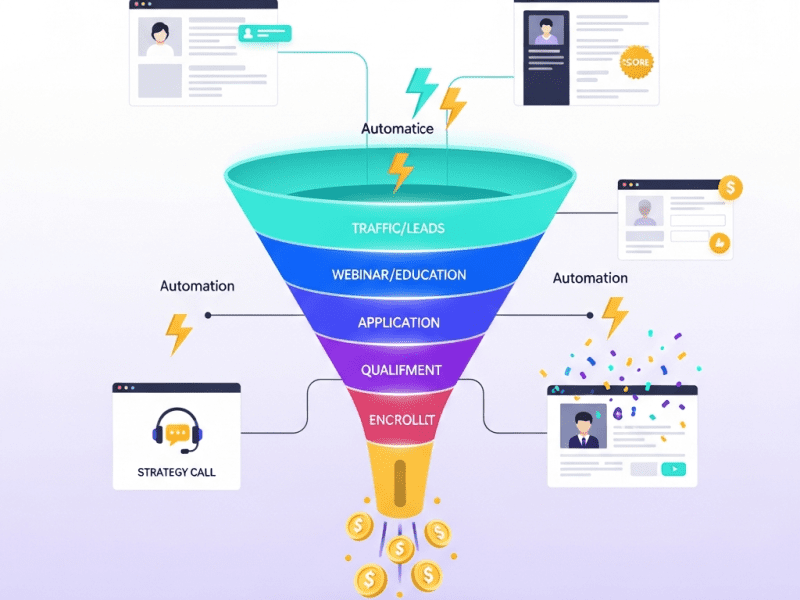
We built a fully automated multi-stage sales funnel that takes cold prospects through a carefully designed journey — from initial awareness through education, trust-building, qualification, and enrollment — with 90% of the process running automatically, allowing the founder to focus exclusively on the highest-value conversations with pre-qualified, pre-sold prospects.
The Challenge
100% Founder-Dependent Sales: Every new client required 20+ hours of the founder’s personal time. No systems, no automation, no leverage. If the founder took vacation, revenue stopped.
28-Day Average Sales Cycle: From first contact to enrollment, the process dragged through weeks of back-and-forth emails, scheduling conflicts, forgotten follow-ups, and proposal negotiations — losing momentum and prospects along the way.
18% Discovery Call Close Rate: The founder was spending 45 minutes per call with every interested person — regardless of budget, fit, or readiness. 82% of calls were with unqualified prospects who couldn’t afford the program, weren’t at the right stage, or were “just exploring.”
No Lead Capture System: Website visitors, social media followers, and event attendees who weren’t ready to buy immediately had no way to enter a nurture pipeline. Thousands of potential prospects visited the website, found no lead magnet or value exchange, and left forever.
Zero Follow-Up Automation: After initial contact, 60% of prospects received inconsistent or zero follow-up. Warm leads went cold simply because nobody followed up at the right time with the right message.
Manual Payment & Onboarding: Payment collection involved emailing invoices, chasing payments, and manually setting up new clients in Google Drive folders, Slack channels, and calendar schedules — 4-6 hours of admin per new client.
No Funnel Metrics: The founder couldn’t answer: “What’s my cost per lead?” “What’s my webinar-to-application rate?” “Where are prospects dropping off?” “Which traffic source produces the best clients?” Flying completely blind.
━━━━━━━━━━━━━━━━━━━━━━━━━━━━━━━━━━━━ AUTOMATION RUNS 90% OF THIS PROCESS Founder only enters at Stage 4 (Strategy Calls) ━━━━━━━━━━━━━━━━━━━━━━━━━━━━━━━━━━━━
Phase 2: Landing Pages, Lead Magnets & Capture System (Week 2)
Landing Page Suite (Built in WordPress + Elementor Pro):
Page
Purpose
Key Elements
Lead Magnet Landing Page
Capture email in exchange for free resource
Headline, pain points, lead magnet preview, opt-in form, social proof counter (“4,200+ entrepreneurs downloaded this”)
The webinar is the funnel’s engine — the moment prospects transform from casual readers into serious buyers:
Webinar System (Evergreen + Live Hybrid):
Component
Details
Format
Monthly live masterclass + evergreen replay available 24/7
Title
“The 3 Growth Levers That Took My Clients From ₹80L to ₹7Cr in 12 Months”
Duration
60 minutes (45 min content + 15 min pitch)
Platform
YouTube Live (live events) + WordPress embedded (replays)
Structure
Hook → Story → Lever 1 (teach) → Lever 2 (teach) → Lever 3 (teach) → Case Studies → “The Gap” (what they can’t do alone) → Program Reveal → CTA: Apply Now
1. Applicant books strategy call via Calendly → HubSpot deal created (Stage: "Strategy Call Booked") → Value: $8,500
2. Immediately: Confirmation email with: → Call details (date, time, video link) → "How to prepare" checklist → 3-minute founder video: "What to expect on our call"
3. 24 hours before call: → Reminder email to applicant → AI generates "Call Prep Brief" for founder: • Applicant's business details • Revenue + goal + challenge • Score breakdown • Recommended talking points • Potential objections to prepare for → Delivered to founder via Slack
4. 1 hour before call: → Final reminder to applicant + founder → Prep brief re-sent to founder
5. If no-show: → Auto-reschedule email sent after 15 minutes → If no reschedule in 48 hours → "We held your spot" email → If no response in 7 days → return to nurture sequence ━━━━━━━━━━━━━━━━━━━━━━━━━━━━━━━━━━━━━━━━━━━
Post-Call Automation:
Outcome
Trigger
Automatic Actions
Enrolled
Founder marks “Won” in HubSpot
→ Enrollment email with payment link (Stripe) → Upon payment: welcome sequence triggers → Auto-onboarding begins (see Phase 5)
Needs Time
Founder marks “Thinking”
→ Day 1: “Great talking — here’s a recap” email with key points discussed → Day 3: Relevant case study → Day 5: “Any questions?” personal check-in → Day 7: Time-limited bonus offer → Day 10: Final nudge → Day 14: If no response, return to long-term nurture
Not a Fit
Founder marks “Lost” + selects reason
→ Graceful email with alternative resources → Tagged with loss reason for analysis → Enrolled in long-term brand awareness sequence
IMMEDIATELY: ✅ Welcome email from founder (personal video) ✅ Program access credentials sent ✅ Private Slack channel created + invite sent ✅ Google Drive client folder created ✅ HubSpot deal → "Won — Onboarding"
WITHIN 24 HOURS: ✅ Onboarding questionnaire sent (Typeform) ✅ First coaching call auto-scheduled (Calendly) ✅ Client added to group coaching calendar ✅ Welcome gift dispatch triggered (if applicable)
DAY 3: ✅ "Getting Started Guide" email ✅ Intro to community + resources walkthrough
DAY 7: ✅ Check-in email: "How's your first week?" ✅ First coaching call reminder
DAY 30: ✅ 30-day milestone celebration email ✅ NPS survey sent ✅ Referral program invitation ━━━━━━━━━━━━━━━━━━━━━━━━━━━━━
💰 REVENUE METRICS Total funnel revenue (MTD): $[Live] Cost per acquisition: $[Live] ROAS (Return on ad spend): [Live]× Average time: lead → client: [Live] days
ChatGPT generates personalized call prep for founder — applicant details, talking points, and objection preparation delivered via Slack
Funnel Performance Dashboard
Real-time tracking of every funnel stage — visitors, leads, registrations, applications, calls, enrollments, revenue, and conversion rates
“Thinking” Recovery System
Automated 10-day follow-up sequence for prospects who need time — case studies, check-ins, bonus offers, and gentle nudges
Results & Impact (Projected / Showcase Metrics)
Metric
Before
After
Change
Founder Hours per Client Acquisition
20+ hours
3 hours (strategy call + brief prep review)
⬇ 85%
Sales Cycle (First Contact → Enrolled)
28 days
11 days
⬇ 61%
Discovery/Strategy Call Close Rate
18% (unqualified calls)
52% (pre-qualified applicants)
⬆ 189%
New Clients per Month
3-4
12-15
⬆ 275%
Monthly New Client Revenue
$28,000-$34,000
$102,000-$127,500
⬆ 275%
Leads Captured per Month
~40 (manual)
680+ (automated)
⬆ 1,600%
Webinar Registration Rate
N/A (no webinar)
38% of leads register
—
Webinar Attendance Rate
N/A
44% attend live or watch replay
—
Webinar-to-Application Rate
N/A
22%
—
Application-to-Call Rate
N/A
68% (qualified applicants)
—
Follow-Up Consistency
40% received proper follow-up
100% (automated)
⬆ 150%
Revenue (First 90 Days)
—
$412,000
—
Cost Per Client Acquisition
Unknown (founder time not tracked)
$680
Measurable
Funnel Revenue ROI
Unmeasurable
14.2× return on funnel investment
—
📋 Case Study Summary
Challenge: EliteForge Business Coaching’s $8,500 program relied 100% on the founder’s personal selling — 20+ hours per client, 28-day sales cycles, 18% close rate on unqualified calls, zero lead capture, and inconsistent follow-up. Revenue capped at $34K/month with no way to scale.
Solution: We built a 4-stage automated sales funnel — lead magnet capture pages, evergreen webinar system with 13 automated emails, AI-scored application qualification, pre-call intelligence briefs, outcome-specific follow-up sequences, Stripe payment automation, and webhook-triggered client onboarding — all tracked through a real-time funnel performance dashboard.
Result: Founder’s time per client dropped from 20+ hours to 3. Close rate jumped from 18% to 52% (pre-qualified applicants). Monthly clients tripled from 4 to 12-15. Revenue hit $412,000 in the first 90 days. Every lead gets followed up, every applicant gets scored, every prospect gets nurtured — automatically.
Ready to Stop Being Your Business’s Biggest Bottleneck?
We build automated sales funnels that capture leads, educate prospects, qualify applicants, and deliver pre-sold buyers to your calendar — so you close more clients in less time while the system works 24/7 without you.
We built an automated reporting and real-time dashboard system for IronClad Manufacturing — replacing 62 hours of monthly manual reporting with live dashboards and AI-generated executive briefings, giving leadership instant visibility into production, sales, finance, and operations.
Google Looker Studio (Data Studio), Google Sheets, Airtable, Zapier, Make (Integromat), Google BigQuery, HubSpot CRM, QuickBooks Online, Tally ERP, ChatGPT API (OpenAI), Slack, Google Workspace, Supermetrics, Coupler.io, Notion, WordPress
Project Year
2025
The Overview
IronClad Manufacturing is a mid-sized industrial manufacturer producing precision metal components for automotive, aerospace, and heavy machinery clients. With 3 production facilities, 280 employees, 45 active B2B clients, and annual revenue of $8.5M, their operations generated massive amounts of data — production output, quality metrics, order fulfillment, inventory levels, machine utilization, sales pipeline, financials, workforce attendance, and client satisfaction.
But none of that data was accessible when decisions needed to be made.
Every piece of business intelligence existed in isolated silos — production data in factory floor spreadsheets, sales numbers in HubSpot, financial data in Tally ERP and QuickBooks, inventory counts in manual Excel trackers, quality metrics in paper-based inspection logs, and workforce data in attendance registers. To get a single “state of the business” view, the operations team manually compiled data from 11 different sources into PowerPoint presentations — a process that consumed 62 hours per month across 4 team members and still produced reports that were outdated by the time they were presented.
The CEO described the situation perfectly: “I’m running an $8.5 million business by looking in the rearview mirror. By the time I see the numbers, the problems are already 3 weeks old.”
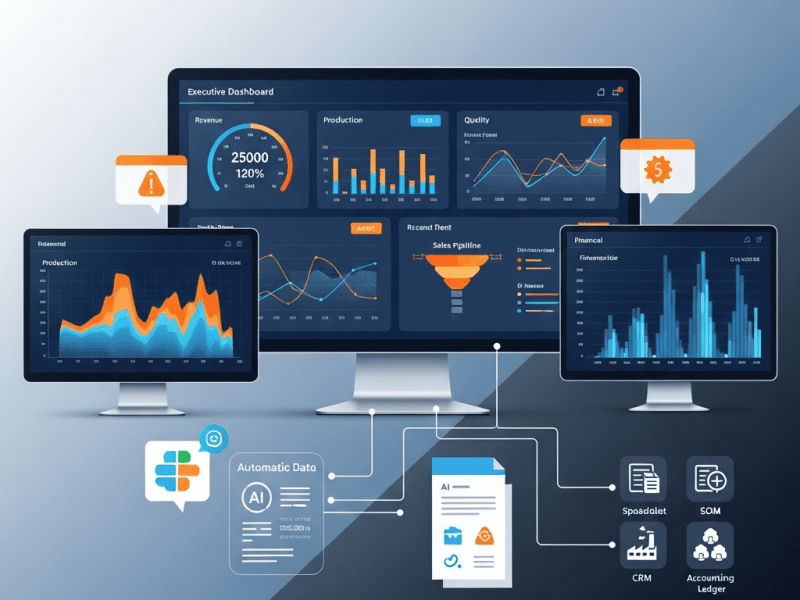
We built a comprehensive automated reporting and dashboard ecosystem that connects every data source, generates real-time dashboards for every business function, automates all recurring reports, and delivers AI-powered executive intelligence briefings — giving IronClad’s leadership team instant, always-current visibility into every aspect of their operation.
The Challenge
11 Disconnected Data Sources: Production, sales, finance, inventory, quality, and workforce data each lived in separate tools with no integration. Getting a unified business view required manually exporting, formatting, and cross-referencing data from all 11 sources.
62 Hours of Monthly Manual Reporting: Four team members spent a combined 62 hours per month creating 8 recurring reports:
Report
Frequency
Time to Create
Recipient
Production Output Report
Weekly
6 hrs/month
Operations Director
Quality & Defect Analysis
Weekly
5 hrs/month
Quality Manager
Sales Pipeline Report
Weekly
4 hrs/month
CEO + Sales Head
Financial P&L Summary
Monthly
12 hrs/month
CEO + CFO
Inventory Status Report
Bi-weekly
6 hrs/month
Procurement Manager
Client Order Fulfillment Report
Weekly
8 hrs/month
Operations + Sales
Workforce & Attendance Report
Monthly
5 hrs/month
HR Manager
Executive Summary (All-in-One)
Monthly
16 hrs/month
CEO + Board
3-Week Data Lag: By the time reports were compiled, reviewed, revised, and presented, the data was 2-3 weeks old. Leadership made decisions based on outdated information — discovering production bottlenecks weeks after they occurred, identifying sales pipeline issues after deals were already lost.
Error-Prone Manual Compilation: Every report involved manual data entry, copy-pasting between spreadsheets, and formula-based calculations. On average, 12% of reports contained at least one significant data error — wrong totals, mismatched date ranges, formula breaks, or outdated source data.
No Anomaly Detection: Problems hid in the data until someone manually noticed them. A sudden spike in defect rates, a drop in machine utilization, an unusual inventory depletion pattern, or a client’s order frequency declining — all went undetected until they became full-blown crises.
Zero Self-Service Access: When a manager needed a quick data point — “What was our defect rate last week?” or “How many units did Plant 2 produce yesterday?” — they had to email the operations team and wait hours or days for an answer. No self-service data access existed.
No Predictive Intelligence: All reporting was backward-looking. Nobody could answer forward-looking questions: “Will we hit this quarter’s revenue target?” “Are we going to run out of raw material X before the next shipment?” “Which production line is trending toward a quality problem?”
AI-generated comprehensive narrative + dashboard PDF
NEW: Daily Cash Position
Daily 8 AM
Slack message
CFO
QuickBooks balance → Zapier → Slack
NEW: Weekly Client Health
Friday 4 PM
Slack + email
Sales Head
Order frequency analysis → flag declining clients
NEW: Monthly Trend Analysis
5th of month
PDF
Leadership team
AI analyzes 30 trends across all dashboards
NEW: Quarterly Strategic Review
Quarterly
Presentation deck
CEO + Board
AI-generated insights + recommendations
AI-Generated Executive Briefing (Monthly):
ChatGPT API connected to BigQuery data generates a natural-language executive summary:
IRONCLAD MANUFACTURING — EXECUTIVE INTELLIGENCE BRIEFING
March 2025
━━━━━━━━━━━━━━━━━━━━━━━━━━━━━━━━━━━━━━━━━━━━━━━━━━

📊 BUSINESS HEALTH: STRONG (Score: 82/100)

HIGHLIGHTS:
✅ Revenue hit $742K this month — 8% above target and
   12% higher than March 2024
✅ Plant 2 achieved record OEE of 87.3% — best in 18 months
✅ Cash position healthy at $1.2M with receivables
   collection improving (DSO down from 48 to 41 days)

CONCERNS:
⚠️ Plant 1 defect rate spiked to 3.8% in Week 3 — traced to
   CNC Machine #7 calibration drift. Machine serviced March 22;
   monitor closely next 2 weeks
⚠️ Raw material "Alloy Grade 316L" at 6 days supply — below
   14-day reorder threshold. PO raised with supplier, ETA March 28
⚠️ Client "Meridian Automotive" order frequency dropped 40%
   vs. last quarter — potential churn risk. Recommend Sales
   outreach this week

OPPORTUNITIES:
💡 Aerospace segment grew 34% QoQ — consider expanding
   capacity allocation
💡 Plant 3 has 22% unused capacity — could absorb overflow
   from Plant 1 during maintenance window
💡 3 proposals worth $285K expected to close this month —
   if converted, Q1 target exceeded by 11%

RECOMMENDED ACTIONS:
1. Quality team: Investigate Plant 1 CNC #7 — root cause
   analysis by April 1
2. Procurement: Expedite Alloy 316L delivery — production
   risk if delayed
3. Sales: Urgent check-in with Meridian Automotive —
   relationship at risk
4. Strategy: Evaluate aerospace capacity expansion for Q2
━━━━━━━━━━━━━━━━━━━━━━━━━━━━━━━━━━━━━━━━━━━━━━━━━━
Phase 4: Alert System & Anomaly Detection (Week 4 continued)
Built an intelligent alert system that catches problems before they become crises:
Alert
Trigger Condition
Notification
Priority
Production Below Target
Daily output <85% of target by 2 PM
Slack: Plant Manager + Ops Director
🟡 Warning
Defect Rate Spike
Defect rate exceeds 2× rolling average
Slack: Quality Manager + immediate
🔴 Critical
Machine Down
Unplanned downtime >2 hours
Slack: Maintenance + Plant Manager
🔴 Critical
Inventory Critical
Stock below 7-day supply
Slack + Email: Procurement + Ops
🔴 Critical
Inventory Low
Stock below 14-day reorder point
Slack: Procurement Manager
🟡 Warning
Large Invoice Overdue
Invoice >$10K and >30 days overdue
Slack + Email: CFO + Sales rep
🟠 Urgent
Cash Flow Warning
Projected cash <$200K within 14 days
Email: CFO + CEO
🔴 Critical
Deal Stagnation
High-value deal ($50K+) stuck 14+ days
Slack: Sales Head + assigned rep
🟡 Warning
Client Churn Risk
Order frequency drops 40%+ vs. 90-day avg
Slack: Sales Head + Account Manager
🟠 Urgent
Overtime Excessive
Department overtime >120% of budget
Slack: HR + Department Manager
🟡 Warning
Safety Incident
Any safety event logged
Slack: HR + Plant Manager + CEO
🔴 Immediate
Revenue Target Risk
MTD pace projects <90% of monthly target
Slack: CEO + Sales Head
🟠 Urgent
Alert Escalation Protocol:
🟡 Warning → Slack notification to direct manager
🟠 Urgent → Slack + email to manager + director
🔴 Critical → Slack + email + SMS to director + CEO
If no acknowledgment within 2 hours → auto-escalate one level up
Mobile Access: All dashboards configured for mobile viewing — managers can check KPIs from factory floor on their phones.
Self-Service Query System: Built Slack bot commands for instant data access:
/production today → Today’s output by plant vs. target
/quality week → This week’s defect rate with trend
/pipeline → Current sales pipeline summary
/cash → Current cash position + receivables summary
/inventory [material] → Stock level + days of supply for specific material
Continuous Optimization:
Monthly dashboard review: Are we tracking what matters? Remove unused widgets, add requested ones.
Quarterly KPI reassessment: Are targets still relevant?
Alert threshold tuning: Adjusting trigger conditions based on false-positive/negative rates
Data source expansion: Adding new sources as IronClad’s systems evolve
Key Features Delivered
Feature
Description
6 Real-Time Dashboards
Executive overview, production, quality, sales, finance, and inventory/workforce — all updating automatically from 11 data sources
Centralized Data Warehouse
Google BigQuery aggregating data from spreadsheets, CRM, ERP, accounting, inventory, quality logs, and attendance into one unified layer
12 Automated Reports
8 existing reports fully automated + 4 new intelligence reports — zero manual compilation required
AI Executive Briefing
Monthly natural-language business intelligence narrative generated by ChatGPT — highlights, concerns, opportunities, and recommended actions
Intelligent Alert System
12 automated alerts with anomaly detection, severity classification, and escalation protocol catching problems before they become crises
54 KPIs Tracked
Comprehensive KPI framework across production (12), quality (8), sales (10), finance (10), inventory (6), and workforce (8)
Slack Data Bot
Instant self-service data access via Slack commands — any manager can query key metrics in seconds from anywhere
Mobile Dashboard Access
All dashboards optimized for mobile viewing — factory floor to boardroom accessibility
Revenue Forecasting
AI-predicted revenue projections with confidence intervals for 30, 60, and 90-day horizons
Client Health Monitoring
Automated tracking of client order patterns with churn risk flagging when frequency declines
Results & Impact (Projected / Showcase Metrics)
Metric
Before
After
Change
Monthly Hours Spent on Reporting
62 hours (4 people)
2 hours (review only)
⬇ 97%
Data Lag (Report Freshness)
2-3 weeks old
Real-time
⬇ 100%
Report Error Rate
12% contained significant errors
<1% (automated validation)
⬇ 92%
Time to Answer a Data Question
Hours to days (email request)
Under 15 seconds (Slack bot)
⬇ 99%
Anomalies Detected Proactively
0 (discovered manually, weeks late)
8-12 per month (caught same-day)
From zero to proactive
Revenue Forecast Accuracy
±35-50% (gut estimate)
±8-12% (AI-modeled)
⬆ 75%
Problem Detection to Action Time
2-3 weeks
Under 2 hours
⬇ 99%
Dashboard Self-Service Queries/Month
0 (all manual requests)
340+
—
Leadership Decision Confidence
Low (outdated data, gut feeling)
High (real-time, data-driven)
Qualitative ⬆
Annual Cost of Reporting (Staff Time)
~$74,400 (62 hrs × $100/hr × 12 mo)
~$2,400
⬇ 97%
Production Issues Caught Early
—
Saved est. $180,000/yr in prevented downtime + defects
—
Inventory Stockout Incidents
6 per year
Zero (reorder alerts)
⬇ 100%
📋 Case Study Summary
Challenge: IronClad Manufacturing’s business intelligence was trapped in 11 disconnected data sources. Four team members spent 62 hours monthly compiling 8 reports that were 2-3 weeks old and 12% error-prone. Leadership made decisions blindfolded — no real-time visibility, no anomaly detection, no forecasting.
Solution: We built a centralized data warehouse connecting all 11 sources, created 6 real-time Looker Studio dashboards (executive, production, quality, sales, finance, inventory/workforce), automated all 12 recurring reports, deployed an AI executive briefing system, and implemented 12 intelligent alerts with anomaly detection and escalation protocols.
Result: Reporting time dropped 97% (62 hours to 2). Data lag eliminated entirely — real-time visibility. Report errors dropped 92%. Problems detected within hours instead of weeks. Revenue forecast accuracy improved to ±10%. Zero inventory stockouts. Estimated $180K saved annually from early problem detection. Leadership went from flying blind to data-driven decision-making overnight.
Still Spending Days Compiling Reports Nobody Reads on Time?
We build automated reporting systems and real-time dashboards that connect all your data sources, eliminate manual compilation, detect problems before they become crises, and give you instant answers to any business question — from factory floor to boardroom.
We built an intelligent email automation ecosystem for BrightPath Education Group — designing 14 behavioral trigger sequences that increased course enrollment by 68%, recovered $127,000 in abandoned carts, and grew email revenue contribution from 8% to 34%.
ActiveCampaign, Zapier, Make (Integromat), ChatGPT API (OpenAI), Google Analytics 4, WordPress, LearnDash LMS, WooCommerce, Typeform, Calendly, Slack, Google Sheets, Canva, Litmus
Project Year
2025
The Overview
BrightPath Education Group runs an online learning platform offering 45+ professional development courses in digital marketing, data analytics, business management, and design. With 28,000 email subscribers, 4,200 active students, and an average course price of $249, email should have been their most powerful revenue channel. Instead, it was their most neglected one.
Their entire email operation consisted of a weekly newsletter blast sent to the full list — same message to everyone, regardless of whether the recipient was a first-time subscriber, an active student, a course completer looking for advanced options, or someone who hadn’t opened an email in 6 months. No segmentation. No automation. No behavioral triggers. No personalization beyond “Hi [First Name].”
We designed and deployed a complete email automation ecosystem with 14 behavioral trigger sequences, intelligent segmentation, AI-powered personalization, and a performance analytics framework that transformed email from an afterthought into BrightPath’s highest-ROI revenue channel.
The Challenge
One-Size-Fits-All Broadcasting: Every subscriber received identical emails regardless of interests, behavior, or lifecycle stage — resulting in 14% open rates and 0.9% click rates (industry benchmarks: 25%+ and 3%+).
Zero Automation: No welcome sequence, no abandoned cart recovery, no post-purchase follow-up, no re-engagement campaigns. Every email was manually created and manually sent.
List Health Crisis: 28,000 subscribers, but 31% hadn’t opened a single email in 12+ months. Deliverability score had dropped to 72/100 — emails increasingly landing in spam and promotions tabs.
No Revenue Attribution: Nobody could answer “how much revenue do our emails generate?” Email was treated as a broadcast tool, not a revenue channel.
Subscriber Lifecycle Blindness: No distinction between a new subscriber (day 1), a browsing prospect (visited 3 course pages), an abandoned cart user, an active student, a course completer, or a dormant subscriber. All received the same content.
Manual Newsletter Burden: The marketing manager spent 8-10 hours weekly crafting, designing, and sending the newsletter — with no data on what content drove engagement or revenue.
Cart Abandonment Revenue Leak: 72% of users who added a course to cart never completed purchase. With $180,000+ in monthly abandoned carts, zero recovery emails were being sent.
Our Approach & Strategy
Phase 1: Email Audit & List Health Recovery (Week 1)
Performance Audit: Analyzed 12 months of email data — open rates declining from 18% to 14%, click rates from 1.4% to 0.9%, unsubscribe rate rising to 0.8% per send.
List Cleaning:
Action
Records Affected
Removed hard bounces
840
Removed 12+ month inactive (no opens)
6,200
Quarantined spam traps & suspicious emails
320
Verified remaining emails (Litmus)
20,640 remaining
Re-engagement campaign for 6-12 month inactive
3,400 targeted
Segmentation Architecture: Built 12 dynamic segments in ActiveCampaign:
Segment
Criteria
Size
Purpose
New Subscribers (0-7 days)
Signup date within 7 days
Variable
Welcome sequence
Engaged Browsers
3+ site visits, no purchase
~2,800
Nurture to enrollment
Cart Abandoners
Added course, didn’t purchase
~1,200/mo
Recovery sequence
Active Students
Currently enrolled in course
4,200
Engagement & completion
Course Completers
Finished 1+ course
2,100
Upsell & cross-sell
Multi-Course Students
Completed 2+ courses
680
VIP & ambassador program
Topic: Digital Marketing
Interest tag = DM
8,400
Topic-specific content
Topic: Data Analytics
Interest tag = DA
6,200
Topic-specific content
Topic: Business Mgmt
Interest tag = BM
4,800
Topic-specific content
Topic: Design
Interest tag = Design
3,900
Topic-specific content
Dormant (60-180 days)
No engagement 60-180 days
~3,400
Re-engagement
VIP High-Value
2+ purchases + >$500 LTV
420
Exclusive offers
Deliverability Recovery:
Configured SPF, DKIM, DMARC authentication
Warmed sending domain over 14 days (graduated volume increase)
Moved to dedicated sending IP
Result: Deliverability score improved from 72 to 94/100
Phase 2: Automation Sequence Design (Weeks 2-3)
We designed and built 14 behavioral trigger sequences — each activated by specific subscriber actions:
Sequence 1: Welcome Series (5 emails over 10 days)
Email
Day
Subject
Purpose
Welcome
Day 0
“Welcome to BrightPath — Here’s your learning roadmap 🎯”
Brand introduction, set expectations, deliver lead magnet
Story
Day 2
“How 12,000+ professionals leveled up their careers”
Social proof, success stories, build trust
Quiz
Day 4
“Not sure which course fits you? Take this 60-second quiz”
Segmentation quiz → auto-tags interest topics
Value
Day 7
“Free mini-lesson: [Topic based on quiz result]”
Deliver value, demonstrate teaching quality
Offer
Day 10
“Your exclusive welcome offer: 20% off your first course”
Replaced 8-10 hour manual process with a streamlined system:
NEWSLETTER PRODUCTION (New Process — 90 minutes) ━━━━━━━━━━━━━━━━━━━━━━━━━━━━━━━━━━━━━━━━━━━━━━
1. Monday: AI generates draft content blocks (15 min review) 2. Tuesday: Marketing manager selects/edits blocks + adds personal note (30 min) 3. Wednesday: Design auto-applied via template (15 min review) 4. Thursday 10 AM: Newsletter sends via predictive send time 5. Friday: AI-generated performance report delivered via Slack
NEWSLETTER STRUCTURE (4 Segments — Different Content): → Digital Marketing subscribers get DM-focused content → Data Analytics subscribers get DA-focused content → Business Management subscribers get BM-focused content → Design subscribers get Design-focused content
Challenge: BrightPath Education’s email marketing consisted of one weekly blast to 28,000 subscribers — no segmentation, no automation, no cart recovery, 14% open rates, and email generating only 8% of revenue. 31% of the list was dead weight destroying deliverability.
Solution: We built 14 behavioral trigger sequences (welcome, cart recovery, post-purchase, re-engagement, browse abandonment), created 12 dynamic segments, implemented AI-powered personalization and predictive send times, recovered list health from 72 to 94 deliverability score, and built a revenue attribution dashboard.
Result: Open rates jumped to 38%. Cart recovery alone generates $127K annually. Email revenue contribution grew from 8% to 34%. Course enrollments from email tripled. Newsletter production dropped from 10 hours to 90 minutes. Revenue per subscriber increased 520%.
Your Email List Is a Revenue Engine Waiting to Be Activated
We build intelligent email automation systems with behavioral triggers, smart segmentation, and AI personalization — turning every subscriber interaction into a revenue opportunity that works 24/7.
Complete CRM Setup & Intelligent Management System
We designed and implemented a complete CRM ecosystem for TrueNorth Financial Advisors — migrating from spreadsheet chaos to an intelligent HubSpot system that increased client retention by 34%, shortened sales cycles by 41%, and gave leadership real-time revenue visibility for the first time.
CRM Strategy & Architecture, HubSpot CRM Implementation, Data Migration & Cleansing, Pipeline Design & Automation, Contact Segmentation & Scoring, Task & Activity Automation, Client Lifecycle Management, Custom Dashboard & Reporting, Team Training & Adoption Program
Tools & Platforms Used
HubSpot CRM (Sales Hub, Marketing Hub, Service Hub), Zapier, Make (Integromat), Google Workspace, Calendly, PandaDoc, RingCentral, Slack, Typeform, ChatGPT API (OpenAI), Google Data Studio, Airtable, Mailchimp (legacy migration), Excel (legacy migration), WordPress, WooCommerce, QuickBooks Online
Project Year
2025
The Overview
TrueNorth Financial Advisors is a growing wealth management firm with 8 financial advisors, 4 support staff, and a client base of 1,200+ individuals and families across India. They offer comprehensive financial planning, investment advisory, insurance planning, tax optimization, and retirement planning services. Their revenue model combines one-time financial planning fees ($1,500-$5,000), ongoing advisory retainers ($200-$800/month), and commission income from insurance and investment product placements.
After 7 years of steady growth, TrueNorth had reached an inflection point. Their client base had outgrown their systems. Client information lived across a patchwork of Excel spreadsheets, personal email inboxes, WhatsApp conversations, physical notebooks, Mailchimp subscriber lists, and individual advisor memories. There was no single source of truth for any client relationship.
The consequences were becoming impossible to ignore. Advisors forgot follow-up commitments. Annual review meetings were missed. Policy renewal reminders fell through the cracks — costing the firm thousands in lapsed commissions. New leads sat in inboxes for days because nobody knew who was responsible. Client complaints about “having to repeat their situation every time they called” were increasing. And the managing partner couldn’t answer the most basic business questions: “How many active clients does each advisor manage?” “What’s our projected revenue next quarter?” “Which clients haven’t been contacted in 90+ days?”
TrueNorth didn’t just need a CRM tool installed. They needed a complete client relationship intelligence system — one that captures every interaction, automates every follow-up, tracks every opportunity, predicts client needs before they arise, and gives leadership crystal-clear visibility into the health of every client relationship and the performance of every advisor.
We designed, built, migrated, and launched a comprehensive HubSpot CRM ecosystem that transformed TrueNorth from spreadsheet chaos into an intelligent, automated, data-driven client management powerhouse.
The Challenge
TrueNorth’s client management infrastructure was failing across every dimension:
Scattered Client Data — No Single Source of Truth: Client information was fragmented across 7+ disconnected systems:
System
What It Contained
Problem
Excel Spreadsheets (12 files)
Client names, contact info, product holdings, AUM
Multiple versions, conflicting data, no access controls, 340+ duplicate entries
Personal Email Inboxes (8 advisors)
Client correspondence, meeting notes, documents
Trapped in individual accounts, unsearchable, lost when advisor leaves
WhatsApp Conversations
Client questions, document sharing, quick updates
Untracked, unsearchable, no institutional knowledge capture
Physical Notebooks (4 advisors)
Meeting notes, client goals, personal observations
Completely inaccessible to anyone else, lost if misplaced
Mailchimp
Email subscriber list, newsletter opens/clicks
Disconnected from client records, 28% email bounce rate
Google Calendar
Meeting history (partial)
No context about what was discussed, just time blocks
Advisor Memory
Relationship context, family details, preferences
Walks out the door when advisor takes vacation or leaves firm
When an advisor was out sick, colleagues couldn’t properly serve their clients because critical relationship context existed only in that advisor’s head, notebook, and personal inbox.
Lead Management Black Hole: TrueNorth generated approximately 80-100 new leads per month through referrals, website inquiries, seminar attendees, and social media. But there was no system for tracking, assigning, following up, or measuring conversion:
Average lead response time: 52 hours (industry best practice: under 5 minutes)
38% of leads received zero follow-up ever
Nobody knew which lead source produced the most clients
Advisors cherry-picked “good-looking” leads and ignored others
No lead scoring — a referred CEO received the same non-treatment as a random website form fill
Pipeline Invisibility: The managing partner had zero visibility into the sales pipeline:
How many prospects are in active discussions? Unknown.
What’s the expected revenue from current opportunities? Couldn’t calculate.
Which deals are stuck and need intervention? No way to tell.
How long does it take to close a new client on average? Nobody tracked it.
Which advisor has the best conversion rate? Complete mystery.
What’s the firm’s projected revenue next quarter? Educated guess at best.
Client Lifecycle Neglect: Once a client was onboarded, there was no systematic process for ongoing relationship management:
Annual financial review meetings: Only 44% of clients received their annual review on time. 22% didn’t receive one at all.
Policy/investment renewals: Tracked manually in Excel — 8 renewal lapses in the past 12 months, costing approximately $34,000 in lost commissions.
Birthday/anniversary acknowledgments: Sporadic, dependent on individual advisor memory.
Life event triggers (marriage, child, retirement, inheritance): No system to track or respond to milestone events that create advisory opportunities.
Rebalancing alerts: No automated monitoring of portfolio thresholds that should trigger advisor outreach.
Client satisfaction tracking: No NPS, no feedback collection, no early warning system for at-risk clients.
Advisor Performance Blindness: The managing partner managed 8 advisors with no performance data:
No activity tracking (calls made, meetings held, proposals sent)
No pipeline comparison between advisors
No conversion rate analysis
No client satisfaction scores by advisor
No revenue attribution to individual advisor effort
Performance reviews were based on gut feeling and anecdotal evidence
Compliance & Audit Vulnerability: Financial services require detailed documentation of client interactions, suitability assessments, and advice given. With client records scattered across personal devices and notebooks, TrueNorth was exposed to:
Regulatory audit risk (inability to produce interaction history on demand)
Suitability documentation gaps
Missing KYC (Know Your Customer) records
Inconsistent client communication logs
Reporting & Analytics Void: The firm produced exactly one report: a monthly revenue summary manually compiled in Excel by the operations manager (taking 6-8 hours each month). There were no reports on:
Client acquisition trends
Revenue by service type
Client retention rates
Advisor productivity
Marketing effectiveness
Pipeline health
Client satisfaction trends
Assets under management growth
Our Approach & Strategy
We implemented a seven-phase CRM transformation designed to build a scalable, intelligent client management foundation:
Phase 1: CRM Strategy, Architecture & Data Audit (Week 1)
Before touching any technology, we defined the strategic foundation:
Stakeholder Discovery Sessions:
Conducted 90-minute interviews with each of the 8 advisors, 4 support staff, and the managing partner
Documented every pain point, wish-list item, daily workflow, and workaround currently in use
Identified the Top 20 “If Only” Statements (things people wished the system could do)
Client Lifecycle Mapping:
Mapped the complete TrueNorth client journey from first contact to long-term retention:
STAGE 1: ATTRACT → Lead sources: Referrals, Website, Seminars, Social Media, Partnerships → First touchpoint tracking needed
STAGE 2: CAPTURE → Lead enters system (form fill, referral logged, seminar attendee) → Contact information + source + initial interest captured → Auto-assigned to advisor based on rules
STAGE 4: PROPOSE → Financial plan or advisory proposal created → Presented in client meeting → Revisions and negotiations tracked → Fee agreement finalized
STAGE 5: ONBOARD → KYC documentation collected → Account opening and product applications → Welcome sequence delivered → First 90-day plan established → Relationship transfer from "prospect" to "client"
STAGE 6: SERVE → Ongoing advisory services delivered → Portfolio monitoring and rebalancing → Tax planning and optimization → Insurance review and renewal management → Quarterly/annual reviews scheduled and conducted
STAGE 7: GROW → Cross-sell additional services → Upsell to higher advisory tiers → Referral requests at optimal moments → Life event response (marriage, child, retirement)
Flag near-duplicates for manual review (advisor confirmation needed)
Enrich incomplete records using Clearbit + LinkedIn data
Validate emails using Hunter.io bulk verification
Validate phone numbers using format + carrier lookup
Standardize field formats (date formats, phone formats, name capitalization)
Classify all contacts: Active Client, Prospect, Lead, Past Client, Partner, Vendor, Personal
HubSpot Architecture Design:
Designed the complete CRM structure before implementation:
CRM Object
Purpose
Custom Properties
Contacts
Individual people (clients, prospects, leads, referral sources)
42 custom properties (see below)
Companies
Businesses associated with contacts (employers, business owners’ companies)
18 custom properties
Deals
Sales opportunities in pipeline
24 custom properties
Tickets
Client service requests and issues
12 custom properties
Custom Object: Policies
Insurance and investment policies linked to contacts
16 custom properties
Custom Object: Financial Plans
Financial planning documents and versions
10 custom properties
Contact Properties (42 Custom Fields):
Category
Properties
Basic Info
Full Name, Email (personal), Email (work), Phone (mobile), Phone (work), Date of Birth, PAN Number, Aadhaar (last 4), Address, City, State, Pincode
Financial Profile
Annual Income Range, Net Worth Range, Risk Profile (Conservative/Moderate/Aggressive), Investment Experience Level, Tax Bracket
Advisory Relationship
Assigned Advisor, Client Since Date, Client Tier (Platinum/Gold/Silver), Service Level (Full Planning/Advisory Only/Insurance Only), Monthly Retainer Amount, AUM (Assets Under Management)
Lifecycle
Lifecycle Stage (Lead/MQL/SQL/Opportunity/Client/Evangelist), Lead Source, Lead Score, First Contact Date, Conversion Date, Last Contact Date, Days Since Last Contact
Family
Marital Status, Spouse Name, Number of Children, Children Ages, Dependents
NPS Score, Last Review Meeting Date, Next Review Due Date, Communication Preference (Email/Phone/WhatsApp), Preferred Meeting Time, Referral Count Given
Compliance
KYC Status (Complete/Pending/Expired), KYC Expiry Date, Suitability Assessment Status, Risk Disclosure Signed
Phase 2: HubSpot CRM Implementation & Data Migration (Week 2)
With architecture designed, we built the system:
HubSpot Setup:
Activated HubSpot Sales Hub Professional, Marketing Hub Starter, and Service Hub Starter
Configured all 42 contact properties, 18 company properties, 24 deal properties, 12 ticket properties
Built 2 custom objects (Policies, Financial Plans) with relational links to Contacts
Set up user accounts for all 12 team members with role-based permissions:
Role
Access Level
What They Can See/Do
Managing Partner
Super Admin
Everything — all contacts, deals, reports, settings, data exports
Senior Advisor
Sales Manager
All contacts assigned to them + team members they manage, all deal stages, team reports
Advisor
Sales Rep
Only their assigned contacts and deals, personal activity reports, shared resources
Support Staff
Service Rep
All contacts (read-only), tickets, scheduling, document management
Operations Manager
Reporting + Settings
All reports, dashboard access, workflow management, data import/export
Data Migration (The Critical Phase):
Executed the data cleansing protocol from Phase 1:
Before cleaning: 4,847 total records across all sources
After cleaning: 2,640 verified, deduplicated, enriched records
Breakdown:
Active Clients: 1,180
Active Prospects/Leads: 420
Past Clients: 285
Referral Partners: 95
Inactive/Archived: 660
Migration process:
Cleaned data formatted into HubSpot import templates (CSV)
Test import of 50 records — verified mapping accuracy
Full import executed in batches (500 records each)
Post-import validation: spot-checked 200 random records for accuracy
Linked associated records (contacts to companies, contacts to policies)
Imported historical deal/opportunity data where available
Mailchimp subscriber data merged with contact records (matching by email)
Historical email engagement data preserved (opens, clicks, unsubscribes)
Data Enrichment Layer:
Ran all 2,640 contacts through Clearbit enrichment:
Added company size, industry, job title, social profiles where available
Filled in 680+ previously missing data points
LinkedIn profile URLs added for 1,100+ contacts
Pipeline Design:
Created 3 distinct pipelines in HubSpot reflecting TrueNorth’s different revenue streams:
Pipeline 1: New Client Acquisition
STAGES:
━━━━━━━━━━━━━━━━━━━━━━━━━━━━━━━━━━
1. 📥 New Lead (Auto-created from lead sources)
2. 📞 Initial Contact Made
3. 🔍 Discovery Meeting Scheduled
4. 🔍 Discovery Meeting Completed
5. 📊 Needs Analysis & Financial Snapshot
6. 📋 Proposal/Plan Presented
7. 🤝 Negotiation & Revision
8. ✅ Won — Client Onboarding
9. ❌ Lost (with mandatory loss reason)
10. ⏸️ On Hold / Nurturing
━━━━━━━━━━━━━━━━━━━━━━━━━━━━━━━━━━
We built 32 automated workflows in HubSpot that handle the repetitive relationship management tasks advisors were forgetting or neglecting:
Lead Management Automations:
Workflow
Trigger
Actions
New Lead Assignment
New contact created (any source)
Auto-assign to advisor (round-robin OR territory-based) → Create follow-up task (due: same day) → Send internal Slack notification → Send lead a welcome email with advisor introduction
Speed-to-Lead Alert
New website form submission
Immediate Slack alert + SMS to assigned advisor: “New lead [Name] just requested a consultation. Respond within 5 minutes for highest conversion chance.” + Auto-response email to lead: “Thanks [Name], your advisor [Advisor Name] will contact you within the hour.”
Lead Nurture (Standard)
Lead score 20-59 + No deal created
Enroll in 12-email nurture sequence over 90 days: educational content → social proof → soft consultation offer → re-engagement
Lead Nurture (Accelerated)
Lead score 60-79 + No meeting scheduled
Enroll in 6-email accelerated sequence over 21 days: high-value content → case study → strong meeting CTA → advisor personal email → final push
Lead Stale Alert
Lead assigned + No activity logged in 7 days
Email to advisor: “Lead [Name] has had no activity for 7 days. Please update or reassign.” + If no action in 3 more days → escalate to managing partner
Lead Source Tracking
New contact from any source
Auto-tag lead source (Website Form / Referral / Seminar / Social Media / Partner) → Attribute to specific campaign if applicable
Client Lifecycle Automations:
Workflow
Trigger
Actions
Annual Review Scheduler
Last Review Date + 11 months elapsed
Create task for advisor: “Schedule annual review for [Client Name]” → Send client email: “It’s time for your annual financial review” with Calendly link → If no meeting booked in 14 days → reminder email + advisor nudge → If still no meeting at 30 days → managing partner notified
Birthday Greeting
Contact DOB = Today
Send personalized birthday email from assigned advisor → Create task: “Send personal birthday wish to [Client]” → If Platinum client → trigger gift card dispatch workflow
Policy Renewal Alert
Policy renewal date minus 90 days
Create deal in Renewal Pipeline → Send advisor task: “Initiate renewal discussion for [Client] — [Policy Type] expiring [Date]” → Send client pre-renewal email → Schedule reminder at 60 days, 30 days, 14 days, 7 days
Dormant Client Re-Engagement
Active client + No contact in 90+ days
Send advisor alert: “Client [Name] hasn’t been contacted in [X] days” → Auto-send client a “checking in” email from advisor → Create task for advisor to call within 7 days → If still dormant at 120 days → managing partner review
New Client Onboarding Sequence
Deal marked “Won — Client Onboarding”
Trigger 30-day onboarding email sequence: Welcome → Document checklist → First meeting prep → Post-onboarding survey → Create all onboarding tasks for support staff → Update lifecycle to “Client” → Schedule 90-day check-in
Life Event Response
Life Event field updated (Marriage/Child/Retirement/Inheritance)
Send anniversary appreciation email → If 5+ year anniversary → trigger special recognition + managing partner thank you note → Create referral request task for advisor
KYC Expiry Alert
KYC Expiry Date minus 30 days
Create compliance task for support staff → Send client KYC renewal notification with document upload link → Remind at 14 days, 7 days → If expired → flag as compliance risk + advisor + managing partner notified
NPS & Satisfaction Automations:
Workflow
Trigger
Actions
Quarterly NPS Survey
Every 90 days for active clients
Send NPS survey (Typeform) → Score auto-saved to contact record → If Promoter (9-10): Send referral request + testimonial request → If Passive (7-8): Create advisor task for engagement improvement → If Detractor (0-6): Immediate alert to advisor + managing partner + create intervention task with “at-risk client” protocol
Service Issue Escalation
NPS Detractor + Active client + AUM > ₹25L
Priority 1 alert: Managing partner personal call within 24 hours → Create intervention plan task → Schedule recovery meeting → Offer service enhancement/discount → Track resolution outcome
Communication Tracking (Every Touchpoint Captured):
Channel
Integration Method
What’s Captured
Email
HubSpot Gmail extension
Every email sent/received auto-logged to contact timeline — opens, clicks, replies tracked
Phone Calls
RingCentral + HubSpot integration
Call logs with duration, recording links, and post-call notes auto-saved to contact
Meetings
Calendly + HubSpot integration
Meeting bookings auto-created as activities, meeting type tagged, reminders auto-sent
Website Activity
HubSpot tracking code on WordPress
Pages viewed, forms submitted, content downloaded — all visible on contact timeline
WhatsApp
Manual logging via Slack bot + Zapier
Advisor sends summary via Slack → auto-logged to HubSpot contact timeline as note
Documents
PandaDoc + HubSpot integration
Proposals, agreements sent/viewed/signed — status tracked on deal timeline
Social Media
HubSpot social monitoring
LinkedIn mentions, comments, and engagements tracked where possible
Result: Every client interaction — regardless of channel — appears on a single, chronological contact timeline in HubSpot. Any advisor can open a client record and instantly see every email, call, meeting, document, and note in one unified view.
Calendly Integration (Smart Scheduling):
Each advisor’s Calendly connected to HubSpot:
When client books a meeting → HubSpot activity auto-created
Meeting type auto-tagged (Discovery Call, Annual Review, Ad-Hoc Consultation, etc.)
Pre-meeting prep email auto-sent to advisor with client summary pulled from CRM
Post-meeting task auto-created: “Log meeting notes for [Client]”
No-show tracking: if client doesn’t join → auto-reschedule email sent + advisor notified
Rajesh (52) and Priya (49) have been TrueNorth clients since March 2021. They're Gold-tier clients with ₹68L in AUM under your advisory.
CURRENT SERVICES: • Comprehensive Financial Plan (completed Jan 2024) • Investment Advisory (₹35K/mo retainer) • Term Insurance (₹1Cr, renews Aug 2025) • Health Insurance (₹25L family floater, renews Nov 2025)
RECENT ACTIVITY: • Last contact: March 2, 2025 (email about tax planning) • Last meeting: January 15, 2025 (annual review) • NPS Score: 8 (Passive — could be improved)
KEY NOTES: • Rajesh is considering early retirement at 55 • Priya interested in starting a small business • Daughter Ananya starting college in 2026 — education planning discussed but not finalized • Expressed interest in real estate investment
UPCOMING: • Term insurance renewal: August 2025 (create renewal deal) • Next annual review due: January 2026 • Rajesh's birthday: April 18
ADVISOR RECOMMENDATION: Consider scheduling a mid-year check-in to discuss: 1. Retirement corpus progress (target: ₹3Cr by age 55) 2. Education planning for Ananya (time-sensitive) 3. Priya's business startup financial planning 4. Real estate investment analysis ━━━━━━━━━━━━━━━━━━━━━━━━━━━━━━━━━━━━
- `/prep-meeting [Name]` → AI generates meeting preparation brief
- `/draft-email [Name] [purpose]` → AI drafts a personalized email using client context from CRM
- `/pipeline-status` → AI summarizes advisor's current pipeline with recommended priorities
Dashboard relevance check (are we tracking what matters?)
Pipeline stage conversion analysis (where are deals getting stuck?)
Lead source ROI review (should we invest more/less in specific sources?)
New integration opportunities assessment
Key Features Delivered
Feature
Description
Clean, Unified CRM Database
2,640 verified, deduplicated, enriched contact records migrated from 7 fragmented sources into a single HubSpot instance with 42 custom contact properties
3 Custom Sales Pipelines
New Client Acquisition, Cross-Sell/Upsell, and Renewals/Retention — each with deal properties, stage automation, and performance tracking
100-Point Lead Scoring Model
Dynamic scoring based on demographic fit, behavioral signals, and intent indicators with automatic lead classification and routing
Challenge: TrueNorth Financial Advisors’ client data was scattered across 7+ systems — Excel spreadsheets, personal email inboxes, WhatsApp, and physical notebooks. Lead response averaged 52 hours. 38% of leads got zero follow-up. Only 44% of annual reviews happened on time. 8 policy renewals lapsed annually ($34K lost). The managing partner had zero visibility into pipeline, advisor performance, or projected revenue.
Solution: We designed and implemented a complete HubSpot CRM ecosystem — migrating and cleaning 4,847 records into 2,640 verified contacts, building 3 custom pipelines, creating a 100-point lead scoring model, deploying 32 automated workflows (lead management, client lifecycle, NPS, compliance), integrating email/phone/calendar/document/billing tracking, building an AI-powered Slack CRM assistant, and creating 5 real-time dashboards with automated reporting.
Result: Lead response time dropped from 52 hours to under 12 minutes. Zero leads go unfollowed. Annual reviews on-time rate jumped from 44% to 94%. Zero policy lapses. Client retention improved from 78% to 92%. Cross-sell revenue tripled. Sales cycle shortened by 41%. Advisor productivity increased 210%. Estimated annual revenue impact: +$320,000. CRM daily adoption: 96%.
Still Running Your Business on Spreadsheets, Sticky Notes, and Memory?
We design and implement intelligent CRM systems that capture every client interaction, automate every follow-up, score every lead, track every opportunity, and give you real-time visibility into your entire business — so nothing falls through the cracks and every relationship gets the attention it deserves.
We designed and deployed a complete administrative automation system for CrestLine Legal Associates — eliminating 124 hours of weekly manual admin work, reducing document errors by 96%, and transforming a drowning operations team into a streamlined, self-running machine.
Zapier, Make (Integromat), Google Workspace (Docs, Sheets, Calendar, Drive, Gmail), Microsoft 365, Notion, Airtable, Calendly, PandaDoc, DocuSign, QuickBooks Online, Toggl Track, Slack, Trello, Typeform, ChatGPT API (OpenAI), Loom, WordPress
Project Year
2025
The Overview
CrestLine Legal Associates is a mid-sized law firm with 14 attorneys, 6 paralegals, and a 5-person administrative team handling corporate law, intellectual property, real estate transactions, and regulatory compliance across India. With 180+ active client matters at any given time, their administrative backbone was — quite literally — holding the entire firm together.
But that backbone was breaking.
Every day, the admin team battled an avalanche of repetitive, manual tasks: scheduling meetings across multiple attorney calendars, generating engagement letters and NDAs from scratch, chasing partners for timesheet entries, processing vendor invoices, organizing thousands of documents into case folders, tracking filing deadlines across jurisdictions, formatting legal memos, updating client contact records, coordinating courier and filing services, managing conference room bookings, processing travel reimbursements, and responding to the same internal requests over and over and over again.
The result? The 5-person admin team collectively spent an estimated 124 hours per week on tasks that followed predictable, repeatable patterns — tasks that didn’t require human judgment, creativity, or legal expertise. They were highly capable professionals trapped in a loop of copy-pasting, reformatting, manually entering data, and chasing people for information.
Meanwhile, the work that actually needed human intelligence — complex scheduling negotiations, sensitive client communications, strategic office management, vendor relationship management — was being squeezed into whatever scraps of time remained.
We engineered a comprehensive administrative automation system that identified, mapped, and automated every repeatable administrative process in the firm — freeing the team to focus on high-value work while ensuring nothing falls through the cracks.
The Challenge
CrestLine’s administrative operations were hemorrhaging time and accuracy across every function:
Calendar & Scheduling Chaos: 14 attorneys, each with their own calendar preferences, availability patterns, and client meeting requirements. The admin team spent 18+ hours per week just scheduling, rescheduling, and coordinating meetings — often requiring 6-8 email exchanges per meeting to find a mutually available slot. Double-bookings happened 3-4 times per week, causing embarrassing client-facing conflicts.
Document Generation Nightmare: Engagement letters, NDAs, retainer agreements, billing summaries, internal memos, meeting minutes, and client update letters were all created manually from scratch or from outdated templates. Each document required 30-90 minutes of formatting, data entry, proofreading, and approval routing. With 40+ documents generated weekly, this consumed 25+ hours — and still produced an average of 8-12 errors per week (wrong client name, incorrect dates, missing clauses, formatting inconsistencies).
Client Intake Black Hole: New client onboarding required collecting 15+ pieces of information (company details, authorized contacts, conflict check data, billing preferences, engagement scope) — typically through a chain of emails, phone calls, and manual data entry into 4 different systems (CRM, billing system, document management, matter tracking). Average intake time: 3.5 hours per new client. Information frequently fell through the cracks, leading to incomplete files, billing errors, and compliance risks.
Timesheet & Billing Agony: Attorneys were notoriously bad at submitting timesheets on time. The admin team spent 8+ hours per week chasing partners and associates for time entries, manually compiling billing data, cross-referencing with matter records, formatting invoices, and processing client billing disputes. End-of-month billing cycles regularly extended 7-10 days past deadline.
Expense Processing Bottleneck: Travel reimbursements, vendor invoices, office supply purchases, and client-related expenses were submitted via email attachments, paper receipts, WhatsApp photos, and occasionally sticky notes left on desks. Processing a single expense report took 25-40 minutes. The monthly backlog averaged 60+ unprocessed expense items, causing cash flow visibility issues and frustrated team members waiting for reimbursements.
Filing & Document Management Disorder: With 180+ active matters, thousands of documents needed to be organized, versioned, and retrievable. The filing system was a chaotic mix of Google Drive folders (inconsistently named), email attachments (buried in inboxes), physical filing cabinets, and personal desktop folders. Finding a specific document averaged 12-18 minutes of searching. Critical documents were occasionally lost entirely — discovered missing only when a deadline loomed.
Deadline Tracking Gaps: Legal work is governed by strict deadlines — court filing dates, regulatory submission windows, statute of limitations periods, contract renewal dates, and client deliverable timelines. These were tracked across a combination of Outlook reminders, Excel spreadsheets, sticky notes, and individual attorney memories. Two missed filing deadlines in the past 12 months had resulted in client complaints and potential malpractice exposure.
Internal Communication Overload: The admin team received an average of 220+ internal emails per day — requests for document formatting, meeting scheduling, supply ordering, IT help, visitor coordination, and general questions. 65% of these emails contained requests that followed predictable patterns with predictable solutions, but each required manual reading, interpretation, and response.
Vendor & Office Management Manual Loop: Managing 28 regular vendors (courier services, printing, office supplies, IT support, cleaning, catering) required manual purchase order creation, delivery tracking, invoice matching, and payment processing — consuming 12+ hours per week.
Onboarding & Offboarding Friction: When new attorneys or staff joined (or left), the admin team manually processed 35+ setup/teardown tasks — system access, email setup, ID cards, equipment assignment, training schedule, introduction emails, directory updates, insurance enrollment. Average onboarding time: 2.5 days of admin effort per new hire. Critical steps were occasionally missed, discovered weeks later.
Our Approach & Strategy
We implemented a six-phase transformation — systematically identifying, prioritizing, and automating every administrative process:
Phase 1: Administrative Process Audit & Time Study (Week 1)
Before automating anything, we needed to understand exactly how every hour was being spent:
Shadow Study: Spent 3 days embedded with the 5-person admin team, observing and documenting every task performed, every tool used, every handoff point, and every bottleneck encountered.
Time Tracking Analysis: Installed Toggl Track for 2 weeks across the entire admin team — categorizing every minute into 42 distinct task categories.
Administrative Time Distribution (Before Automation):
Task Category
Hours/Week
% of Total
Automation Potential
Scheduling & Calendar Management
18.5 hrs
14.9%
🟢 High (85% automatable)
Document Generation & Formatting
25.2 hrs
20.3%
🟢 High (90% automatable)
Client Intake & Onboarding
8.4 hrs
6.8%
🟢 High (80% automatable)
Timesheet Chasing & Billing Prep
8.8 hrs
7.1%
🟢 High (85% automatable)
Expense Processing
7.2 hrs
5.8%
🟢 High (90% automatable)
Filing & Document Organization
11.6 hrs
9.4%
🟢 High (85% automatable)
Deadline Tracking & Reminders
6.4 hrs
5.2%
🟢 High (95% automatable)
Internal Email Processing
14.8 hrs
11.9%
🟡 Medium (60% automatable)
Vendor & Office Management
12.2 hrs
9.8%
🟡 Medium (70% automatable)
Employee Onboarding/Offboarding
4.6 hrs
3.7%
🟢 High (80% automatable)
Complex/Strategic Admin Tasks
6.3 hrs
5.1%
🔴 Low (requires human judgment)
TOTAL
124 hrs
100%
Avg: 82% automatable
Key Finding:101.6 hours per week (82%) of admin time was spent on predictable, rule-based, repeatable tasks — the exact type of work automation handles perfectly.
Process Mapping: Created detailed flowcharts for all 42 task categories, documenting:
Trigger (what initiates the task)
Inputs (what information/materials are needed)
Steps (every action taken, in order)
Decision points (where human judgment is required vs. where rules apply)
Outputs (what’s produced)
Handoffs (where the task passes to another person)
Tools used (which software/systems are involved)
Error frequency (how often mistakes occur and why)
Time per occurrence (how long each instance takes)
Automation Priority Matrix:
Priority
Criteria
Tasks Identified
P1 — Automate First
High time consumption + High automation potential + Low complexity + Immediate ROI
Built 34 intelligent document templates in PandaDoc:
Dynamic variable fields that auto-populate from Airtable CRM data (client name, address, matter number, attorney name, billing rate, engagement terms)
Conditional content blocks — sections that automatically appear or disappear based on matter type:
If matter type = “Intellectual Property” → include IP-specific clauses
If client tier = “Premium” → include enhanced service commitments
If jurisdiction = “Delhi” → include Delhi High Court-specific filing references
Approval workflows built into each template:
Standard documents → auto-sent upon completion (no approval needed)
Client-facing legal documents → routed to supervising attorney for review
Documents above $50K engagement value → routed to managing partner
AI-Powered Document Generation:
Connected ChatGPT API to the template system for sections requiring original content:
Meeting minutes: Audio recording uploaded → AI transcribes → AI generates formatted meeting minutes with action items, decisions, and attendees → routed for attorney review
Client status updates: AI pulls case milestone data from Airtable → generates narrative status update letter → attorney reviews and approves
Email drafts: AI generates routine correspondence based on templates — appointment confirmations, document receipt acknowledgments, payment reminders, meeting follow-ups
Digital Signature Integration:
Connected DocuSign to PandaDoc workflow:
Documents requiring client signatures automatically sent for e-signature upon attorney approval
Signed documents auto-filed in correct Google Drive folder
Completion notifications sent to attorney, admin, and billing team
Signature status dashboard showing pending/completed/expired signature requests
Document Error Elimination:
Built automated quality checks into every document generation:
Client name verified against CRM record (catches misspellings)
Date fields auto-populated (eliminates wrong-date errors)
Matter number cross-referenced with active matters (prevents assignment to closed matters)
Financial figures auto-calculated from billing rate × estimated hours (prevents manual math errors)
Clause consistency checker — ensures all referenced clauses exist within the document
Pre-send review checklist auto-generated for complex documents
Phase 3: Scheduling, Calendar & Communication Automation (Week 3)
We turned scheduling from an 18-hour-per-week headache into a near-zero-touch process:
Intelligent Scheduling System (Calendly + Google Calendar + Zapier):
Created personalized Calendly booking pages for each of the 14 attorneys:
Availability synced real-time with Google Calendar (eliminates double-bookings)
Buffer times auto-applied between meetings (15 min for internal, 30 min for client meetings)
Meeting type templates:
Meeting Type
Duration
Buffer
Location
Prep Time
Initial Client Consultation
60 min
30 min after
Conference Room (auto-assigned)
AI prep brief sent 1 hr before
Client Status Update
30 min
15 min after
Video call (auto-generates link)
Case summary auto-pulled
Internal Team Meeting
45 min
15 min after
Conference Room or Video
Agenda auto-populated from Trello
Court Preparation Session
90 min
45 min after
Senior Partner’s Office
Case file auto-assembled
Partner Meeting
60 min
30 min after
Board Room
Previous meeting minutes auto-pulled
New Client Intake
45 min
15 min after
Conference Room A
Intake form auto-sent pre-meeting
Smart Scheduling Links: Clients receive a Calendly link and self-schedule — completely eliminating the 6-8 email exchanges per meeting. The system:
Client selects available slot from attorney’s real-time availability
Conference room auto-booked (checks room availability, assigns based on meeting size)
Calendar invites sent to all attendees with video call link (if virtual)
Reminder email sent 24 hours before + 1 hour before
If client meeting → AI generates pre-meeting brief for attorney (client background, matter status, last interaction summary, suggested discussion points)
11:30 AM - Internal: IP Team Review 📋 Agenda: [Link] | Room: Video Call
2:00 PM - New Client Intake: Horizon Exports 📋 Intake form received: ✅ Complete 📎 Conflict check: ✅ Clear 📋 Conference Room A reserved
⏰ UPCOMING DEADLINES (Next 7 Days): 🔴 Mar 18 — Patent filing: TechVista (Matter #TV-2024-031) 🟡 Mar 20 — Response due: Meridian Corp arbitration 🟢 Mar 22 — Contract renewal review: Atlas Industries
📝 ACTION ITEMS FROM YESTERDAY: ☐ Review revised NDA for Horizon Exports (PandaDoc link) ☐ Approve billing summary for February — 3 clients pending ☐ Sign off on associate Ravi's research memo
Three critical operational functions — each fully automated:
Automated Client Intake Pipeline:
Replaced the 3.5-hour manual intake process with a streamlined digital pipeline:
NEW CLIENT INTAKE AUTOMATION FLOW
━━━━━━━━━━━━━━━━━━━━━━━━━━━━━━━━━

STEP 1: INTAKE FORM (Typeform)
  → Client receives branded intake link
  → Smart form with conditional logic:
    • Company details (name, address, registration, GSTIN)
    • Authorized contacts (name, role, email, phone)
    • Matter description (type, scope, urgency)
    • Billing preferences (payment terms, billing contact)
    • Previous legal counsel information
    • Document uploads (registration docs, existing contracts)
  → Average completion time: 8 minutes (vs. 3.5 hours manual)

STEP 2: AUTOMATIC DATA DISTRIBUTION (Zapier)
  → Form submission triggers:
    ✅ Airtable: New client record created with all fields
    ✅ Google Drive: Client folder created with standard subfolder structure
       └── [Client Name]
           ├── 01_Engagement Documents
           ├── 02_Client Documents
           ├── 03_Correspondence
           ├── 04_Research & Memos
           ├── 05_Court Filings
           ├── 06_Billing
           └── 07_Miscellaneous
    ✅ QuickBooks: New customer record created
    ✅ Google Contacts: Client contacts added to firm directory
    ✅ Calendly: Intake meeting auto-scheduled with assigned attorney
    ✅ PandaDoc: Engagement letter auto-generated with client data
    ✅ Slack: #new-clients channel notified with client summary

STEP 3: CONFLICT CHECK (Semi-Automated)
  → AI scans client name, associated entities, and contacts
    against entire Airtable database of current/past clients
  → If potential conflict detected → flags for attorney review
  → If no conflict → marks "Clear" and proceeds

STEP 4: ENGAGEMENT LETTER (PandaDoc + DocuSign)
  → Auto-generated engagement letter sent to attorney for review
  → Attorney approves → DocuSign sent to client
  → Client signs → auto-filed in client folder
  → Welcome email sequence triggered:
    • Welcome message with firm overview and key contacts
    • Secure document upload portal link
    • Communication preferences form
    • Billing and payment setup instructions

STEP 5: MATTER SETUP (Airtable)
  → New matter record created with:
    • Unique matter number (auto-generated: [Client Code]-[Year]-[Seq])
    • Assigned attorney and paralegal
    • Matter type and practice area
    • Key dates and deadlines
    • Billing rate and budget estimate
    • Status: "Active — New"
━━━━━━━━━━━━━━━━━━━━━━━━━━━━━━━━━━━━━━━━━━━━━━━━━━━
Result: Client intake time reduced from 3.5 hours to approximately 12 minutes of admin time (form review + attorney confirmation). Data entry errors eliminated entirely. No information falls through cracks.
Intelligent Document Filing System:
Built an auto-filing system using Zapier + Google Drive + Airtable:
Every document generated through PandaDoc auto-files in the correct client folder and subfolder
Every email attachment from clients auto-extracted and filed (using Zapier email parser)
Every DocuSign completed document auto-filed with naming convention: [Date]_[DocType]_[ClientName]_v[Version]
Deadline MISSED: Immediate alert to managing partner + incident log entry + root cause form triggered
Never Miss Another Deadline: The system’s redundant, multi-channel alert structure makes it virtually impossible for a deadline to pass unnoticed. Every deadline has a minimum of 5 advance warnings delivered across 3 channels.
PROCESSING (Fully Automated): → Zapier captures submission → AI (ChatGPT) extracts data from receipt photo: • Vendor name • Date • Amount • Tax breakdown • Category verification → Cross-references against expense policy: • Within spending limits? ✅/❌ • Valid category? ✅/❌ • Receipt quality acceptable? ✅/❌ • Matter number valid (if billable)? ✅/❌ → If all checks pass: ✅ Auto-approved (under $100) ✅ Routed to manager (over $100) → If checks fail: ❌ Returned to submitter with specific issue flagged
RECORDING: → Approved expenses auto-entered in QuickBooks → If client-billable → linked to matter for next invoice → If reimbursable → added to next payroll reimbursement batch → Receipt photo attached to QuickBooks entry → Monthly expense report auto-generated per employee and per matter
Built a persistent, escalating timesheet reminder system:
Daily (5:30 PM): Slack message to each attorney who hasn’t logged time today: “Quick reminder to log your hours today. [Log Time →]”
Daily (8:30 PM): If still not logged: “Your timesheet for today is still incomplete. [Log Time →]”
Friday (3:00 PM): Weekly summary: “You’ve logged X hours this week. Target: 35 hrs. [View & Complete →]”
Monday (9:00 AM): Previous week incomplete flag: “Last week’s timesheets are incomplete. [X hours missing]. Please update by noon today.”
If still incomplete by Monday noon: Managing partner receives automated notification: “[Attorney Name] has incomplete timesheets for [week]. Total missing: [X hours].”
Quick-Log Interface:
Built a Slack-native time logging command: /log 2.5 "Research for patent application" TV-2024-031
This creates a Toggl Track entry + syncs to Airtable matter record + feeds QuickBooks billing data
Reduces time entry from “open billing system → find matter → enter details → save” (4 minutes) to 15 seconds
Semi-Automated Invoice Generation:
End-of-month billing process automated:
Airtable compiles all time entries per matter for the billing period
Client-billable expenses pulled from QuickBooks and linked to matter
AI generates draft invoice narrative (converting timesheet entries into professional billing descriptions):
Timesheet entry: “2.5 hrs — Research patent prior art”
AI billing narrative: “Review and analysis of prior art relevant to provisional patent application, including database searches and competitor landscape assessment — 2.5 hours”
Draft invoice generated in QuickBooks using client’s billing template
Routed to billing attorney for review and approval
Upon approval → auto-sent to client via email
Payment tracking automation begins (reminder at 15 days, 30 days, 45 days overdue)
Phase 6: Vendor Management, Onboarding & System Integration (Week 6)
The final automation layer — completing the end-to-end administrative ecosystem:
Vendor Management Automation:
Built vendor database in Airtable with all 28 regular vendors:
Contact details, service categories, contract terms, payment schedules, performance ratings
Automated processes:
Process
Old Method
Automated Method
Purchase Order Creation
Manual email/call to vendor
Slack command → auto-generated PO from template → emailed to vendor
Delivery Tracking
Manual follow-up calls
Vendor confirms via form → status auto-updated in Airtable
Invoice Matching
Manual comparison of PO vs. invoice
AI matches invoice to PO → flags discrepancies → auto-approves matches
Payment Processing
Manual QuickBooks entry
Approved invoices auto-scheduled for payment in QuickBooks
Contract Renewal Tracking
Excel spreadsheet (often outdated)
Airtable auto-alerts 60 days before renewal with performance summary
Vendor Performance Tracking
No formal system
Auto-tracked: delivery timeliness, invoice accuracy, service quality ratings
Employee Onboarding/Offboarding Automation:
Built comprehensive onboarding workflow in Trello + Zapier:
NEW EMPLOYEE ONBOARDING AUTOMATION (35 Tasks → Auto-Triggered)
━━━━━━━━━━━━━━━━━━━━━━━━━━━━━━━━━━━━━━━━━━━━━━━━━━━━━━━━

TRIGGER: HR marks new hire in Airtable with start date

PRE-ARRIVAL (Auto-triggered 7 days before start date):
  ✅ Google Workspace account created
  ✅ Email address provisioned ([name]@crestlinelegal.com)
  ✅ Google Drive access configured (role-based folder permissions)
  ✅ Slack account created + added to relevant channels
  ✅ Trello account created + added to team boards
  ✅ Calendly account configured with availability template
  ✅ Building access card request submitted to facilities
  ✅ Equipment requisition form auto-sent to IT (laptop, phone, etc.)
  ✅ Welcome email drafted and scheduled for Day 1
  ✅ Introduction email to team drafted for Day 1
  ✅ Onboarding schedule generated (first 2 weeks)
  ✅ Buddy/mentor assigned from same practice area

DAY 1 (Auto-triggered on start date):
  ✅ Welcome email sent with all system logins and links
  ✅ Introduction email sent to entire firm
  ✅ Onboarding schedule sent to new hire and manager
  ✅ First-day checklist generated in Trello (assigned to new hire)
  ✅ Facilities notified of new team member
  ✅ Directory updated with photo, role, extension, practice area

WEEK 1 (Progressive tasks):
  ✅ Day 2: Training session 1 scheduled (firm systems)
  ✅ Day 3: Training session 2 scheduled (practice area specific)
  ✅ Day 4: Training session 3 scheduled (billing and time tracking)
  ✅ Day 5: Check-in meeting with manager auto-scheduled
  ✅ Week 1 feedback form sent to new hire

WEEK 2-4 (Follow-up tasks):
  ✅ Day 10: Second check-in meeting auto-scheduled
  ✅ Day 14: Probation milestone — HR review reminder
  ✅ Day 21: First project assignment check-in
  ✅ Day 30: 30-day review meeting auto-scheduled with manager
  ✅ Day 30: Onboarding feedback survey sent

OFFBOARDING (Triggered by departure date):
  ✅ System access revocation scheduled for last day + 24 hours
  ✅ Equipment return checklist generated
  ✅ Knowledge transfer meeting scheduled with replacement
  ✅ Exit interview scheduled with HR
  ✅ Client handover notification sent to all active matters
  ✅ Directory updated
  ✅ Final payroll and expense settlement triggered
━━━━━━━━━━━━━━━━━━━━━━━━━━━━━━━━━━━━━━━━━━━━━━━━━━━━━━━━
Master Operations Dashboard:
Built a real-time Administrative Operations Dashboard in Airtable:
📊 AUTOMATION HEALTH Total automations active: [Count] Automation errors (this week): [Count] Hours saved this week: [Calculated] Admin team capacity freed: [% of total] ━━━━━━━━━━━━━━━━━━━━━━━━━━━━━━━━━━━━━━━━━━━━
Key Features Delivered
Feature
Description
34 Smart Document Templates
Auto-populating, conditionally adaptive document templates with approval workflows and digital signature integration
AI Document Generation
Meeting minutes, status updates, memos, and routine correspondence auto-generated using ChatGPT with brand voice consistency
Zero-Touch Scheduling
Client self-scheduling via Calendly with auto room booking, pre-meeting briefs, reminders, and post-meeting follow-ups
Slack Command Center
15+ Slack commands replacing hundreds of daily emails — instant document generation, time logging, room booking, status queries, and deadline setting
Automated Client Intake
Digital intake pipeline reducing onboarding from 3.5 hours to 12 minutes with automatic data distribution across 6 systems
Intelligent Filing System
Auto-filing with standardized naming, version control, metadata logging, and full-text search — find any document in under 5 seconds
Multi-Layer Deadline Tracking
Redundant alert system with escalating urgency across Slack, email, and calendar — making missed deadlines virtually impossible
Smart Expense Processing
AI-powered receipt extraction, policy compliance checking, auto-approval routing, and QuickBooks integration — 90 seconds per expense vs. 30 minutes
Automated Timesheet Reminders
Persistent, escalating reminder system with Slack-native quick-log commands reducing entry time from 4 minutes to 15 seconds
Semi-Automated Invoice Generation
AI converts raw timesheet entries into professional billing narratives, generates draft invoices, and manages payment follow-ups
35-Step Onboarding Automation
Complete new employee setup triggered by a single Airtable entry — from account provisioning to 30-day review scheduling
Vendor Management System
Automated PO creation, invoice matching, payment processing, contract renewal tracking, and vendor performance monitoring
Daily Attorney Digest
Personalized morning briefing delivered via Slack with schedule, deadlines, action items, and timesheet status
Operations Dashboard
Real-time visibility into document status, scheduling, deadlines, billing, client management, vendor operations, and automation health
Results & Impact (Projected / Showcase Metrics)
Metric
Before
After
Change
Admin Hours on Repetitive Tasks/Week
124 hours
23 hours
⬇ 81%
Document Generation Time (avg)
30-90 minutes
3-8 minutes
⬇ 91%
Document Error Rate
8-12 errors/week
0-1 errors/week
⬇ 96%
Meeting Scheduling Time (per meeting)
35-45 minutes (6-8 emails)
Zero admin time (client self-schedules)
⬇ 100%
Double-Booking Incidents
3-4/week
Zero
⬇ 100%
Client Intake Time
3.5 hours
12 minutes
⬇ 94%
Document Search Time
12-18 minutes
Under 5 seconds
⬇ 99.5%
Missed Deadlines (Annual)
2 missed (12 months)
Zero (and ongoing)
⬇ 100%
Expense Processing Time (per item)
25-40 minutes
90 seconds
⬇ 96%
Expense Processing Backlog
60+ items
Zero (real-time)
⬇ 100%
Timesheet Completion Rate
62% on time
94% on time
⬆ 52%
Invoice Generation Time
2-3 hours/client
15 minutes/client
⬇ 90%
New Hire Onboarding Admin Time
2.5 days
2 hours
⬇ 90%
Internal Admin Emails/Day
220+
45
⬇ 80%
Admin Team Job Satisfaction (Survey)
3.1/10
8.4/10
⬆ 171%
Annual Admin Cost Savings (Estimated)
—
$148,000
—
📋 Case Study Summary
Challenge: CrestLine Legal Associates’ 5-person admin team was drowning in 124 hours of weekly manual work — scheduling meetings through 6-8 email chains, generating documents from scratch with 8-12 errors weekly, processing expenses from sticky notes and WhatsApp photos, manually tracking deadlines across sticky notes and spreadsheets (with 2 missed deadlines in 12 months), and spending 12-18 minutes just finding a single document.
Solution: We built a complete administrative automation ecosystem — 34 smart document templates with AI content generation and digital signatures, zero-touch client scheduling via Calendly, Slack-native command center replacing 80% of internal emails, automated client intake reducing onboarding from 3.5 hours to 12 minutes, AI-powered expense processing, multi-layer deadline tracking with escalating alerts, automated timesheet reminders, semi-automated invoicing, 35-step employee onboarding workflows, and a real-time operations dashboard.
Result: Admin team reclaimed 101 hours per week (81% reduction). Document errors dropped 96%. Zero double-bookings, zero missed deadlines, zero expense backlogs. Client intake collapsed from 3.5 hours to 12 minutes. Document search time went from 18 minutes to 5 seconds. Annual admin cost savings estimated at $148,000. Team satisfaction jumped from 3.1 to 8.4 out of 10.
Drowning in Admin Work That Should Be Running Itself?
We identify, map, and automate every repetitive administrative process in your business — from document generation and scheduling to expense processing and deadline tracking — giving your team back hundreds of hours every month to focus on work that actually matters.
We built a complete AI video and ad creation studio for UrbanNest Home Décor — producing 280+ scroll-stopping video ads and static creatives monthly at 92% lower cost, increasing ROAS from 2.1× to 6.8× across five advertising platforms.
AI Video Production Strategy, AI Ad Creative Generation, Script-to-Video Automation, Dynamic Product Video Ads, UGC-Style AI Video Creation, Multi-Platform Ad Adaptation, Performance Creative Testing System, Brand Asset Library Development
Tools & Platforms Used
ChatGPT API (OpenAI), Runway ML, HeyGen, Synthesia, Eleven Labs, CapCut Pro, Canva AI, Predis.ai, AdCreative.ai, Midjourney, DALL·E 3, Pika Labs, D-ID, Descript, Meta Ads Manager, Google Ads, TikTok Ads Manager, YouTube Ads, Pinterest Ads, Zapier, Make (Integromat), Google Sheets, Airtable, Notion, WordPress, WooCommerce
Project Year
2025
The Overview
UrbanNest Home Décor is a direct-to-consumer e-commerce brand selling premium, design-forward furniture, home accessories, and décor pieces through their WooCommerce store and marketplace presence on Amazon and Flipkart. With a catalog of 450+ products, average order value of $185, and customers across India’s Tier 1 and Tier 2 cities, they’d built a loyal following — but growth had hit a visible ceiling.
The problem wasn’t their products. It wasn’t their pricing. It wasn’t even their marketing budget ($28,000/month across Meta, Google, YouTube, Pinterest, and TikTok). The problem was their creative production bottleneck.
In today’s scroll-first, video-dominant advertising landscape, the brands that win are the brands that produce the most creative variations, test relentlessly, and refresh their ads before fatigue sets in. UrbanNest was producing just 8-12 new ad creatives per month — a mix of static product images shot by their in-house photographer and occasional 30-second videos produced by a freelance videographer at $800-$1,200 per video.
By the time a video ad was conceptualized, scripted, shot, edited, and approved, 3-4 weeks had passed. By then, the trend had moved on, the ad fatigue had set in on their existing creatives, and competitors with faster creative cycles were eating their market share. They were stuck in an impossible loop: they needed more creative volume to scale profitably, but traditional production methods were too slow, too expensive, and too rigid to deliver.
We designed and deployed a complete AI-powered video and ad creation studio — a system that transforms product photos, brand guidelines, and strategic briefs into hundreds of platform-optimized video ads, static creatives, and UGC-style content pieces at a fraction of the traditional cost and timeline.
The Challenge
UrbanNest’s creative production operation was crippled by overlapping bottlenecks:
Catastrophic Creative Volume Deficit: Meta’s algorithm alone recommends testing 5-10 new creative variations per ad set per week for optimal performance. With 6 active campaigns across 4 product categories, UrbanNest needed 120-240 new creatives per month minimum. They were producing 8-12. Their creative pipeline was operating at roughly 5% of required capacity.
Agonizing Production Timelines: The average lifecycle of a single video ad from concept to published:
Day 1-3: Creative brief and concept development
Day 4-7: Script writing and revision (2-3 rounds)
Day 8-12: Videographer scheduling, shooting, and raw footage delivery
Day 13-17: Editing, motion graphics, music, and sound design
Day 18-20: Internal review and revision rounds (average 2.4 rounds)
Day 21-25: Final approval and platform adaptation
Total: 3-4 weeks per video ad — in an industry where trends change weekly
Prohibitive Production Costs: Each professionally produced video ad cost $800-$1,200. At the volume needed (120+ per month), traditional production would cost $96,000-$144,000 monthly — more than 3× their entire marketing budget. Even their static creatives cost $150-$300 each when including photographer and designer time.
Single-Format Limitation: Every ad was produced in one format and one aspect ratio. A 16:9 YouTube ad couldn’t be used on Instagram Stories (9:16) or Facebook Feed (1:1) without expensive re-editing. Platform-specific creative optimization was virtually nonexistent.
No UGC-Style Content: User-generated content style ads consistently outperform polished studio content on Meta and TikTok — often by 40-70% in engagement and conversion rates. But UrbanNest had no UGC creator network, no system for producing authentic-feeling content at scale, and their brand team was uncomfortable with “imperfect” aesthetics.
Creative Fatigue Destroying ROAS: The same 8-12 ads ran for 6-8 weeks before being replaced. By week 3, frequency metrics showed the same users were seeing the same ads 8-12 times. Click-through rates dropped by 65% after week 3. Cost per acquisition (CPA) increased by 120% on fatigued creatives. Their Return on Ad Spend (ROAS) had declined from 3.4× to 2.1× over the past 6 months — primarily due to creative fatigue.
Zero Product Launch Velocity: When UrbanNest launched a new product collection (every 6-8 weeks), it took 2-3 weeks to produce launch ads — meaning the critical launch momentum window was completely missed. Competitors who could produce launch-day creative won the discovery battle.
No Creative Performance Data Loop: The team had no system connecting ad creative performance back to creative production decisions. Nobody could answer: “Which visual style generates highest ROAS?” “Do lifestyle shots outperform product-on-white?” “Does the ‘problem-agitation-solution’ script framework beat ‘benefit-led’ frameworks?”
Platform Mismatch: The same generic 30-second horizontal video was uploaded to YouTube, Instagram Reels, TikTok, Facebook Feed, and Pinterest — ignoring that each platform has dramatically different creative best practices, optimal lengths, and audience expectations.
Seasonal & Trend Paralysis: When a home décor trend went viral on Instagram or TikTok (e.g., “cottagecore,” “japandi minimalism,” “dopamine décor”), UrbanNest couldn’t produce trend-aligned content fast enough to capitalize. By the time their videos were ready, the trend had peaked and declined.
Our Approach & Strategy
We built the AI creative studio in five structured phases:
Phase 1: Creative Audit, Brand System & AI Asset Preparation (Week 1)
Before generating a single AI creative, we needed to build the foundation:
Creative Performance Audit:
Analyzed 18 months of ad performance data across all platforms (142 total creatives):
Ranked every creative by ROAS, CTR, CPA, thumb-stop rate (3-second video view rate), and hold rate (% watched to completion)
Identified the Top 15 highest-performing creatives and reverse-engineered what made them work:
Pattern Identified
Performance Impact
Frequency in Top 15
Product shown in real room setting (lifestyle)
+43% CTR vs. product on white background
13 of 15
Human hand interacting with product in first 2 seconds
+67% thumb-stop rate
11 of 15
Text overlay with benefit statement in first 1.5 seconds
+38% hold rate
12 of 15
Before/after room transformation
+52% conversion rate
8 of 15
Warm, natural lighting (vs. studio lighting)
+28% engagement rate
14 of 15
UGC-style handheld camera feel
+71% CTR on Meta, +89% on TikTok
6 of 15 (all top performers on Meta/TikTok)
Music with trending audio
+44% completion rate on Reels/TikTok
7 of 15
Price/offer revealed at end (not beginning)
+33% watch-through rate
10 of 15
Identified the Bottom 15 worst-performing creatives and cataloged failure patterns:
Overly polished, commercial-style videos (felt like TV ads — users scrolled past)
Product features listed without emotional context
No human element (just product floating in space)
Slow intros (no hook in first 1.5 seconds)
No text overlays (users watch with sound off — 85% of Meta, 65% of TikTok)
Generic stock music
Single aspect ratio used across all platforms
Brand Creative System (AI-Ready):
Built a comprehensive Brand Creative Toolkit specifically designed for AI generation:
Photography Style: Lifestyle-first, real rooms over studio, warm tones, morning/golden hour lighting, human elements (hands, silhouettes, daily-life moments)
Tone of Voice for Ad Copy: Warm, aspirational but accessible, “design for real life” positioning, conversational not corporate, subtle wit
Music & Audio Direction: Acoustic, warm, lo-fi beats, trending sounds for short-form, brand audio signature for YouTube
15 “Do” Examples + 15 “Don’t” Examples — visual reference library for AI training
Product Asset Library Preparation:
Organized all 450+ product SKUs with:
High-resolution product photos (minimum 3 angles per product)
Output: 3 script variations × 3 aspect ratios = 9 video ad variations per product in approximately 45 minutes
Track 2: UGC-Style AI Talking Head Videos
Input: Product + key selling points + target audience persona
Process:
ChatGPT generates authentic-sounding UGC scripts (“I just bought this shelf from UrbanNest and honestly? I’m obsessed…”)
HeyGen creates realistic AI-generated presenter videos using diverse avatar models
Product B-roll footage (AI-generated or from product library) intercut with talking head
Captions auto-generated and styled in trending format (bold yellow/white text, word-by-word animation)
Trending audio/music overlaid
Exported in 9:16 for Reels, TikTok, and Stories
Output: 4 presenter variations × 3 script angles = 12 UGC-style videos per product in approximately 60 minutes
Key Innovation: These look and feel like genuine user-generated reviews — but are produced entirely by AI, maintaining brand messaging accuracy while capturing the authentic, relatable energy that drives engagement
Track 3: Before/After Transformation Videos
Input: Room “before” scene (bare/bland) + Room “after” scene (styled with UrbanNest products)
Each voiceover generated in under 60 seconds per script — versus 2-3 day turnaround and $150-$300 cost per session with human voice talent
Phase 4: Multi-Platform Ad Deployment & Testing System (Week 4)
Creating ads is only valuable if they’re deployed strategically and tested systematically:
Platform-Specific Creative Optimization Matrix:
Platform
Optimal Length
Aspect Ratio
Hook Window
Audio
Text Overlay
CTA Style
Instagram Reels
15-30 sec
9:16
0.8 sec
Trending audio essential
Bold, centered, word-by-word animation
“Shop Now” button overlay
TikTok
15-45 sec
9:16
0.5 sec
Native/trending sounds
Casual, subtitle-style, yellow/white
“Link in bio” or TikTok Shop
Facebook Feed
15-60 sec
1:1 or 4:5
1.5 sec
Optional (85% watch muted)
Headline at top, benefit bullets
“Shop Now” or “Learn More”
YouTube Shorts
15-60 sec
9:16
1.0 sec
Music + voiceover
Minimal, clean
End card with CTA
YouTube In-Stream
15-30 sec (skippable)
16:9
5 sec (before skip button)
Full audio + voiceover
Minimal text, brand watermark
Companion banner + end CTA
Google Display
6-15 sec (bumper)
16:9 + 1:1
Instant
None (autoplay muted)
Product + price + offer
Click overlay
Pinterest Video Pins
15-30 sec
2:3 or 9:16
1.0 sec
Soft music
Elegant, minimal, serif font
“Get the look” or “Shop”
Every AI-generated video automatically exported in all required formats for each platform — a single creative concept becomes 7 platform-optimized versions without manual re-editing
Structured Creative Testing Protocol:
Implemented a systematic testing methodology replacing random ad uploads:
AI CREATIVE TESTING PROTOCOL ━━━━━━━━━━━━━━━━━━━━━━━━━━━━━━━━━━━━━━━━━━━
LEVEL 1: CONCEPT TEST (Week 1) → Test 5 different creative concepts per product → Budget: $20/concept ($100 total) → Duration: 3 days → Metric: Thumb-stop rate (3-sec view) + CTR → Winner: Top 2 concepts advance
LEVEL 2: VARIATION TEST (Week 2) → For each winning concept, test 4 variations: • Different hooks (first 2 seconds) • Different scripts (same visual, different copy) • Different CTAs • Different music/audio → Budget: $15/variation ($120 total) → Duration: 4 days → Metric: CTR + CPA → Winner: Top variation per concept advances
🎬 PRODUCTION METRICS Total Creatives Produced (This Month): [Live] Videos Produced: [Live] Static Ads Produced: [Live] Average Production Time/Creative: [Live] Production Cost/Creative: [Live] Creatives in Testing Queue: [Live]
📊 PERFORMANCE METRICS (Cross-Platform) Overall ROAS: [Live] Best Performing Creative: [Thumbnail + ROAS] Best Performing Framework: [Name + Avg ROAS] Best Performing Platform: [Name + ROAS] Best Performing Audience: [Name + ROAS] Creatives in "Fatigue Zone": [Count + Alert]
📈 CREATIVE INSIGHTS (AI-Generated Weekly) • "Before/After transformation videos outperforming product showcases by 2.3× ROAS this week" • "UGC-style content with 'Ananya' voice generating 41% higher CTR than 'Narrator' voice on Instagram" • "Cottagecore trending content producing 3.1× ROAS — recommend scaling budget 40%" • "Pinterest ROAS up 67% since switching to 2:3 aspect ratio — continue optimizing for this format"
🔄 CREATIVE LIFECYCLE Active Creatives: [Count] Average Creative Lifespan: [Days] Creatives Retired This Month: [Count] Refresh Pipeline (In Production): [Count] ━━━━━━━━━━━━━━━━━━━━━━━━━━━━━━━━━━━━━━━━
AI Creative Learning Loop:
Every creative’s performance data feeds back into the AI production system:
Which script frameworks generate highest ROAS? → Prioritize those frameworks for new creatives
Which visual styles get highest thumb-stop rates? → Weight AI image generation toward those styles
Which hooks generate longest watch time? → Train ChatGPT to prioritize those hook patterns
Which voiceover profiles perform best by platform? → Auto-assign optimal voice per platform
Which aspect ratios drive most conversions per platform? → Auto-prioritize winning ratios
The system literally gets smarter with every ad it produces — each creative teaches the AI what works better
Monthly Creative Strategy Report (AI-Generated):
Comprehensive analysis delivered first Monday of each month:
Top performing creative themes, formats, and frameworks
Underperforming categories with recommended pivots
Emerging trends to capitalize on
Competitor creative landscape changes
Recommended creative mix for next month
Budget allocation recommendations by platform and format
New product launch creative plan
Scaling Playbook:
Created automated scaling rules:
Trigger
Action
Creative achieves ROAS > 5× for 3+ consecutive days
Auto-increase budget 20% daily (capped at 3× original)
Creative achieves ROAS > 8× for 5+ consecutive days
Flag as “Evergreen Winner” — never pause, only refresh visually
Creative drops below ROAS 2× for 2+ consecutive days
Auto-reduce budget 50% + trigger fatigue check
Creative drops below ROAS 1× for 3+ consecutive days
Auto-pause + archive + trigger replacement production
New product added to WooCommerce
Auto-generate 15 creative variations within 24 hours
Sale/promotion activated
Auto-generate promotion overlay versions of top 10 performing creatives
Key Features Delivered
Feature
Description
5-Track AI Video Production System
Product showcases, UGC-style talking heads, before/after transformations, dynamic catalog videos, and trend response content — all AI-generated
Multi-Platform Auto-Adaptation
Every creative auto-exported in 7 platform-specific formats (Reels, TikTok, Feed, YouTube, Shorts, Display, Pinterest) — no manual re-editing
12 Script Framework Library
Battle-tested script templates for ChatGPT generating high-converting ad copy in seconds
4 AI Brand Voice Profiles
Custom Eleven Labs voiceover personalities matched to different content types and platforms
Structured Creative Testing Protocol
4-level systematic testing methodology (Concept → Variation → Audience → Scale) replacing random ad uploads
Creative Fatigue Auto-Detection
Real-time monitoring that detects performance decline and triggers AI creative refresh before ROAS drops
Dynamic Catalog Videos
Auto-updating video ads that refresh product data, pricing, and offers directly from WooCommerce — zero manual maintenance
Competitor Creative Intelligence
Weekly AI analysis of competitor ad libraries identifying trends, gaps, and competitive response opportunities
AI Creative Learning Loop
Performance data continuously feeds back into AI production — the system produces better-performing creatives with every iteration
Brand Creative Toolkit
Comprehensive AI-ready brand system including color palette, typography, visual style guide, photography direction, voice profiles, and “Do/Don’t” examples
50 AI Lifestyle Room Scenes
Photorealistic room settings generated via Midjourney for instant product placement — eliminating the need for physical photo shoots
Creative Intelligence Dashboard
Real-time dashboard tracking production volume, performance metrics, creative lifecycle, and AI-generated optimization insights
Results & Impact (Projected / Showcase Metrics)
Metric
Before
After
Change
Creative Output/Month
8-12 pieces
280+ pieces
⬆ 2,233%
Video Ads Produced/Month
2-3 videos
180+ videos
⬆ 5,900%
Average Production Time/Creative
3-4 weeks
45 minutes
⬇ 99.7%
Average Production Cost/Video
$800-$1,200
$12-$18 (AI + tools)
⬇ 98.5%
Monthly Creative Production Cost
$12,000+
$960
⬇ 92%
Overall ROAS (Return on Ad Spend)
2.1×
6.8×
⬆ 224%
Cost Per Acquisition (CPA)
$48
$16.20
⬇ 66%
Average Ad Creative Lifespan
6-8 weeks (with fatigue)
12-16 days (auto-refreshed)
Optimized
Thumb-Stop Rate (3-sec view)
22%
51%
⬆ 132%
Click-Through Rate (CTR)
0.8%
3.2%
⬆ 300%
Monthly Ad-Attributed Revenue
$58,800
$190,400
⬆ 224%
New Product Launch Creative Time
3-4 weeks
24 hours
⬇ 96%
Platform Coverage
2 platforms (Meta + Google)
5 platforms (+ TikTok, YouTube, Pinterest)
⬆ 150%
Trend Response Time
2-3 weeks (usually too late)
Under 4 hours
⬇ 99%
📋 Case Study Summary
Challenge: UrbanNest Home Décor was producing just 8-12 ad creatives per month at $800-$1,200 per video — a fraction of the 120+ needed for profitable scaling. Creative fatigue had eroded ROAS from 3.4× to 2.1×. Production took 3-4 weeks per video. They couldn’t respond to trends, launch products with speed, or test enough variations to find winning ads.
Solution: We built a complete AI video and ad creation studio — a 5-track production system generating product showcases, UGC-style talking heads, before/after transformations, dynamic catalog videos, and trend-response content using Runway ML, HeyGen, Eleven Labs, ChatGPT, Midjourney, and CapCut. Combined with structured testing protocols, creative fatigue auto-detection, multi-platform auto-adaptation, and a performance learning loop that continuously improves output quality.
Result: Creative output exploded from 12 to 280+ pieces monthly at 92% lower cost ($12-$18 per video vs. $800-$1,200). ROAS tripled from 2.1× to 6.8×. CPA dropped 66%. Monthly ad-attributed revenue jumped from $58,800 to $190,400. New product launch creatives now ship in 24 hours instead of 3-4 weeks. Trend response time collapsed from weeks to under 4 hours.
Stop Letting Creative Bottlenecks Strangle Your Ad Performance
We build AI-powered video and ad creation studios that produce hundreds of scroll-stopping, platform-optimized creatives at a fraction of traditional costs — turning your ad budget into a revenue multiplication machine with relentless creative testing and AI-driven optimization.